
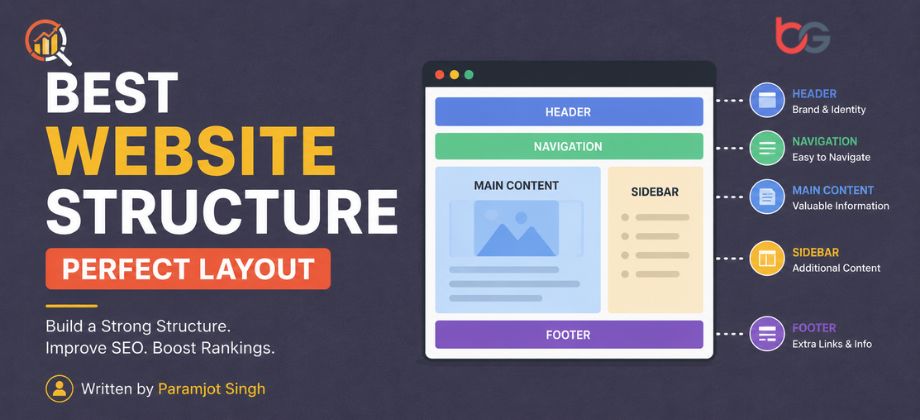
Best Website Structure: Plan the Perfect Site Layout
In this article, we will discuss everything about website architecture. Having the right website structure helps both users and search engines navigate your website easily.
A well-structured website also helps you achieve better Google search rankings.
Let’s not waste any further time and dive straight into the article.
What Is A Website Structure?
Website structure refers to the internal links on your website.
These links can be interlinked in articles, the footer, the header, or the homepage of your website.
A great website structure translates into an effective overall site flow.
Why Is Website Structure Important?
Here are 4 reasons a well-structured website is important.
- It helps users easily find the content they are looking for.
- It helps Google bots to find new pages and index them quickly.
- It passes link juice from high-authority to low-authority pages through internal linking.
- It provides search engines with additional context for every page.
Let’s understand each factor in brief detail.
#1. Helps The User Find Content Easily
A well-structured website structure improves the user experience. A better user experience directly helps you in higher Google search rankings.
Your job is to structure your site so that all your products and services are easily discoverable by users without being spammy.
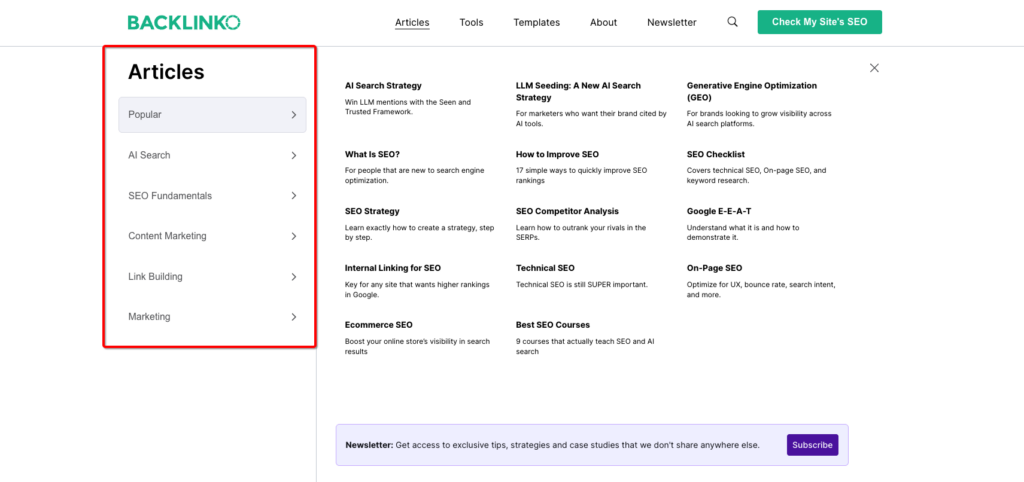
Here’s a great example of Backlinko. Look at how they have categorized everything clearly on their site, making it super easy for anyone to navigate.
#2. Helps Search Engines Find New Pages
Google finds new pages from existing internal links on your website. The bot then stores these pages in its database after indexing.
You can only rank higher in the search results if your pages are indexing in a timely manner. For that to happen, you need to have a strong internal linking structure.
You also avoid having orphan pages. Pages that have no internal links. Google typically avoids indexing such pages or delays indexing them.
#3. Helps Pass Link Juice From Pages
As discussed above, internal linking helps with faster page indexing and passes link juice.
For example, if you have a very high authority page that is ranking high, you can give internal links to a newly published page that has zero authority.
Over time, link juice from a high-authority page passes to a low-authority page, which helps improve ranking on Google.
#4. Helps Search Engines With Additional Context
Context helps search engines know more about your page. This information tells Google exactly where to rank you in the search results.
For example, if your article is about eating apples, context tells Google not to rank when someone searches for Apple iPhone.
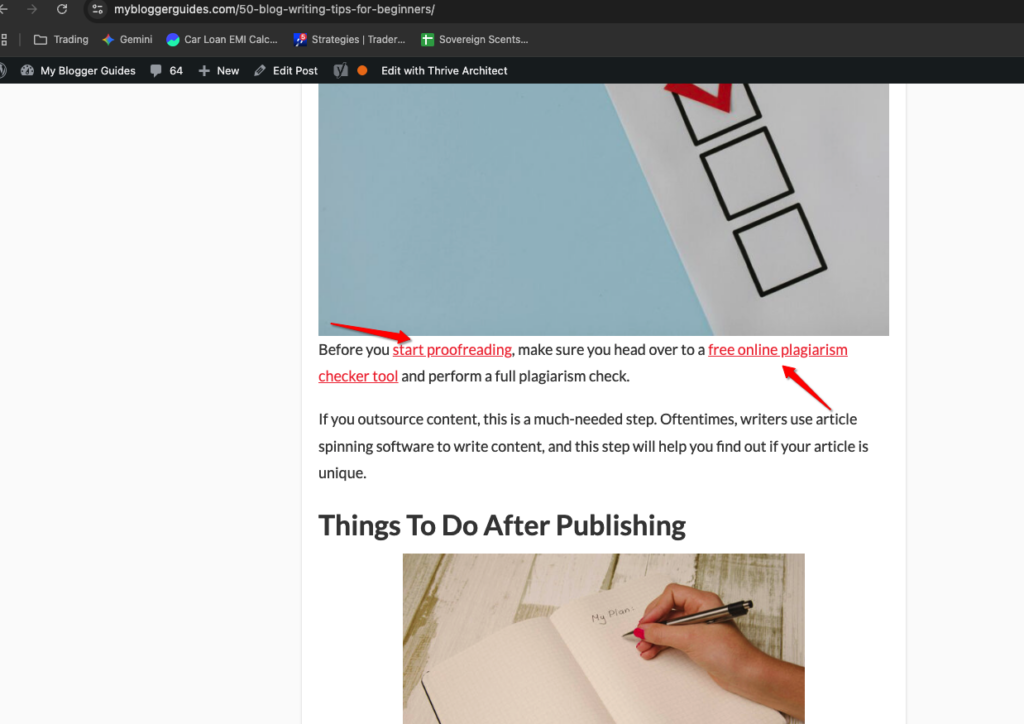
Internal links also enhance context. Google can tell when a food blog is linking to various foods like apples, kiwis, and papayas.
What Does A Good Website Structure Look Like?
Let’s understand the key elements that make up a good website architecture. Let’s go.
#1. Flat Architecture
Flat architecture is when users can reach their target destination on a website with minimal clicks. That is considered a strong website structure, and Google considers it a potential page to rank higher.
On the flip side, deep architecture is the opposite. Here, all pages are hard to navigate, both for search engines and users. Avoid having such a website structure.
#2. Group Tropically Relevant Content
You may have heard of Tropical Authority. This is what it means: when you group all the tropically related content on your website with proper internal linking, Google will rank these sets of pages higher in the search results.
Tropical authority also helps you establish your position in the SERPs for a long time, as most people avoid this.
#3. Avoid Orphan Pages
Google reads and indexes your new pages from internal links. If you don’t do the internal linking for new web pages, chances are both Google and users will miss those pages. Overall, that is considered detrimental to SEO.
You can find this list of orphan pages with the help of the Semrush Site Audit tool.
Step 1: Enter the domain name in the site audit tool and click on “Start Audit.”
Step 2: Wait for the site audit to run and click on “Issues” at the top.
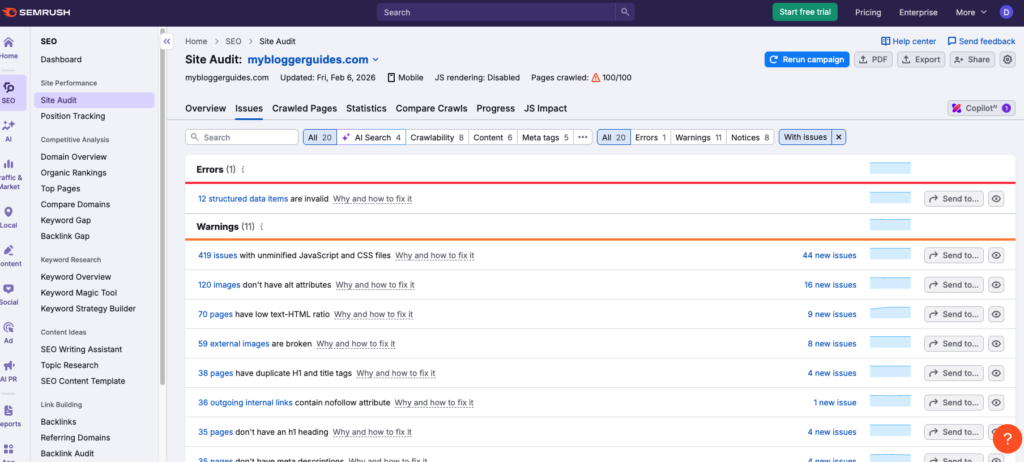
Step 3: Enter “orphan” to view all orphan pages in the sitemap.
Step 4: To view all the orphaned pages, click on them.
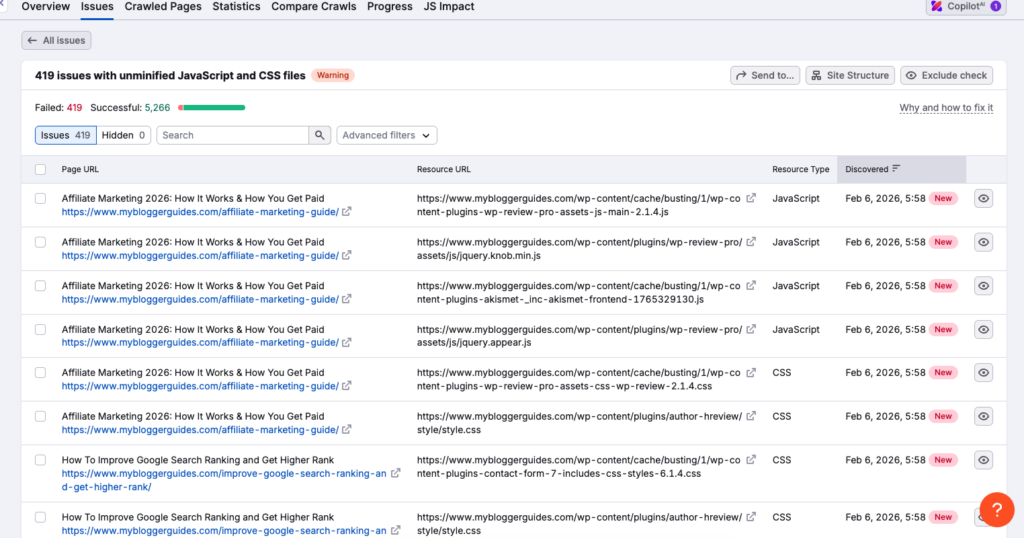
Step 5: Finally, to improve site structure, create relevant internal links to all orphan pages.
Best Website Structure Practices
Here is a list of best practices that you should implement on your site to have the best website structure
#1. Use The Right Structure
The right website structure is subjective and truly depends on the type of website you run.
If you run a website that’s content-heavy, you should put various article categories in the header and footer sections of the site.
On the flip side, if you have an ecommerce store, you’ll put product categories instead of content categories in the header and footer sections.
One great tip for better site readability is to enable pagination. Pagination helps Google read pages with the help of internal links.
Another important consideration is to study your competitors. See how they have structured their website and replicate their way.
#2. Build Tropical Authority
Building tropical authority is all about structuring your content in a way that you have the best shot at making it to the top of the search results.
Content pillars are one of the best ways to build good topical authority.
Let’s understand this with an example.
We have the main topic as Digital Marketing. This is our pillar content; we will now publish subcategory content under it.
Our subcategory content can include topics such as digital marketing courses, digital marketing fields, and the digital marketing funnel.
Now, when you have multiple articles that cover everything about a certain topic, you gain topical authority in Google’s eyes. Users also love your website as they can find all the information in one place.
Pro Tip: You can use Semrush Keyword Strategy Builder to research potential content pillars. Just type in your main keywords and let the tool do all the heavy lifting for you.
#3. Use Proper Internal Linking
Internal Linking isn’t a direct ranking factor; however, doing it correctly can give you a better chance of ranking higher on Google.
Moreover, internal links pass link juice, which helps build page authority.
With the help of Semrush Site Audit tool, you can find out broken links or web pages that are missing internal links.
Head over to the internal linking section and click on it.
Next, in the errors section, look for “broken internal links” and fix all of them.
Keep doing this activity every month or twice a month; that way, you’ll always have the best internal linking structure, which in turn will help both search engines and users to navigate your site better.
As discussed above, if you make your website navigation easy and clean, more users will be willing to spend more time on the site.
The more time they spend, the stronger the internal signal to Google that users love your website and its content.
Slowly, with time, you’ll notice that your website rankings are moving higher.
Keep the user journey as simple as possible.
#5. Make Use Of Categories & Tags
If you run a content website, don’t forget to group articles into relevant categories and tags.
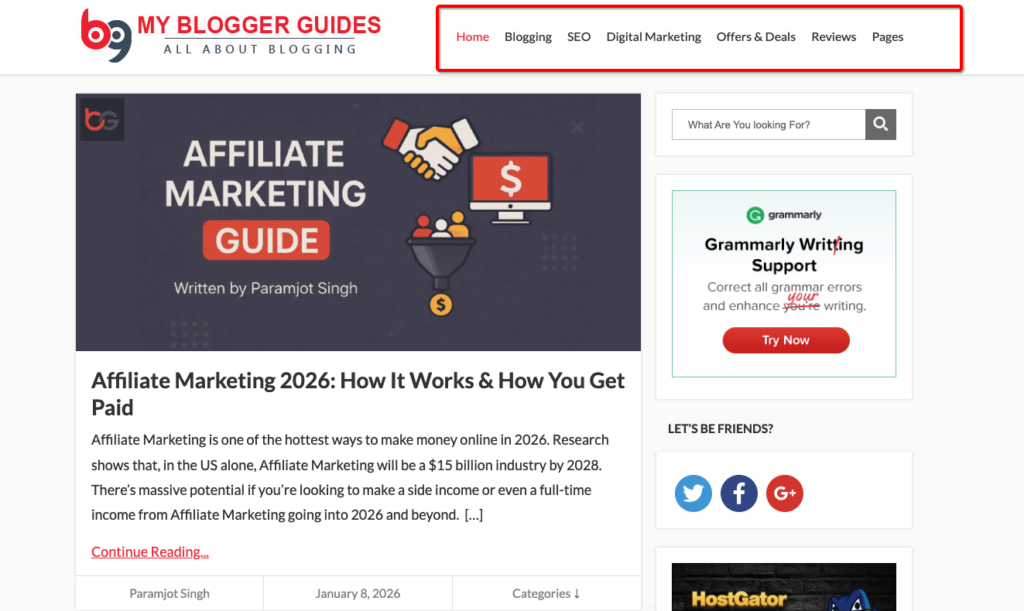
Categories are what you show in the header or footer section of your website.
As you can see, we have multiple category options like “Digital Marketing”, “SEO”, “Blogging”, etc., on our website.
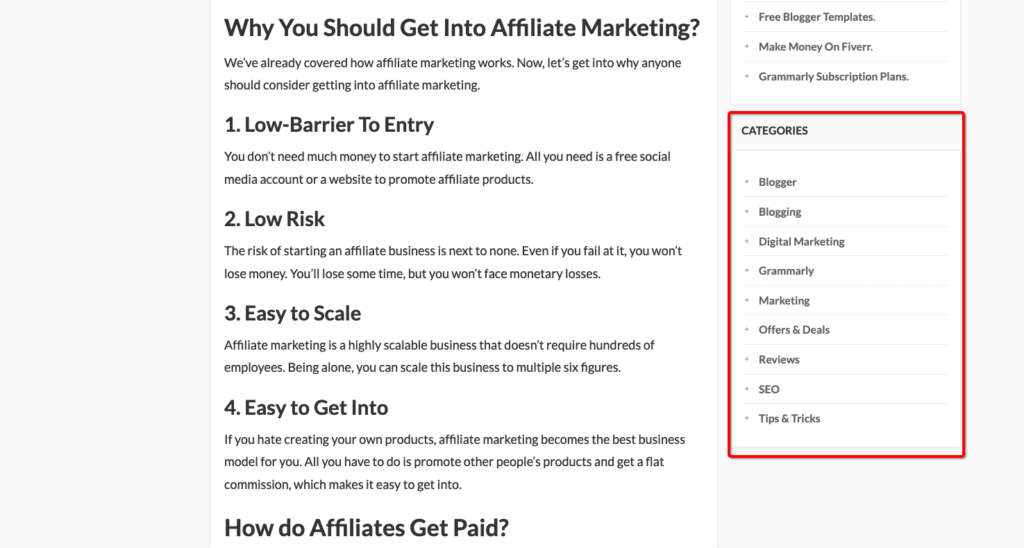
If you click on any of those categories, you’ll find exactly the content you’re looking for under these categories.
Tags are what you give at the end of the article for users to navigate these topics on your website.
Pro Tip: Analyse your competitors’ categories and draw inspiration from them.
Moreover, you can create a category for any topics you cover the most on your blog. We write about blogging and digital marketing here.
You can also use the Semrush Keyword Strategy Builder tool and type in the main keywords to see which has the most topics you can cover. Create an individual category for that.
#6. Optimize Website URL
Keep your URLs short and easy to remember. Use relevant keywords in URLs; this improves SEO and helps users remember them more easily.
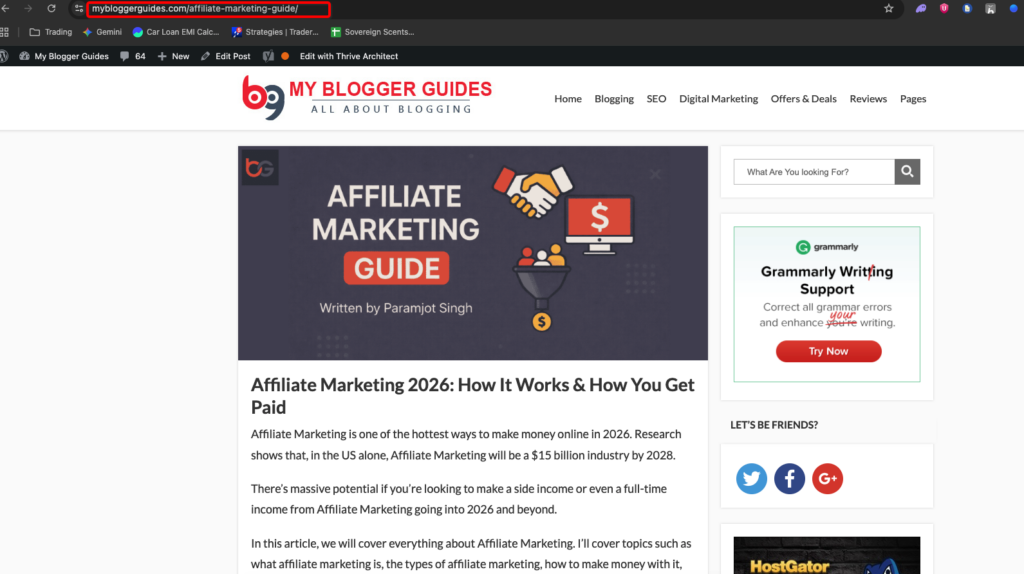
A good URL example is as follows:
www.abc.com/blogging/start-a-blog
A bad URL example is:
www.abc.com/category/blog/how-to-start-a-blog-in-2026
Notice the difference between the two URLs. The first is easy to remember and share; the second is complex.
Here are some quick tips for creating SEO friendly URLs
- Keep the URLs really short. Ideally, 2-4 words long. Notice our first URL is 3 words long.
- Use hyphens to separate words.
- Always add your targeted keywords in the URL. In our example, the target keyword is “start a blog”.
- Dont put multiple categories in the URLs. Stick to one category.
#7. Create An XML Sitemap
An XML sitemap stores all articles, images, videos, and other content for search engines to crawl and index on your website.
An XML sitemap also gives you a bird’s-eye view of your website structure. It also boosts your site’s visibility, as search engines can more easily crawl your site.
Here are some key tips for improving an XML sitemap
- Include all pages that you want Google to index. Even the pages that are not directly linked in your navigation menu.
- You can assign priority levels to each page you want indexed first. Enable that option from the XML sitemap settings.
- Always update your sitemap regularly. After you update it, be sure to submit it to search engines.
#8. Add A Search Function
Every website should compulsorily have a search button. Place the search button so users can easily find it and navigate the website.

Add advanced search options to support deep searches if your website has a large number of pages.
If you make navigation easy, users will stay longer. If they spend more time on your website, it gives Google a signal to rank those pages higher in the search results.
Here are some quick tips for adding a site search function
- Keep the search function in the right corner of your webpage.
- The search function should be fixed in the website header so it can be accessed at any time.
- Have an advanced search option for deeper searches.
#9. Have A Consistent Website Layout
Having a consistent website layout can make or break your site structure.
How?
A good and professional-looking theme can elevate the user experience.
Another thing that matters for a great website layout is how well you structure information. Your job is to provide information and content to users in the simplest way possible.
Here are some quick tips for having a consistent website layout.
- Use the same fonts and colours all across your website.
- Invest in a premium WordPress theme that’s professional.
- Keep all your navigation menus in one place.
Website Structure FAQs
In this section, I’ll address some of the most common questions you may have about website structure.
Question: How does website architecture impact SEO?
A well-structured website with effective internal linking helps crawlers index your most important pages quickly. However, if you have a bad website structure, crawlers will index every page that’s unnecessary.
Question: How do I improve my current website structure?
- Use internal links to connect all your important pages with each other.
- Use breadcrumbs for better site navigation.
- Use descriptive and short URLs.
- Create XML sitemaps for better search engine crawlability.
Question: How often should I review my website structure?
You should review it whenever you make major content updates or when your SEO performance declines.
Question: What is a flat website structure?
A flat website structure has pages closer to the homepage. These pages don’t require you to click a lot. A flat-architecture website is considered good for SEO and overall website rankings.
Question: What is a deep website structure?
A deep website structure is often the opposite of a flat one. Deep structures are typically where you have to click through a lot of pages to find information. Deep architecture websites are considered less effective for SEO and overall SERP rankings.
Final Words:
Many people ignore website structure because it doesn’t provide direct, immediate results.
Please don’t be like everyone else and put effort into having the right website architecture. I have covered everything needed to build a strong website structure for you.
Implementing these tips also gives you the best shot at ranking higher in Google SERPs.
I hope you found some value in this article. I think this article will help you implement the right website structure going forward.
If you have any suggestions for me, please don’t hesitate to leave them in the comments section below.
I’ll see you in the next one. Peace.
Contents
