

How to Start a Blog? The Beginner’s Guide to Blogging
Are you looking to start a blog? Blogging is a great way to share your thoughts online, build a brand, and promote your digital/physical products to your audience.
This step-by-step guide is written specifically for beginner bloggers who aim to build a career around blogging or those who are passionate about a particular topic, such as food recipes, travel, or fitness, and want to share their journey online.
After reading this article, you’ll have a complete idea of what blogging is, what is needed to start a successful blog in 2025, and finally, if you follow along with me, you’ll have a beautiful-looking blog at the end of this article.
How to Start a Blog in 2025: 9 Step Beginner’s Guide
Here’s a comprehensive guide for anyone looking to start a blog in 2025, grow their audience base, and make money blogging.
You need to follow these nine simple steps to launch your first blog online in 2025.
1. Choose Your Blog Niche
2. Choose Your Blog Name
3. Launch Your Blog Online
4. Choose The Right Blogging Platform
5. Customize Your Blog
6. Write & Publish Your First Blog Post
7. Advertise Your Blog
8. Make Money From Blogging
9. Measure Your Blog’s Performance
Now that you know the TL:DR of how to start your successful blog in 2025, let’s break down each step in detail so you don’t feel overwhelmed.
1. Choose Your Blog Niche
The first step before considering your blog name is to determine your blog niche. Your blog niche can be anything from travel, parenting, technology, AI, gaming, food, or any other topic.
The best blogs I have seen succeed are the ones people are passionate about. For me, I’m passionate about blogging, helping people start their blogs, and making money from blogging – these are the topics I love the most. That’s why you’re here on mybloggerguides.com reading this blog post.
If you’re confused and have no idea what to write, you can always head over to Google Trends and see what is trending online and plan your blog niche around that. Another great example is to surf online forums like Reddit and Quora to look for what people are currently seeking. Identify the problems you can solve for them with your knowledge.
In my case, I’m trying to help people who want to start their own blog and make a side income from blogging.
Tips on selecting your blog niche fast:
– Make use of Google Trends, AnswerThePublic, or online forums to find your niche idea.
– Always choose the niche you’re super passionate about writing.
– Make sure you have enough audience for the niche you’re choosing.
– Find your voice, figure out how you’ll stand out from your competition.
2. Choose Your Blog Name
This is probably the easiest step among the entire list, but it can be time-consuming if you don’t have a name for your blog yet.
A blog name is nothing but your online identity or a website where your audience will find you. Example blog name is MyNewBlog.com.
I’d recommend that you visit Namelix and enter a random keyword that you think is nice to have in your website name.
Here’s a step-by-step guide to generate a unique-looking blog name for free.
Step 1: Head over to Nameboy.com
Step 2: Type in the keyword that you want in your blog name and click on “Submit”.
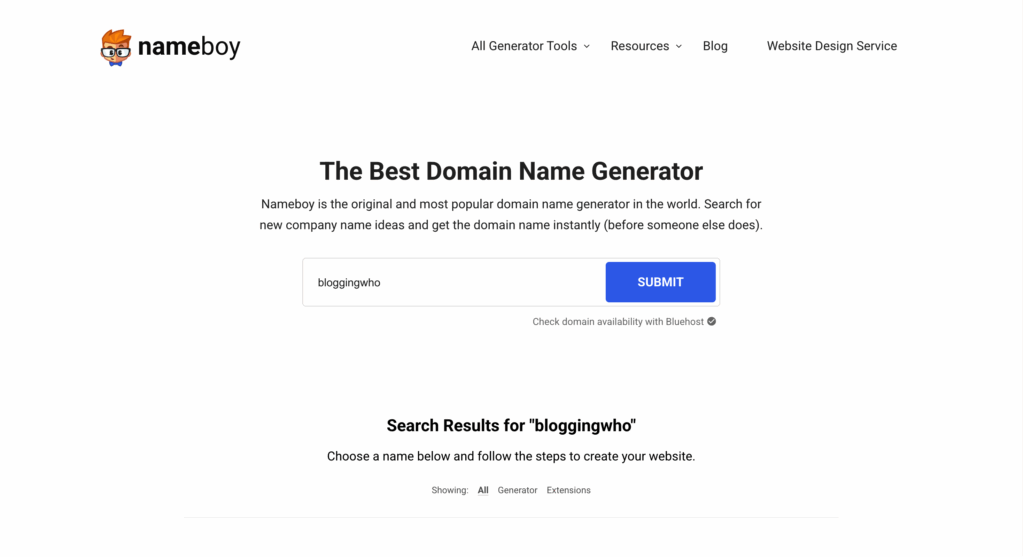
Step 3: Scroll down to view all the available naming options.
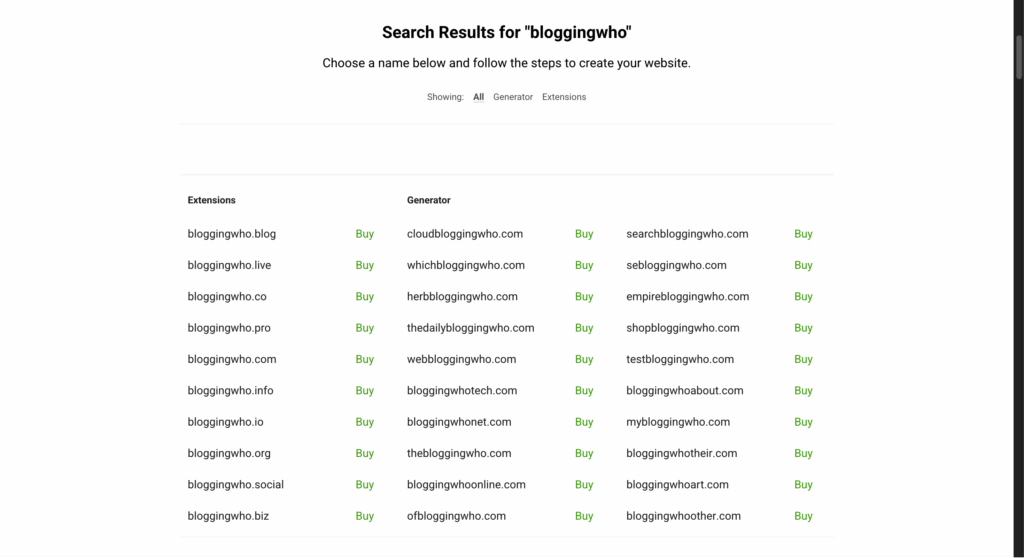
This is just one practical example of generating infinite blog name ideas. If you’re too lazy for this, simply head over to ChatGPT and provide a prompt mentioning what your blog is about, and also ask for unique names that have never been seen online before. ChatGPT will do all the heavy lifting for you and give you the best blog name.
Now that you have finalized your blog name, let’s proceed to the third step, which is selecting your domain and hosting provider.
3. Launch Your Blog Online
Launching your blog online is a crucial step in your journey. In this step, we will learn about registering your domain name and selecting a hosting provider.
We will use GoDaddy for domain name registration and Bluehost for hosting our website online.
Let’s start by securing our domain name with GoDaddy.
Step 1: Head over to GoDaddy.com and type in your domain name and click on the search icon.
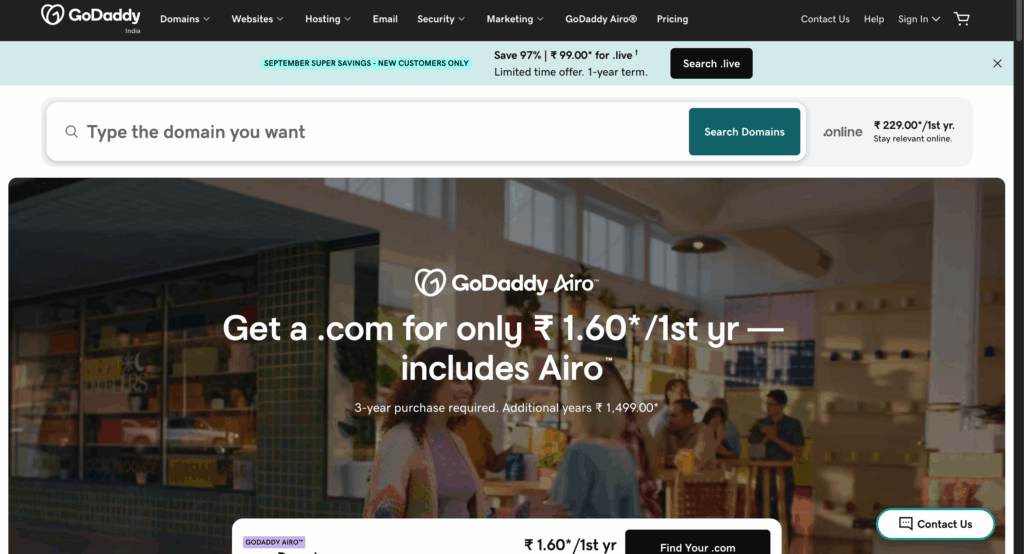
Step 2: Next, select your TLD from the list provided.
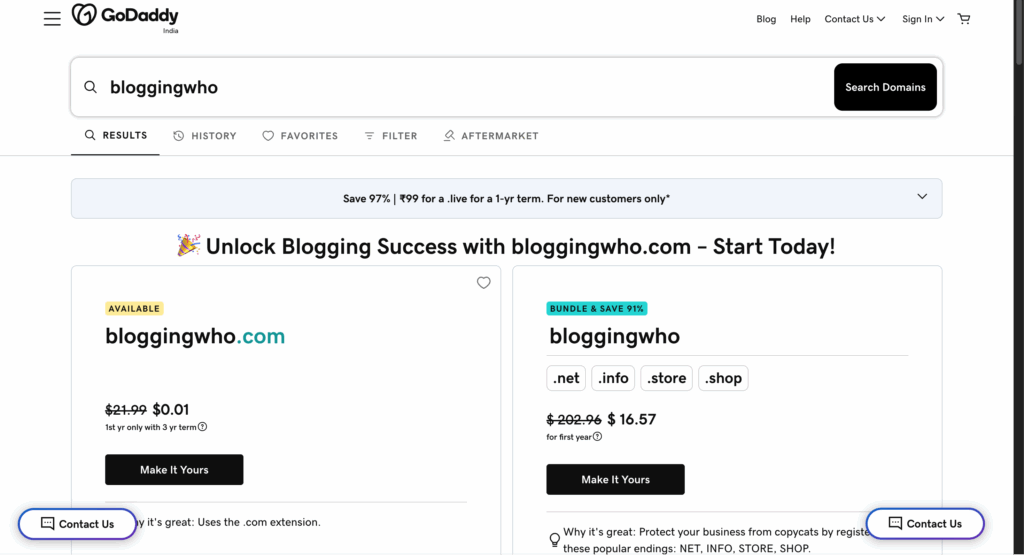
Note: I recommend always going with a .com domain if you have a global audience. For local blogs, you can choose your country TLD (e.g., .us, .au, .uk)
Step 3: Finalize your domain name and make the payment to secure your blog name for one year.
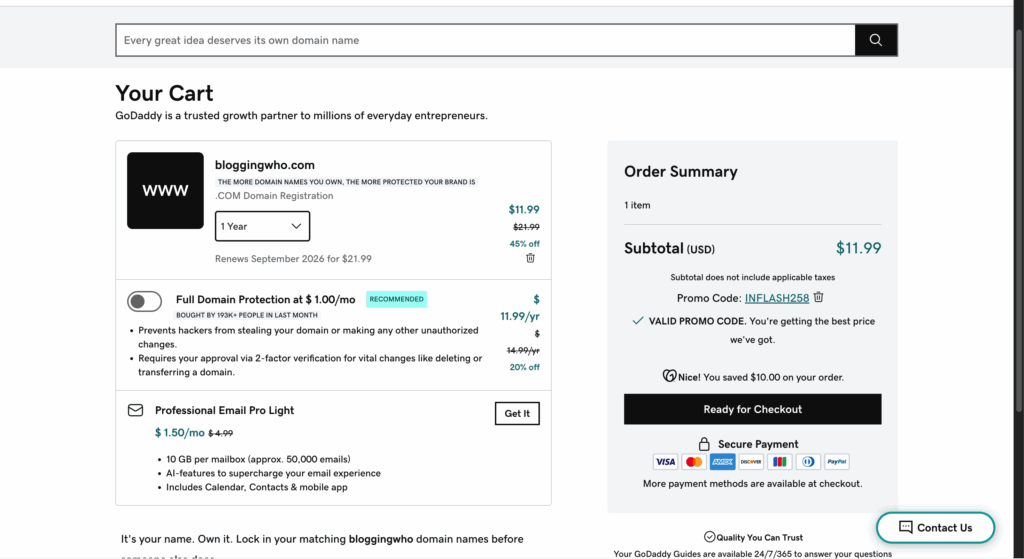
Note: The domain name you purchase will renew after one year. You can opt for manual renewal or automatic renewal.
Now that we’ve registered the domain name, let’s head over to the second step and get our hosting setup done.
Step 1: Head over to bluehost.com
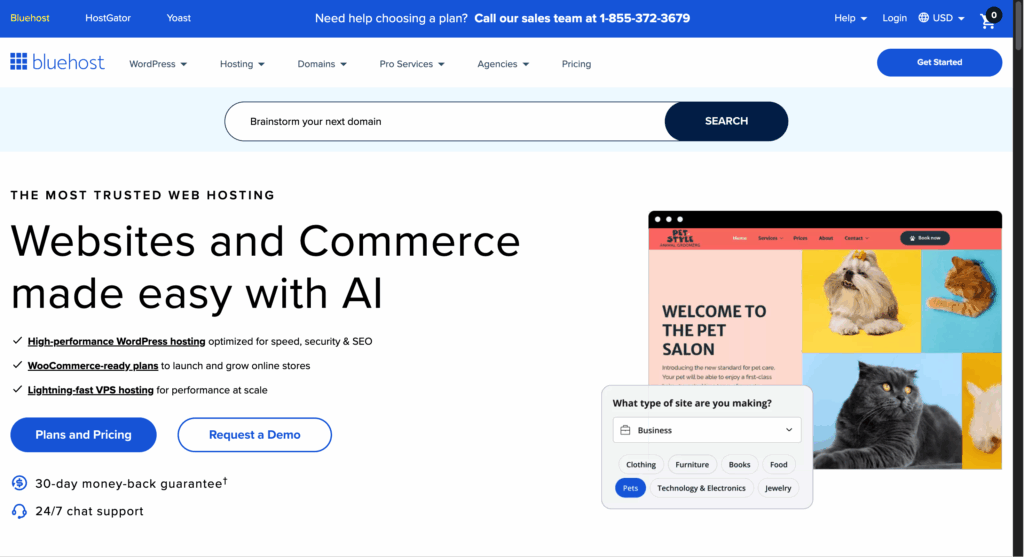
Step 2: Click on the “Plans and Pricing” button.
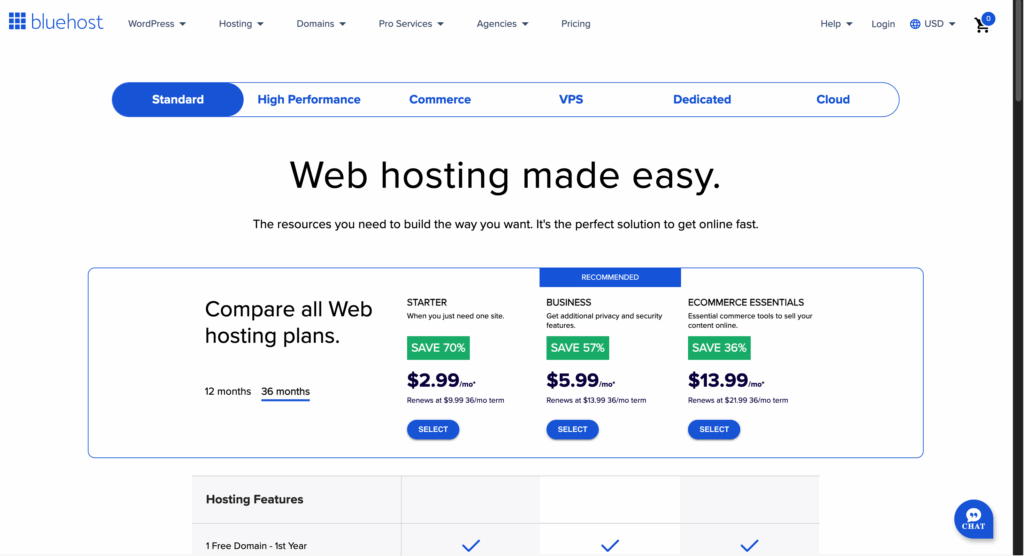
Step 3: Next, select your plan.
Note: I recommend starting with the standard plan, as you’re just getting started and won’t have much traffic initially. Make sure you opt for the 36-month plan to secure the maximum discount.
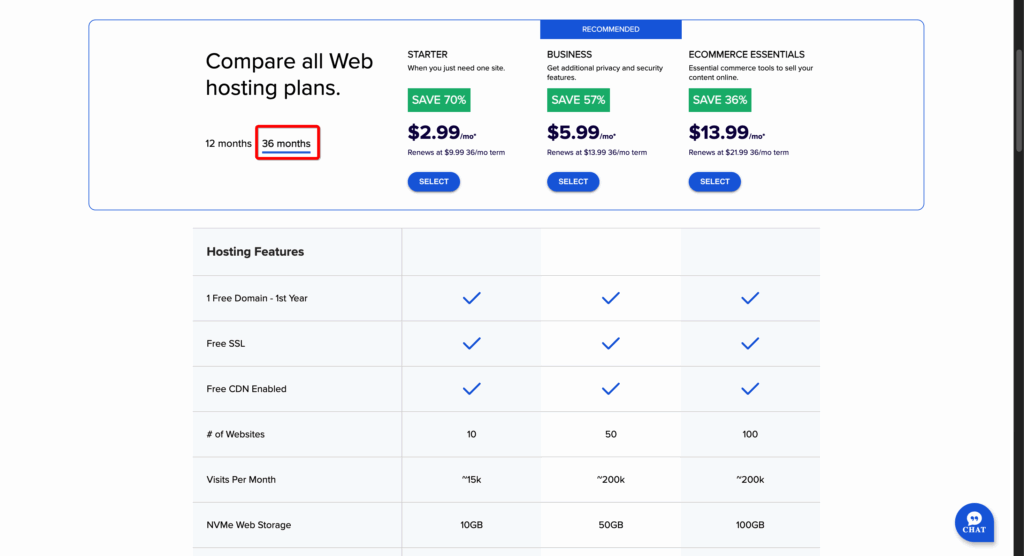
Step 4: Now, add the domain that you’ve registered on GoDaddy.
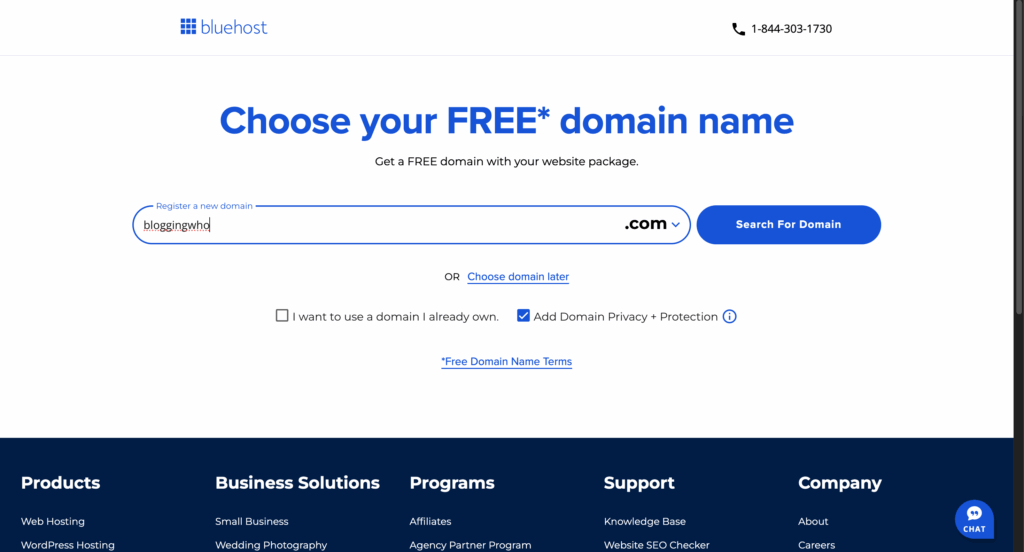
Step 5: Finally, proceed to the checkout page and complete your payment.
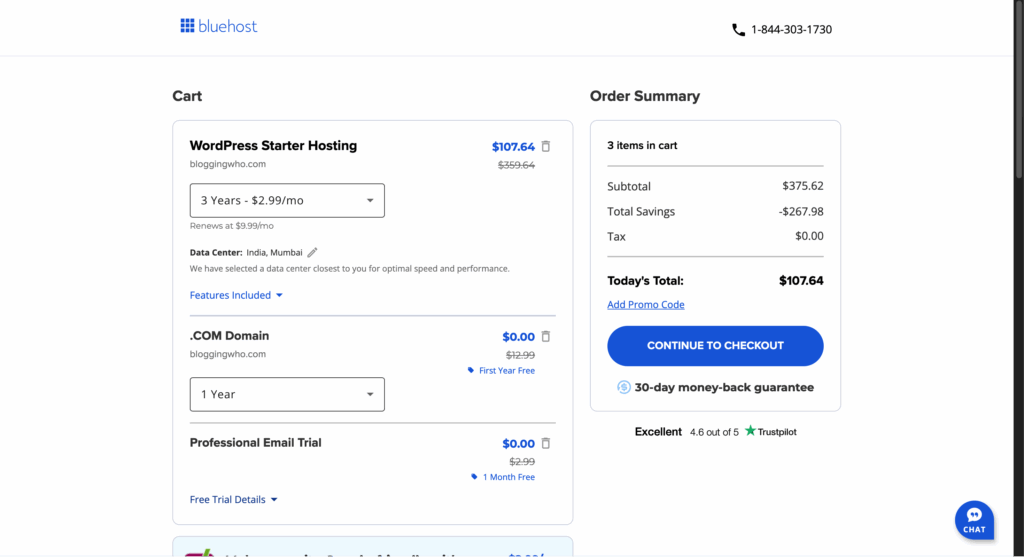
That’s it! Congratulations on getting your first domain name registered and hosting your website online. That’s a bold move that most people never take.
4. Choosing The Right Blogging Platform
In this step, we’ll select the blogging platform where you’ll manage the backend of your website. Tasks such as installing themes, plugins, writing and editing your first blog post, adding new users, and more.
I personally use and recommend WordPress.org as your central CMS platform. It’s free and straightforward to use for a complete beginner. You also have other CMS options, such as Wix, Squarespace, and Weebly, but these are paid options.
WordPress gives you access to a library of thousands of plugins, free themes to install, and overall a seamless blogging experience.
5. Designing Your Blog
Now that you’ve finalized your blogging platform, let’s learn how to make your blog look great when visitors visit your website.
The first thing to focus on is creating a great-looking logo – one that resonates with your blog and voice.
Secondly, have a great-looking theme that is easy to navigate and is clutter-free. Some of the free options that I’d like to recommend to you are Astra, OceanWP, and Sydney. Furthermore, you can head over to the WordPress free theme library section and see which one you like the most. Click the install button, and you’re ready to go in less than two minutes.
Now, we need to add the crucial pages that are necessary for every new blog. These pages are About Us, Contact Us, Privacy Policy, Terms & Conditions. You can do a simple Google search on how to create them on WordPress, and you’ll see free guides.
The final step in customizing your blog is to get it indexed on a search engine like Google. You can do this by submitting your sitemap to the Google Search Console.
Google Search Console not only helps index your website but also provides valuable data, such as clicks and impressions on the articles published, which you can use to improve your content.
6. Write & Publish Your First Blog Post
Let’s get to business now and publish our first blog online. All the other required things are done for setting up the blog, and it’s time to write our first blog.
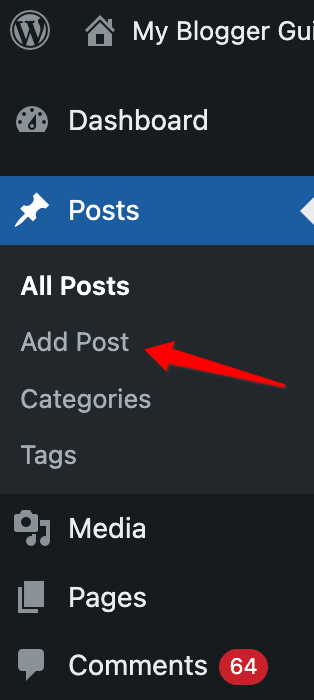
Step 1: On your WordPress website, go to the left sidebar and hover over “posts.”
Step 2: Next, click on “Add new post”
Step 3: A blank WordPress editor will open up. Put your blog title at the top and start writing content in the bottom part of the editor.
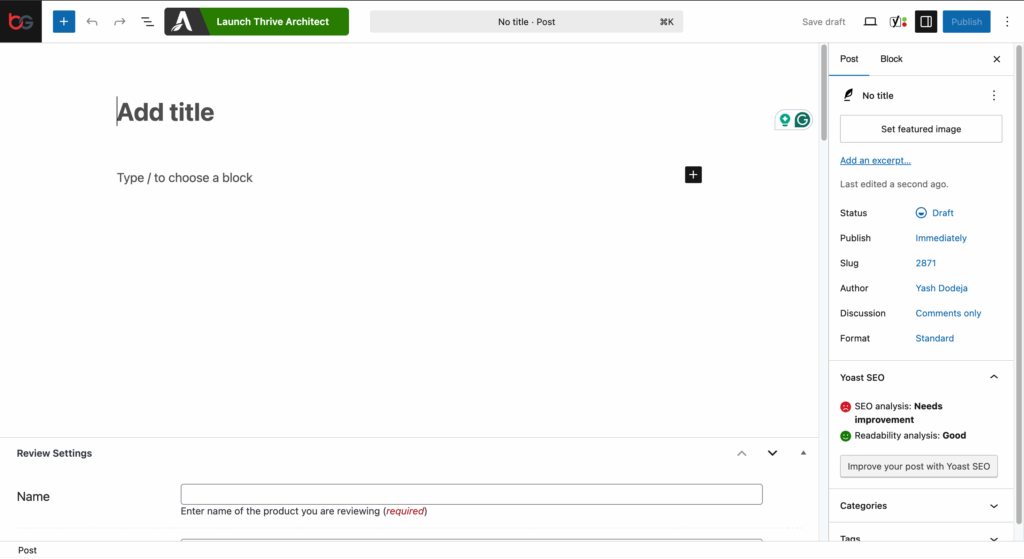
NOTE: For adding images, you need to click on the “Plus” icon and select the text to make it bold, italic, or change heading sizes.
That’s it, you’ve successfully published your first blog online. Believe it or not, it’s that easy.
Now, let’s understand the types of content you should have on your blog.
1. Static Content – All the static pages that won’t keep changing or updating will fall in this category. Examples of this include your ‘Contact Us’, ‘About Us’, and’ Privacy Policy’ pages.
2. Dynamic Content – All your dynamic content will be blog post articles that keep on updating as time goes by. A small example would be a guide on “how to make money in 2024,” which will be updated in the following years.
How to Write Great Blog Content?
I know, being a beginner, you’re overwhelmed with all this information and don’t yet know what makes your article great. So let’s break it down step by step in this section.
To begin with, always write original content. Google loves original and unique content.
Focus on keyword-rich content that the end user is searching for. Moreover, Google favors long articles, so always focus on articles of 1000 words or more. Lastly, use original images in the article. Don’t make the silly mistake of copying it from the internet.
7. Promote Your Blog
Since you’ve published your first blog article on the website, the next part is to generate traffic. Getting traffic is probably the most challenging part that most beginner and even advanced bloggers struggle with.
Ways to promote your blog
Here are some practical ways that will help you get traffic on your website:
#1. Promote in Your Inner Circle
The fastest and easiest way to get traffic is to share it with your friends and family members. Enjoy the feeling of having visitors for the first time on your website. Although it won’t last long and they will hardly come back, getting that first small win is essential.
#2. Rank on Google
The most consistent way of getting blog traffic in 2025 is to rank on Google. If you rank for a high-quality targeted long-tail keyword, you’ll see consistent traffic on your website. Securing the top 3 positions will yield the most traffic.
#3. Promote on Social Media
Another way to promote your blog is to share it online on Facebook and LinkedIn with your followers. I don’t consider this a great way to generate blog traffic, but something is better than nothing.
#4. Build An Email List
Building an email list isn’t for beginners, but it’s definitely something you should consider. It’s an asset and every blogger’s dream to have a massive email list. With an active email list, you can not only generate traffic but also sales. An email list is one of the most powerful tools in a blogger’s arsenal.
8. Making Money from Blogging
The next step in blogging is learning how to make money from it. I will discuss some of the ways to make money from blogging. Let’s go
#1. Sell Advertising Space
If you run a media or news website that receives millions of visitors every month, many companies will be interested in renting space on your website for a monthly fee. A no-brainer deal for massive traffic websites.
#2. Sell Your Services
Selling your services to your blog traffic is a great way to make a side or full-time income from your blog. Use the sidebar to increase visibility of the service.
#3. Sell Digital Products
Selling digital products is the hottest trend of 2025. If you’re an expert in your niche, creating an ebook or a video course is a great way to make money from your blog. You can create video courses in various niches, including finance, travel, parenting, and making money online, among others.
#4. Sell Affiliate Products
If you don’t want to create your products or sell services, you can promote other brands or products. Writing review articles or making videos is a great way to make affiliate income from your blog.
9. Measuring Your Blog’s Performance
The final step is to measure what works and what doesn’t. You should utilize tools like Google Search Console and Google Analytics to gain a deeper understanding of your audience. Make use of the data to track KPIs and plan your content strategy around it.
Final Thoughts
By following these 9 simple steps, you’re all set to start your blog in 2025 and make money from blogging. I have shared everything in detail in this article, so read it twice if needed, cause this is all you need to start a profitable online blog in 2025.
That’s all for this article. If you have any doubts that you’d like me to answer in my following articles, feel free to comment on them below.
Contents
