SEO Checklist: Step-by-Step Guide to Boost Rankings & Traffic
A vast majority of the traffic that you get on your website comes from organic search.
But wait, before that happens, you have to rank on Google first. How do you rank on Google, tho?
Umm, by following the SEO checklist I’m about to share with you in this article.
In this in-depth article, we’ll cover everything about checklists, from technical SEO, On-Page SEO, keyword research checklist, to content and link building checklist.
It works for any website that wants to rank on Google, from WordPress blogs to e-commerce Shopify websites, affiliate sites, and even local businesses.
So without wasting any further time, let’s dive straight into the article.
SEO Basics Checklist
In this section, I’ll cover all the basic things you need to keep in check for having the best chance to rank on Google.
1. Set up Google Search Console
Google Search Console is a free tool offered by Google itself. It helps you track your website’s performance.
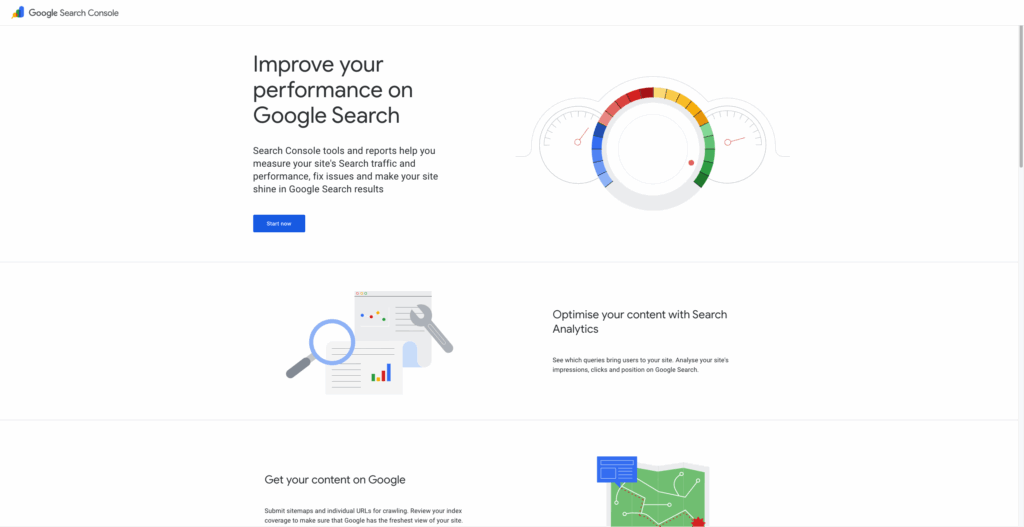
Search console helps you track a multitude of things:
– Keywords that bring you the most traffic
– Fix website errors
– Submit website sitemap
– Force index webpages
For people who are serious about SEO and ranking, setting up GSC remains the number one step.
2. Set up Google Analytics
Google Analytics is also a free tool offered by Google. It’s one of the best tools on the market for understanding how people navigate your website. Here you can see the live visitors visiting different webpages.
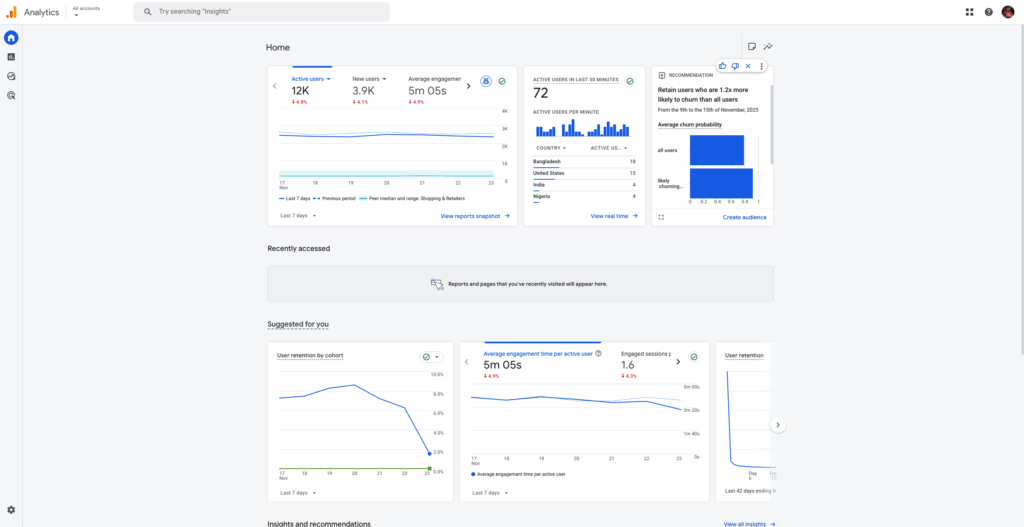
Google Analytics helps you:
– Track live visitor count
– Find out pages that get the most number of unique visitors every day, week, and month
– See if the traffic is increasing or decreasing
– Analyse bounce rate, average engagement rate, and page views
3. Install Yoast SEO
Yoast SEO is one of the most installed plugins on WordPress.
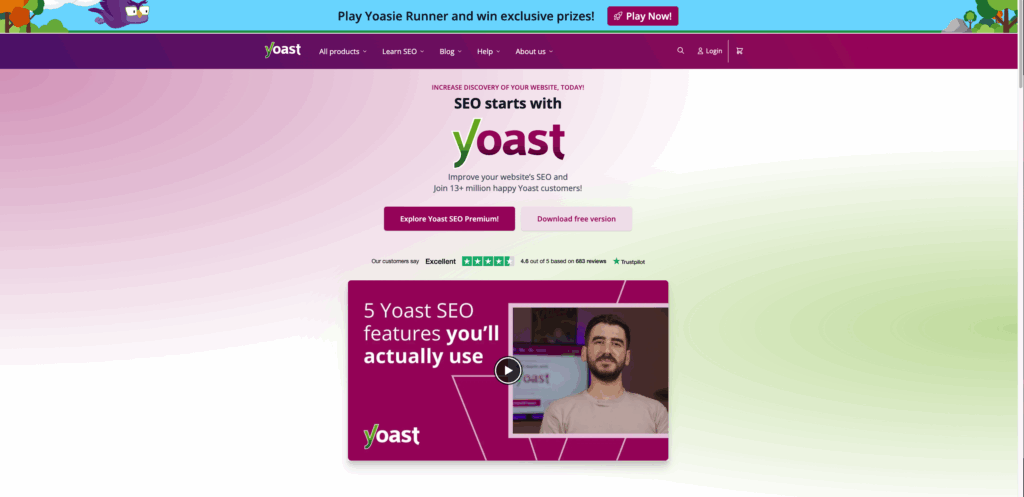
It’s famous for a reason. Yoast SEO helps you optimise your WordPress site for SEO. Furthermore, with Yoast, you can also manage the robots.txt file, technical SEO and sitemaps.
Yoast SEO also works for Shopify websites. You can install it as an app from the Shopify App Store.
If you’re new to SEO but still want your SEO optimised, Yoast SEO is the plugin for you.
4. Figure Out Your KPIs
Identifying your Key Performance Indicators is equally important as installing tools. If you really want to get results from SEO, you have to work on some of the KPIs first.
The foolproof list is shared below.
#1. Organic Traffic – Focus on increasing your organic traffic. It can lead to more engagement, resulting in more sales later.
#2. Link Building – Focus on guest blogging and acquiring high-quality backlinks. It will increase the website’s authority, which in turn leads to higher SERP rankings, more traffic, and more sales.
#3. Keyword Rankings – One of the most important KPIs is to track keyword rankings on Google. This helps you work on individual webpages that need better rankings.
Other KPIs you should track include website load time, bounce rate, and engagement rate.
Having clear KPIs will help you a lot in the long term, as you know exactly what you want to achieve with your website.
5. Setup Rank Tracking
As we discussed above, keyword rankings will be one of your KPIs; hence, we need to set up rank tracking properly.
For rank tracking, you can use Semrush keyword tracker, or one of my favourites, Keyword Tracker by Mangool tools.
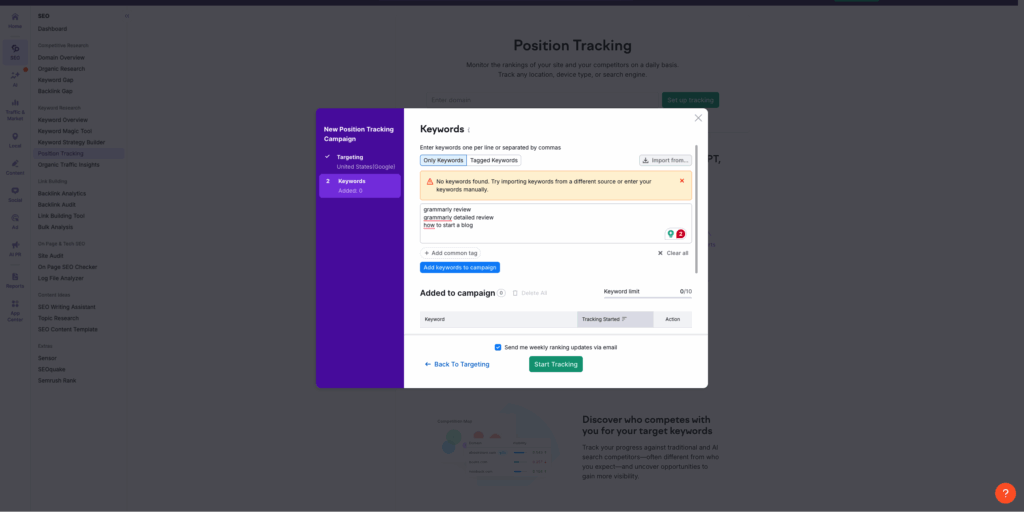
Tracking keywords will help you determine whether the other items we discuss later in the checklist are helping you rank.
6. Create And Submit A Sitemap
Search engines can only read sitemaps, so it’s essential to have one for your website.
Google’s search engine crawler crawls through your sitemap and indexes new web pages that appear on the sitemap.
You can check if your website has a sitemap at one of these URLs:
/sitemap.xml
/sitemap_index.xml
/sitemap
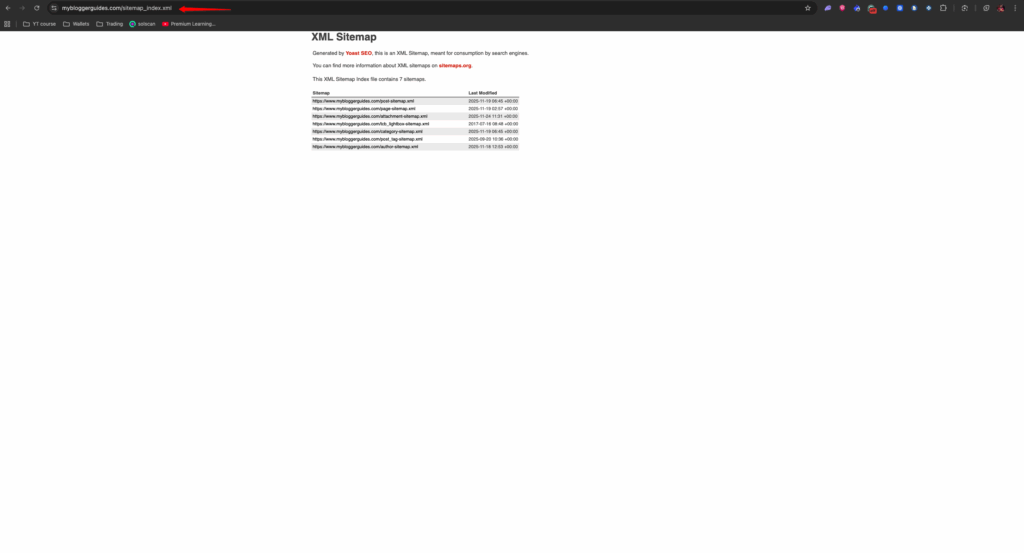
If you don’t know how to create a sitemap, use the Yoast SEO plugin we discussed above to generate one.
7. Be Sure You’re Using HTTPS
HTTPS is a more secured version of your website. If you see a lock icon at the start of the URL, your website is fully secure.
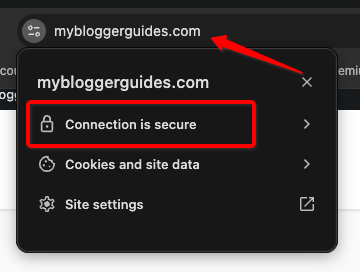
HTTPS is also considered to be an indirect ranking signal.
If your website isn’t fully secured, make use of Let’s Encrypt to get your free SSL certificate and secure your site.
8. Using The Right Cache Plugin
It’s essential to have a good caching plugin installed on your website.
Why?
A cache plugin will help you clear the website cache and increase the website’s load time. A user will always prefer visiting a website with a 2-second load time compared to one with a 7-second load time.
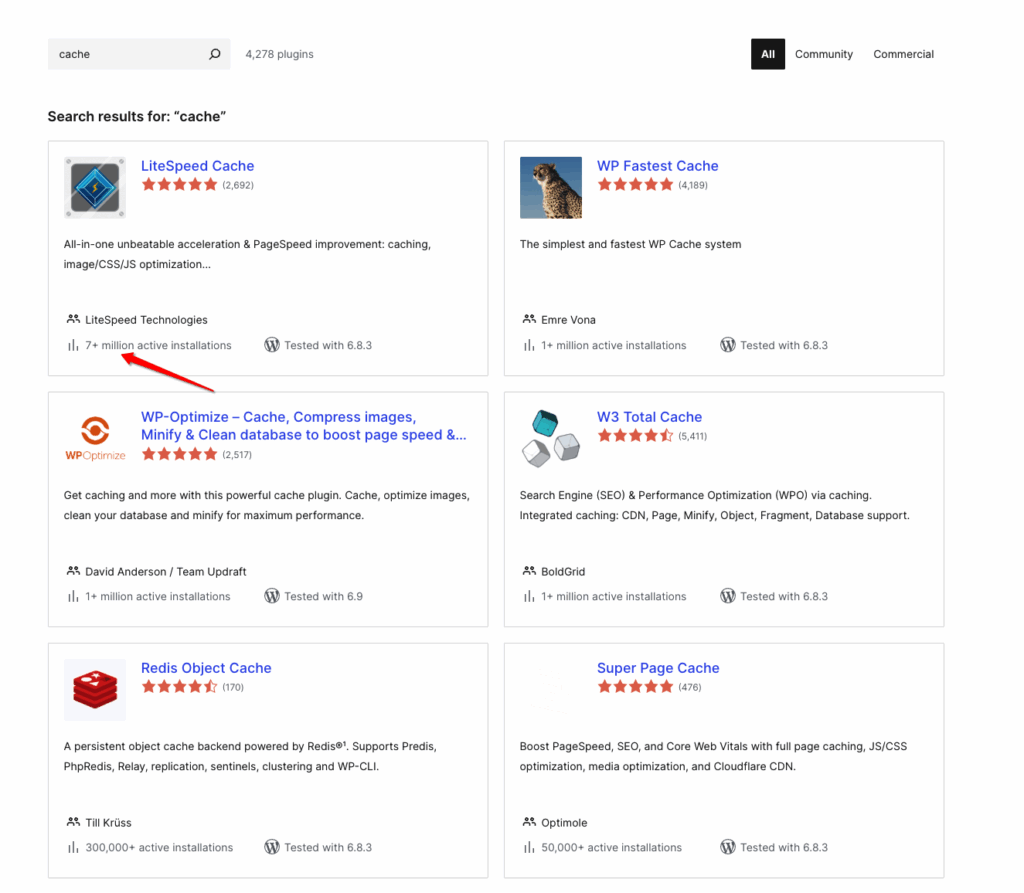
I can recommend three great caching plugins.
#1. LiteSpeed Cache it’s free. (I personally use this)
#2. WP Rocket it’s paid costs you $60/year
#3. WP Fastest Cache it’s paid costs $50/year
Keyword Research Checklist
In this section, we will cover everything you need to keep in check w.r.t. keywords. Doing this will help you evaluate your keyword ranking strategy.
9. Study Your Competitors
Studying your competitors comes before you even start doing keyword research.
Your competitors are already ranking for the keywords you want to rank for.
Use tools like Semrush Keyword Gap to find the full list of keywords they rank for.
In this, go to the “Top Opportunities” section and look for “Missing” and “Weak” keywords.
Missing is where your competitors already rank but you don’t, and Weak is where your competitors rank higher than you do.
10. Uncover Long Tail Keywords With Google Suggest
Once competitor research is complete and you know which keywords to target, it’s time to find the long-tail versions of those keywords.
For this, we’ll make use of the Google Suggest feature. Type in your main keyword in Google, but don’t press Enter. Wait until Google shows you more keywords that contain your original keyword.
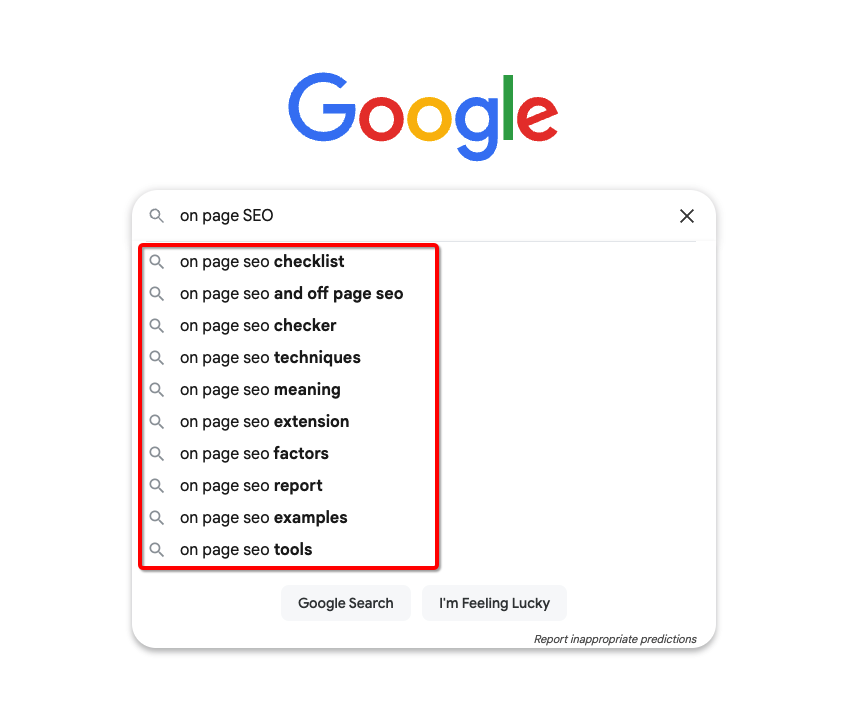
Doing this activity ensures you’re looking at a set of keywords that people already search for on Google. Now you can write a full article that covers the main keyword and these long-tail keywords for better rankings.
11. Identify Low Competition Keywords With Semrush
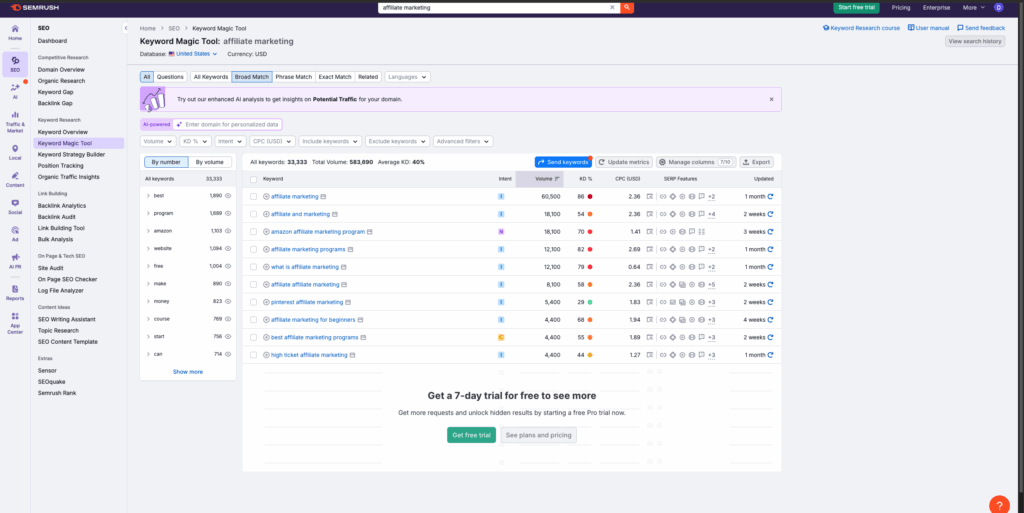
Semrush offers a freemium Keyword Magic Tool that lets you run up to 10 free searches per day.
For every search, you get valuable data, including keyword search volume, CPC, keyword difficulty, and potential traffic estimate for each keyword.
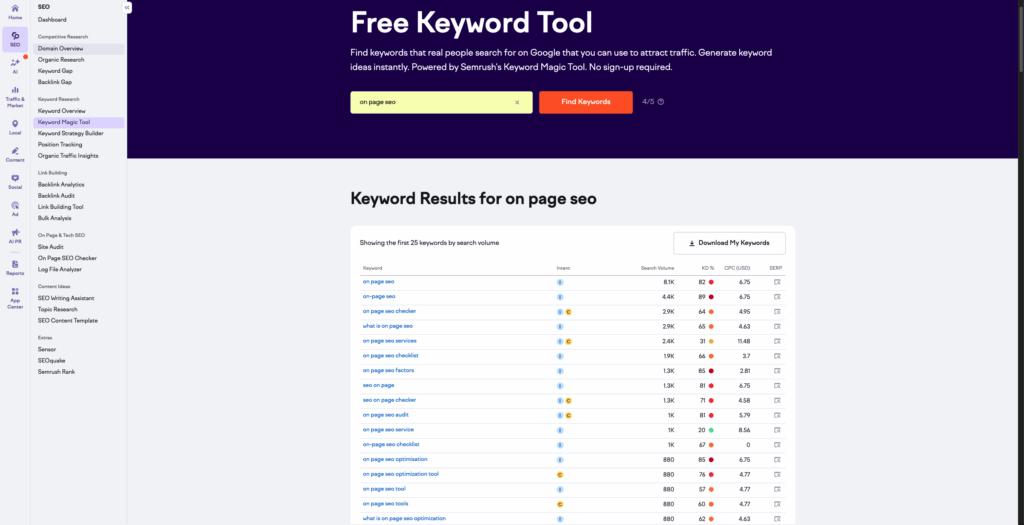
Use this data to your advantage and rank for keywords with low difficulty and high search volume. You can build your entire ranking strategy around this.
12. Use Answer The Public For Questions
Answer The Public is a hidden gem that’s very underrated. It helps you find questions related to your main keyword that users are searching on Google.
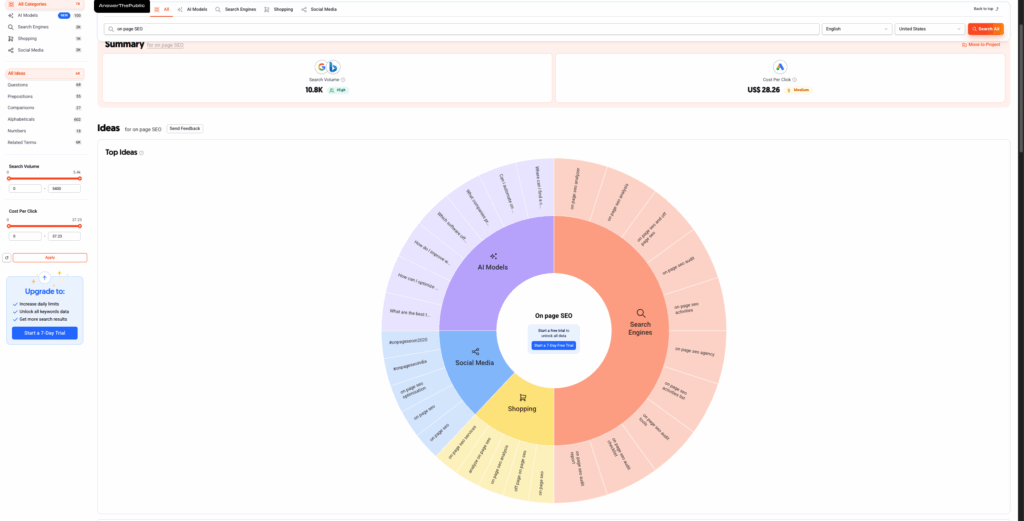
The keywords found here are perfect for use in articles. You can create a separate section for FAQs in your blog post to cover all the questions.
Pro Tip: You can also use the Semrush Magic Tool to find question keywords.
13. Use A Keyword Research Tool
Both free and paid keyword research tools are available in the market. For starters, go with a free keyword research tool like Ubersuggest.
On Ubersuggest, you get access to data like keyword search volume, keyword difficulty, keyword search intent and keyword ideas, where you can see different variations of your keywords.
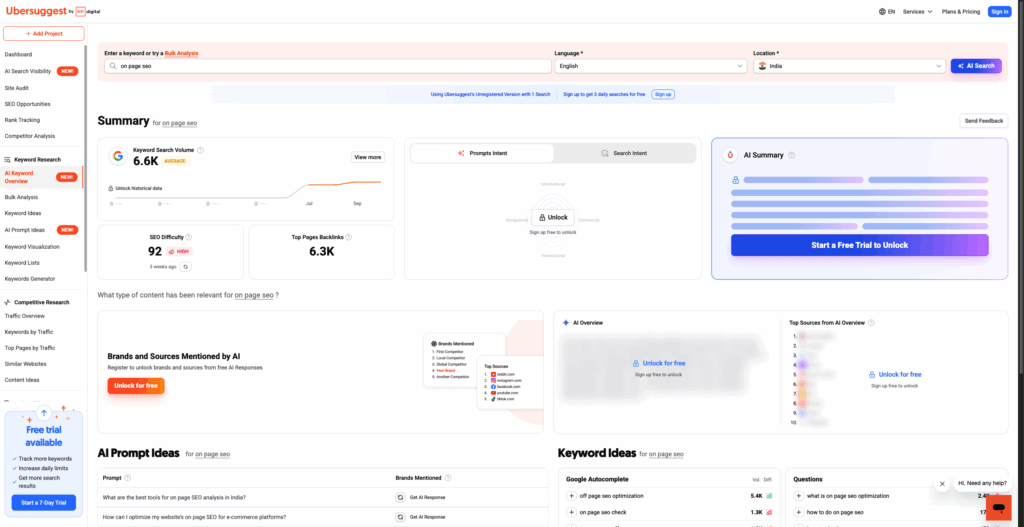
On the flip side, if you’re willing to invest in a keyword research tool, Semrush becomes your best bet. With the Keyword Magic Tool offered by Semrush, you get access to broad match, phrase match and exact match keywords.
14. Research On Online Communities.
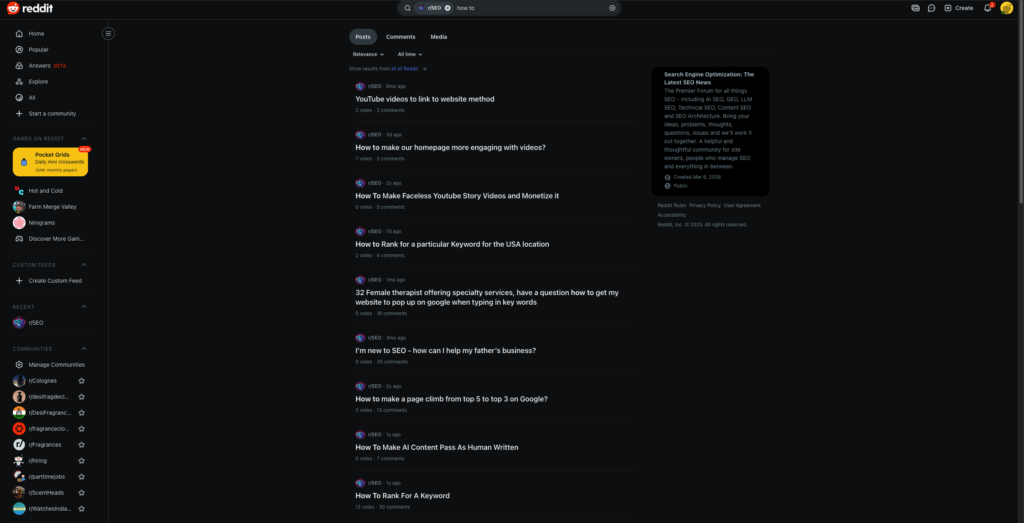
Reddit and Quora are a goldmine for finding new keyword ideas. People here ask real questions that have real problems.
You can find posts that need attention and include them in your main article. Here’s how to find questions that people ask in various communities.
Type in the niche name in the search bar, and next to it write keywords like “how to” “I want to”, “where can I” to find questions in that subreddit.
Talk to people to better understand their problems so you can address them in your article.
On-Page SEO Checklist
Let’s now focus on optimising content on our website with the help of practical on-page SEO tactics.
To read everything about On-Page SEO, you can read my article here. But let’s discuss the key points here in brief.
15. Use Short URLs
This isn’t a ranking factor, but keep your URLs short and clean.
An analysis by Brian from Backlinko shows that, after analysing 11.8 million search results, webpages with shorter URLs tend to outperform those with longer URLs.
16. Use Target Keyword At The Start
Always make sure you use your target keyword multiple times in the first 100 words of your article.
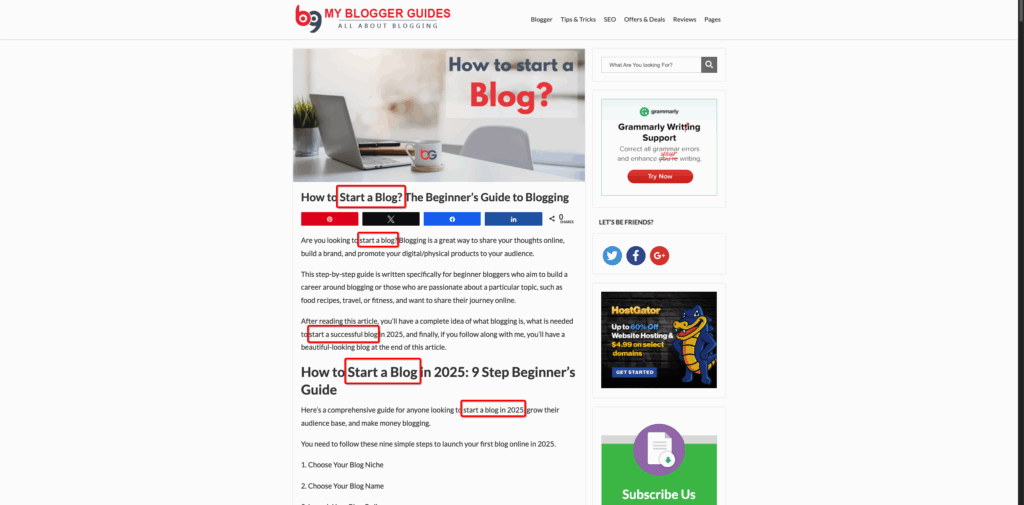
Here you can see we have this article on How to start a blog on our website and we have use the main keyword multiple times in the first paragraph of the article.
Doing this gives a clear indication to Google that you’re trying to rank for that keyword. Apart from that, don’t forget to use multiple long tail versions of your keyword in the article.
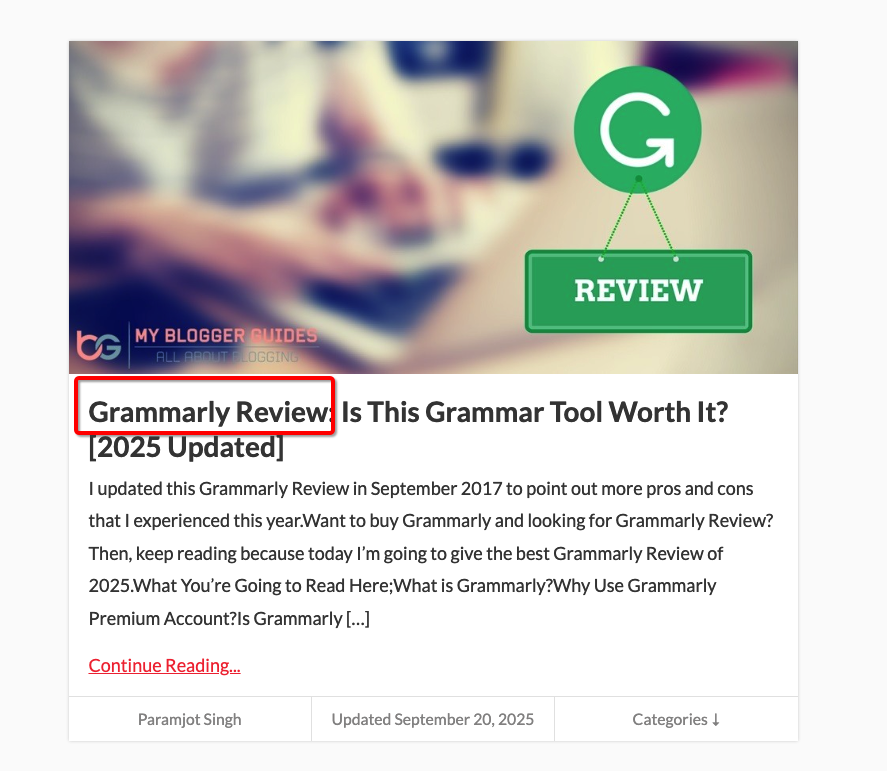
17. Use Keyword In Title Tag
As with the point above, make sure you use your target keyword directly in the title tag.
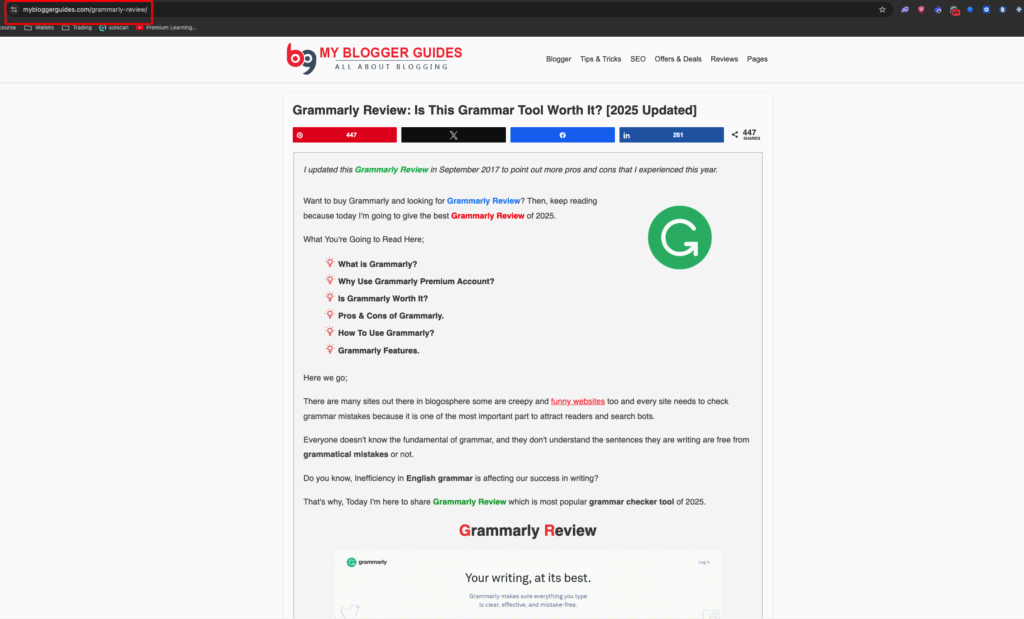
In this article about Grammarly review that we recently published, you can see we used it in the title.
18. Optimise Images
Unfortunately, Google can’t read images the way a human can. However, you can ensure you do the following to help Google understand what your image is all about.
There are two things you have to keep in mind:
1. Use alternative text for every image you upload to the website.
2. Rename the filename of your images.
For example, if you have an image showing how to start a blog, make sure you write it clearly in the image alt text so Google can understand.
19. Use Internal Links
The final checklist for On-Page SEO is to make use of internal linking. Internal links pass topical authority, and Google understands this very well.
Here’s an example of how to use internal linking on multiple webpages of your website.
We recently published the 10 best SEO case studies to increase your traffic.
Notice how efficiently I placed an internal link there. Make sure your topic is relevant and not completely off-topic.
Technical SEO Checklist
Technical SEO helps you avoid technical errors and make your site crawlable.
20. Find Out Crawling & Indexing Errors
If you have crawling errors where Google isn’t able to crawl your webpage properly, it won’t rank you for anything.
Your job is to find and resolve those errors. You can find more information about these errors on the Google Search Console page.
Head over to the indexing tab and click on “Pages”; you’ll see all indexing and crawling errors for your website.
21. Make Your Website Mobile Friendly
Google uses mobile-first indexing. You can find more information about it here.
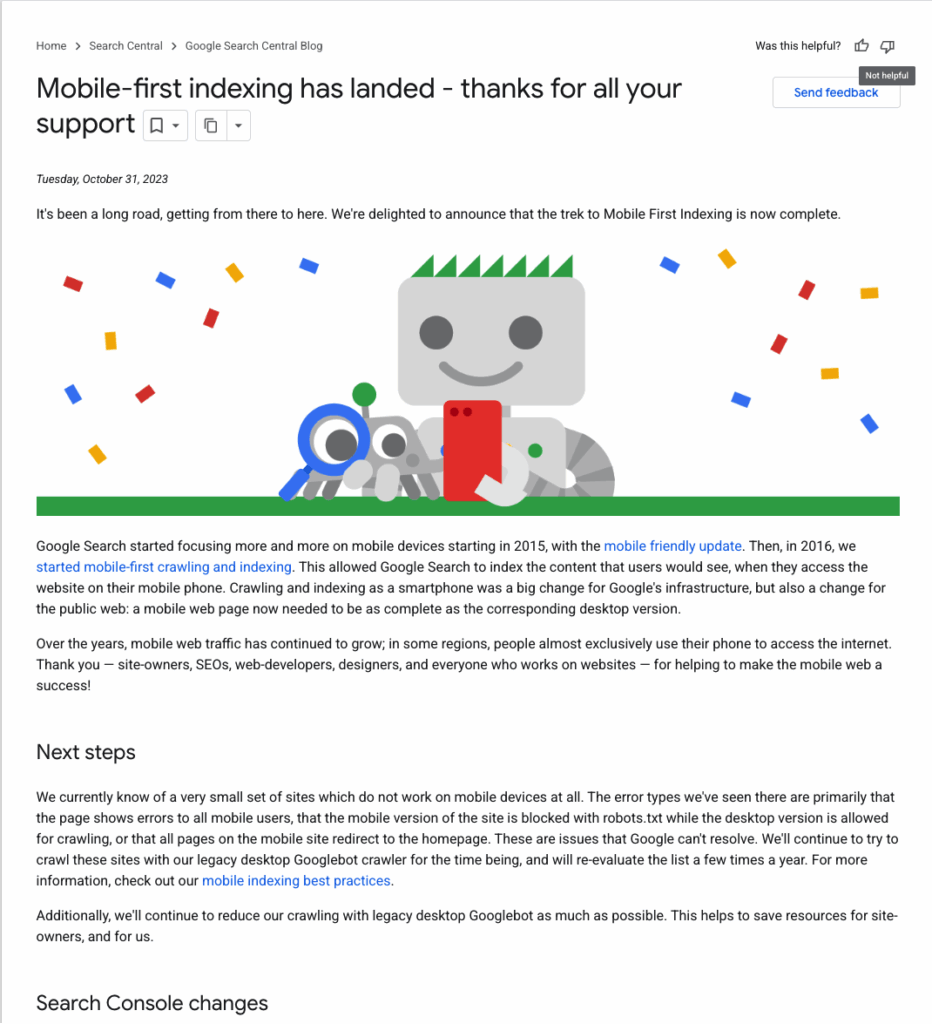
All this means is, if your site isn’t mobile-friendly, you won’t rank higher on Google.
Here are the key steps to make your website mobile optimised.
#1. Use Responsive Design: Ensure everything works seamlessly across your mobile devices. From footer menus to buttons, everything.
#2. Write Short Paragraphs/Sentences: On mobile, short sentences and paragraphs are easier to read.
#3. Avoid popups: Just don’t use too many popups on your website. One exit intent popup is enough.
22. Fix Broken Links
Nobody likes to land on a broken link. Both users and search engines would hate that experience.
Our job is to find such pages and resolve the issue instantly. This is a constant practice that you must do biweekly.
The simplest way to do this is to use a website like DrLinkCheck. It is 100% free to use.
23. Inspect Your Site’s Loading Speed
Loading speed is a direct ranking factor, as Google officially stated here.
We will use PageSpeed Insights to check your website’s loading speed.
Enter your URL and wait for it to load all the data. It will also tell you if you’re passing each of the Core Web Vitals criteria.
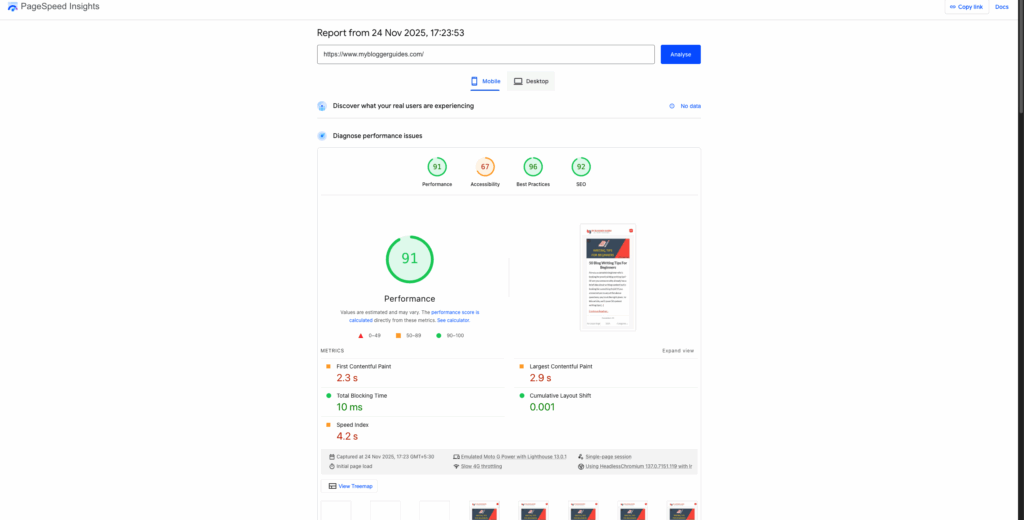
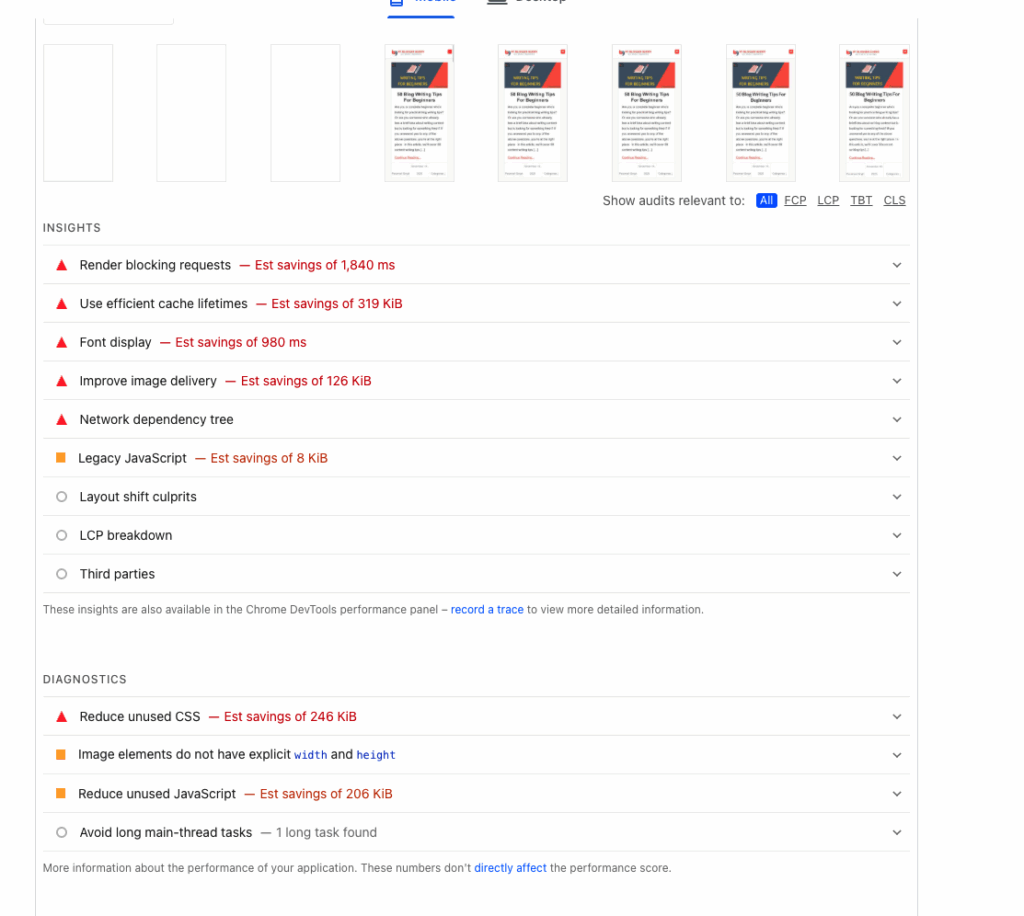
Most importantly, this tool also shows you how to fix issues to improve page load speeds.
Link Building Checklist
Link building has been the most important ranking factor for years. Here in this section, we’ll touch on some of the link building checklists that can help you acquire high-quality external backlinks.
24. Replicating Your Competitors’ Backlinks
Reverse Engineering is one of the easiest yet most effective ways to copy your competitors’ backlinks.
All you have to do is use any of the paid backlink analysis tools and type in your competitor’s domain in it. You can use either Semrush or Ahrefs to do this.
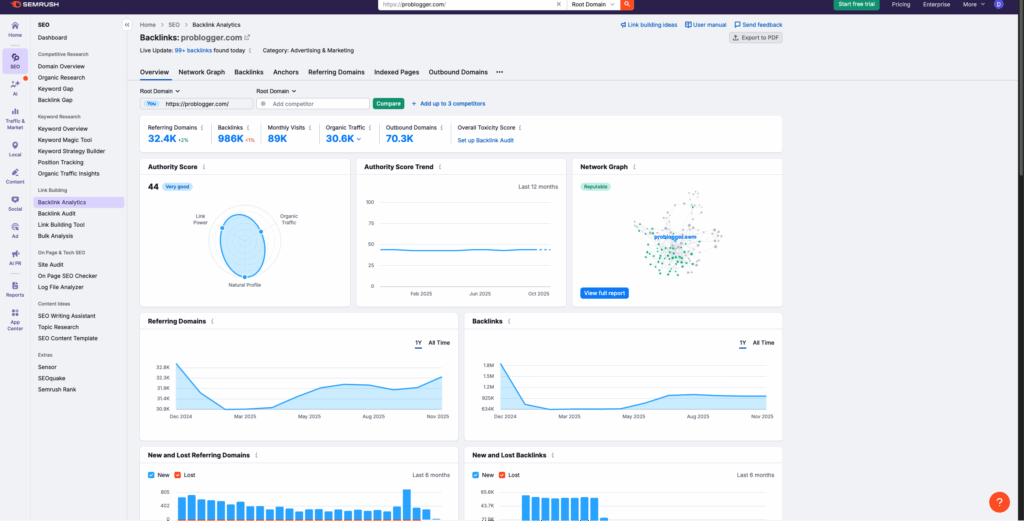
Not all links can be copied, but you can still copy half of them. Easier backlinks, such as roundtable posts, podcast links, and other social forum links, can be copied easily.
25. Get on A Podcast
Acquiring backlinks through podcasts is another smart way to get high-quality links back to your website.
A lot of bloggers do that and get links from big influencers in that niche. Some of these podcasts are even paid interviews, but if you’re smart enough and willing to provide value, you can easily land a free podcast and eventually a backlink.
26. Do Guest Blogging
The good old way to get high-quality dofollow backlinks is through guest blogging.
The process is pretty simple: make a list of 50-100 websites in your niche in a Google spreadsheet, including their contact details. Now contact them and ask whether they are willing to accept a detailed, value-driven guest blog in exchange for a link.
Most website owners are okay with you offering value to their audience; however, if they are not, just write it for free and pitch them again after a couple of months.
27. Mention Influencers To Get Links
Yet another smart way to get backlinks is to compile a list of influencers in your niche and mention them in an article on your website.
Next, contact them and let them know you mentioned them in a post. Also, ask them if they are okay with sharing that with their audience, and add a link somewhere on their site.
Most of the time, they’ll be more than willing to share it on their website, hence giving you a free link in return.
Local SEO Checklist
If you have a local business, these are the things you need to do to rank locally on Google.
All the checklist tips shared above also apply to you, but these are the additional ones you need to use. Let’s go!
28. Get A Google My Business Listing
For every local business that’s trying to get free leads from Google search, having a Google My Business, aka GMB listing, is a must.
Creating a GMB listing is easy and free. Head over to their sign up page and follow the step-by-step instructions.
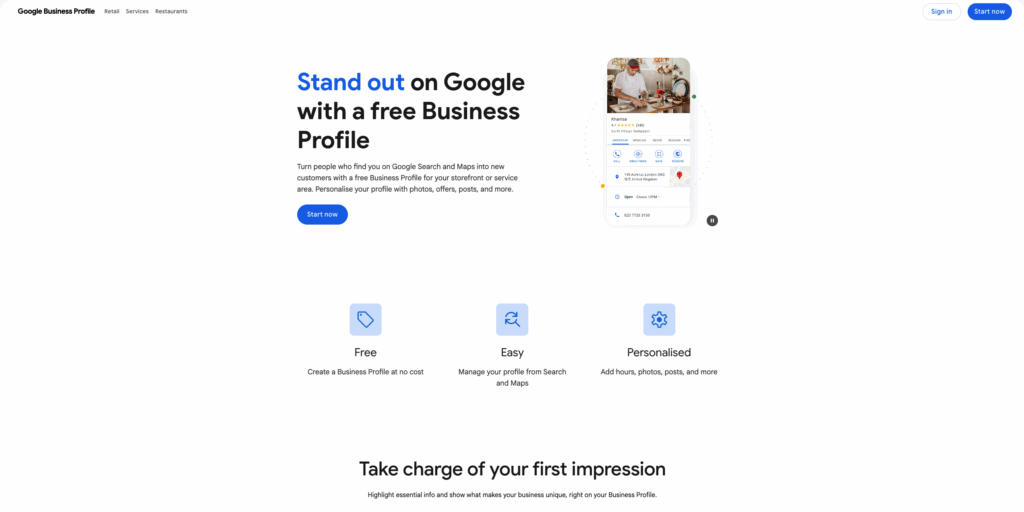
Once done, follow this detailed guide from Shopify to learn how you can optimise your GMB listing to get maximum reach and eventually leads.
29. Create City-Specific Webpages
If you run a restaurant or a gym, for example, that is in multiple cities, you should create individual city specific webpages.
Doing this activity will help you rank for multiple locations in your country without creating a new website for every city. Moreover, you’ll also get country specific leads, so selling your service/product to them would be much easier.
30. Have A Proper Contact Us Page
For a local business, it’s key to have every detail about you and your business listed on a contact us page.
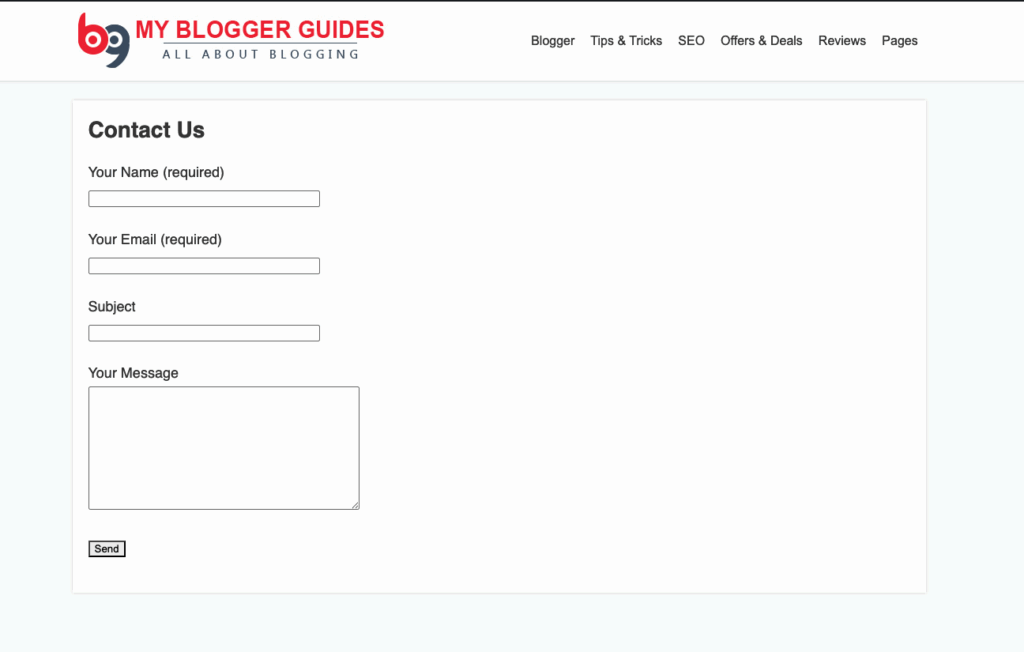
Whenever a new lead visits your website, the first thing they’ll visit is your contact us page. Always keep it handy so the users can easily contact you without any resistance.
SEO Checklist FAQs
In this section, I’ll answer all your questions that you must have about the SEO checklist.
Question: What is a client onboarding SEO checklist?
First, talk to the client and understand their KPIs. Next, build an action plan to optimise link building, on-page SEO and content marketing. Finally, have a set procedure to report your performance every month.
Question: What is the SEO checklist for On-Page SEO?
An on-page SEO checklist mainly includes: keyword research, image optimisation, title tag optimisation, shortened URLs, meta tag optimisation, keyword usability, and a mobile-friendly website.
Question: What is the correct checklist of Technical SEO?
In technical SEO, you need to ensure your site is crawlable and indexable. There are no 404 pages, and different versions of your domains are redirecting to your main domain. The technical SEO checklist also needs to include an XML sitemap, a robots.txt file, and a secure HTTPS connection.
Question: What is the “do it only once” SEO checklist?
There are a couple of things you only need to do once and never worry about again. The list contains the following things:
- Installing a mobile-friendly WordPress theme
- Install a cache plugin
- Install an all-in-one SEO plugin
- Set up Google Search Console
- Create and submit a sitemap
- Add a schema markup
- The website should load fast
- Install an image compressor plugin
Question: What are periodic and ongoing SEO tasks/checklists?
Here’s a list of a periodic SEO checklist:
- Fix broken URLs/webpages
- Update old content
- Check for technical issues
Here’s a list of ongoing SEO checklist:
- Find out new keywords to target
- Improve your content structure
- Study competitors
- Optimise headings and subheadings with keywords
- Add internal links to new articles
Final words:
That’s about it for SEO Checklist: A Detailed Guide.
I hope you really learned something new today, as I have worked really hard to complete this article with in-depth tips and tricks that are working and will continue to work in 2026.
Please do share your learnings and suggestions with me in the comments section below, and I’ll see you in the next one.
Contents