
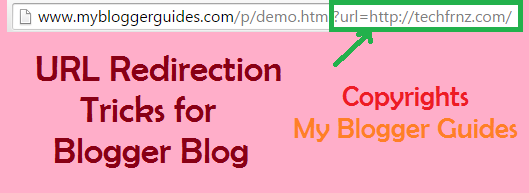
Show Demo or Download Links with URL Redirection from Blogger
Recommended Blogger Plugins
- Stylish Contact Form for Blogger! Add to Static Page.
- Stylish Popup Subscription Box for Blogger.
- WordPress Like Floating Social Sharing Counter Buttons for Blogger.
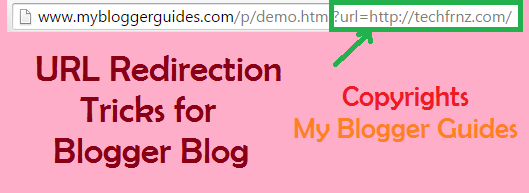
How it Works?
Step1] Create Demo & Download Pages
- Go To Blogger > Pages
- Create a Static Page with title Demo or any name you prefer
- Switch to its HTML view mode
- Replace the code inside it if any with the following code:
<div height=”100%” id=”iframe-container” width=”100%”>
<style>
body { padding: 0!important; background: none!important; }
#iframe-container { overflow: hidden; background: none!important; }
#frame { border: 0; }
</style>
<iframe frameborder=”0″ id=”frame” src=”” width=”100%”> </iframe>
</div>
<script>
document.documentElement.style.overflow = ‘hidden’; // firefox, chrome
document.body.scroll = “no”; // ie only
var query = window.location.search.substring(1);
query = query.replace(“url=”, “”);
$(‘#frame’).attr(‘src’, query);
var str = $(‘#iframe-container’).html();
$(‘#MBG-REDIRECTION’).html(str);
$(‘iframe’).height($(window).height());
</script>
Step2] String Concatenation
- Go To Blogger > Template
- Backup your template
- Click Edit HTML
- Search for <body> or a similar by searching just <body
- Paste the following code just below it:
<div id=’MBG-REDIRECTION’>
7. Paste the following code just above it:
</div><!–MBG-REDIRECTION ENDS–>
8. Now search for ]]></b:skin>
<script>//<![CDATA[$(document).ready(function () { $(‘[data-MBGdemo]’).click(function (e) { e.preventDefault(); var target = e.target || e.srcElement; if ($(target).attr(‘target’) == “_blank”) { window.open(“https://mybloggerguides.com/p/demo.html?url=” + $(target).attr(‘href’), ‘_blank’); } else { window.location = “https://mybloggerguides.com/p/demo.html?url=” + $(target).attr(‘href’); } });
$(‘[data-MBGdownload]’).click(function (e) { e.preventDefault(); var target = e.target || e.srcElement; if ($(target).attr(‘target’) == “_blank”) { window.open(“https://mybloggerguides.com/p/download.html?url=” + $(target).attr(‘href’), ‘_blank’); } else { window.location = “https://mybloggerguides.com/p/download.html?url=” + $(target).attr(‘href’); } });});//]]></script>
- Replace the orange highlighted code with the URL address of your Demo page.
- Replace the green highlighted code with the URL address of your Download page.
Now if you try visiting your demo and download pages you will find out a blank page with no content inside it. That’s what our code does, injecting custom stylesheet by over riding the default template styles.
Step3] How To Create Links?
For Demo Link or Demo Button:
<a href=”#” rel=”nofollow” data-MBGdemo=”true”>DEMO</a>
For Download Link or Download Button:
<a href=”#“rel=”nofollow” data-MBGdownload=”true”>DOWNLOAD</a>
- Replace the hash symbol (#) with your demo or download link
<a href=”#” target=”_blank” rel=”nofollow” data-MBGdownload=”true”>DOWNLOAD</a>
Credit Goes to
Conclusion:
Contents
