
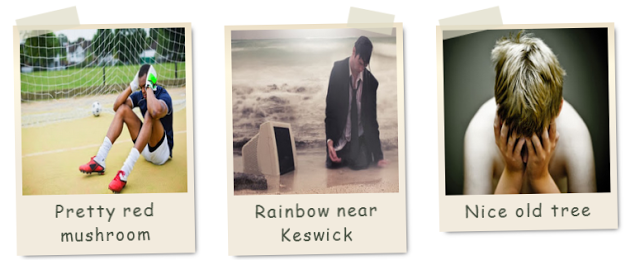
How To Create Polaroid Effect On Images on Blogger

You can see in the demo how beautiful your image set can look. It is a much better way than randomly uploading images which looks ugly and does not give a professional look to your blog. I have given you the complete working code. You just have to copy the code and paste it where you want this galley to appear which will create a Polaroid effect on your images.
You can use this in two ways.
Inside the post to give your images a new look.
- Use it as a gadget in the sidebar.
- How to add this Polaroid effect?
- First, go to blogger.
- Logging into your blogger account.
- Copy the HTML code and paste it inside the post. (Go to html mode then compose mode).
<div id=”imagoroid”><imagemania><img src=”IMAGE URL” width=”200″ height=”200″ alt=”Red mushroom” /><imagecaption>IMAGE CAPTION</imagecaption></imagemania><imagemania><img src=”IMAGE URL” width=”200″ height=”200″ alt=”Rainbow near Keswick” /><imagecaption>IMAGE CAPTION</imagemania><imagemania><img src=”IMAGE URL” width=”200″ height=”200″ alt=”An old tree” /><imagecaption>IMAGE CAPTION</imagecaption></imagemania></div><!–end imagoroid–>
4. Then copy the CSS code.
imagemania, imagecaption {display: block;}#imagoroid{width:100%;overflow:hidden;padding:20px 10px;}#imagoroid imagemania{float:left;position:relative;width:200px;margin:10px 20px;padding: 6px 8px 10px 8px;-webkit-box-shadow: 4px 4px 8px -4px rgba(0, 0, 0, .75);-moz-box-shadow: 4px 4px 8px -4px rgba(0, 0, 0, .75);box-shadow: 4px 4px 8px -4px rgba(0, 0, 0, .75);background: #eee6d8;background: -webkit-linear-gradient(top, #ede1c9, #fef8e2 20%, #f2ebde 60%);background: -moz-linear-gradient(top, #ede1c9, #fef8e2 20%, #f2ebde 60%);background: -o-linear-gradient(top, #ede1c9, #fef8e2 20%, #f2ebde 60%);background: -ms-linear-gradient(top, #ede1c9, #fef8e2 20%, #f2ebde 60%);background: linear-gradient(top, #ede1c9, #fef8e2 20%, #f2ebde 60%);-webkit-transform:rotate(-1deg);-moz-transform: rotate(-1deg);-o-transform: rotate(-1deg);-ms-transform: rotate(-1deg);transform: rotate(-1deg);-webkit-backface-visibility:hidden; /*prevent rotated text being jagged in Chrome and Safari*/}#poaroid imagemania:nth-child(even) {-webkit-transform:rotate(2deg);-moz-transform: rotate(2deg);-o-transform: rotate(2deg);-ms-transform: rotate(2deg);transform: rotate(2deg);-webkit-backface-visibility:hidden; /*prevent rotated text being jagged in Chrome and Safari*/-webkit-box-shadow: 4px 4px 8px -4px rgba(0, 0, 0, .75);-moz-box-shadow: 4px 4px 8px -4px rgba(0, 0, 0, .75);box-shadow: -4px 4px 8px -4px rgba(0, 0, 0, .75);}#imagoroid imagemania:before {content: ”;display: block;position: absolute;left:5px;top: -15px;width: 75px;height: 25px;background-color: rgba(222,220,198,0.7);-webkit-transform: rotate(-12deg);-moz-transform: rotate(-12deg);-o-transform: rotate(-12deg);-ms-transform: rotate(-12deg);}#imagoroid imagemania:nth-child(even):before {left:150px;top: -15px;width: 55px;height: 25px;-webkit-transform: rotate(12deg);-moz-transform: rotate(12deg);-o-transform: rotate(12deg);-ms-transform: rotate(12deg);}#imagoroid imagecaption{text-align:center;font-family: ‘Reenie Beanie’, cursive; /*Reenie Beanie is available through Google Webfonts http://code.google.com/webfonts/specimen/Reenie+Beanie*/font-size:1.3em;color:#454f40;letter-spacing:0.09em;}/**IE Hacks – see http://css3pie.com/ for more info on how to use CS3Pie and to download the latest version**/#imagoroid imagemania{-pie-background: linear-gradient(#ede1c9, #fef8e2 20%, #f2ebde 60%);behavior: url(assets/pie/PIE.htc);position:relative; /*required to make PIE work*/padding-top:10px9;padding-right:10px9;}
8. And paste the CSS code below this code.
Customization:
Here are option to customize this blogger widget and give your images a polaroid effect.
- Look at the HTML code and change the IMAGE URL with the url of your images.
- Change IMAGE CAPTION with your captions.
- You can more images in this image gallery by repeating HTML code.
See Also Another Stylish Widget
- Stylish Contact Form for Blogger! Add to Static Page.
- Stylish Popup Subscription Box for Blogger.
- WordPress Like Floating Social Sharing Counter Buttons for Blogger.
Conclusion:
Contents
