
YouTube Keyword Research: A Complete Guide (#1 Rank)
Are you looking for the best YouTube keyword research tools to up your content creation game?
If yes, you’ve come to the right place.
In this article, I’ll cover the most in-depth ways to do YouTube keyword research that works. We’ll cover various free and paid strategies and tools to help you guide your way to the top of the search results.
YouTube, the second-largest search engine on the internet, is crucial for effective YouTube SEO and a YouTube keyword strategy.
So without wasting any further time, let’s get straight into the article.
Why Is YouTube Keyword Research Important?
Doing the right keyword research allows you to rank higher in the search results.
Whenever someone searches for a keyword on YouTube, and if your videos are optimised for that keyword, the YouTube search engine will rank you higher compared to the video that’s not optimised.
Also, with the right keyword research strategy, you’ll never run out of topic ideas. Moreover, you’re assured that the videos you make are already in demand, as users are already searching for them.
Let’s now look into the criteria we have finalised before selecting the right YouTube keyword research tools for this article.
5 Critical Features To Consider For Keyword Research Tools
There are hundreds of keyword research tools for YouTube on the market, but we have finalised only a select few.
How?
Because they fulfil all the criteria that you’d want in a tool, so let’s drive right in.
#1. Keyword Accuracy
The tool must provide accurate keyword suggestions so that you don’t target low-impact keywords and waste your time and resources.
#2. Search Volume
The tools must provide monthly search volume data for all keywords. Without it, you’d not know if the keywords you’re targeting are even worth targeting.
#3. Competition Analysis
The tool must include a keyword competition score that gives you a rough idea of how competitive a keyword is to rank for. You aim to find a low-competition keyword with decent search volume and rank for it.
#4. Trend Identification
YouTube runs on trends. The tool should show you keywords with the latest trends. If you can rank for trending topics, your channel will grow fast.
#5. Cost Effectiveness
The tool should be cost-efficient, not a hole in your pocket, and deliver good value for money.
Best YouTube Keyword Research Tools
Let’s now discuss the best YouTube Keyword Research Tools.
#1. Google Trends
Google Trends is a free tool that helps you find trending topics on Google and YouTube.
They have a special feature for YouTube search that lets you look for keywords that are gaining popularity recently.
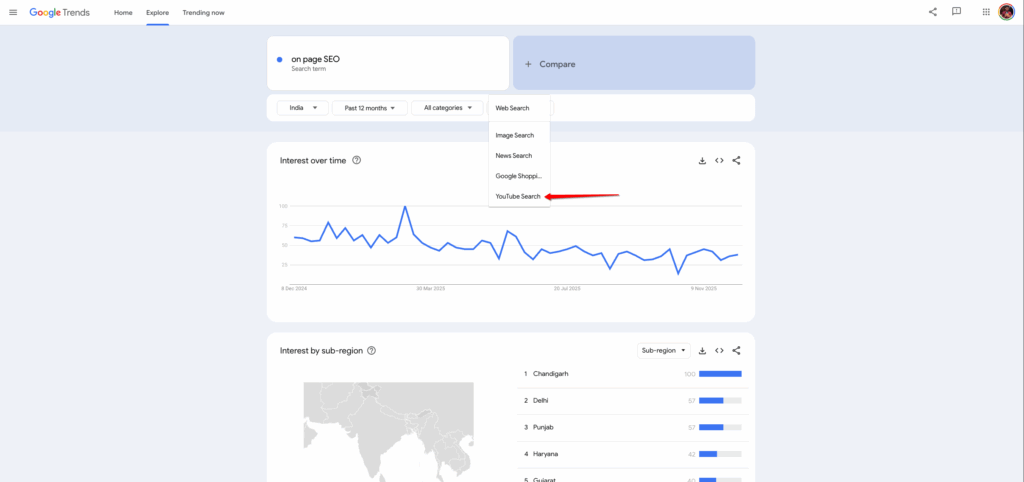
Select the target country and timeframe, then choose YouTube search. Also, at the top, add your keyword to identify the overall trend.
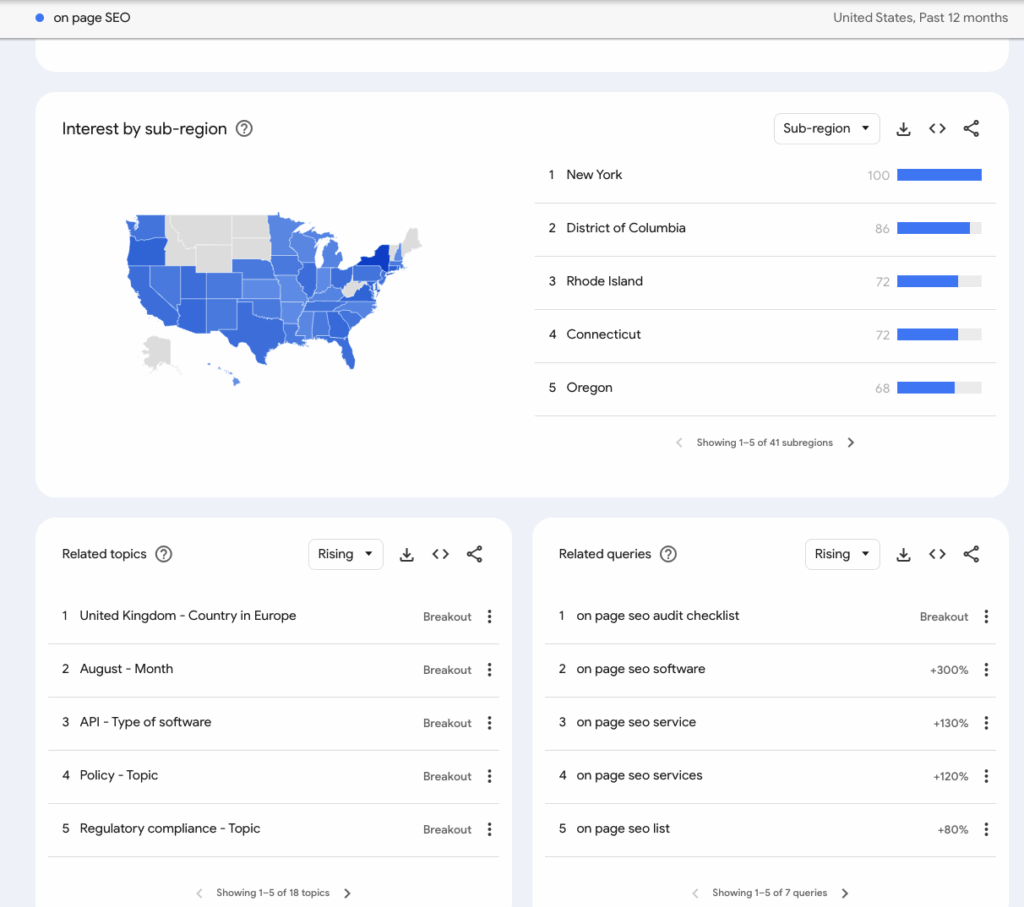
When you scroll down a little, you can also see information about related topics and related queries.
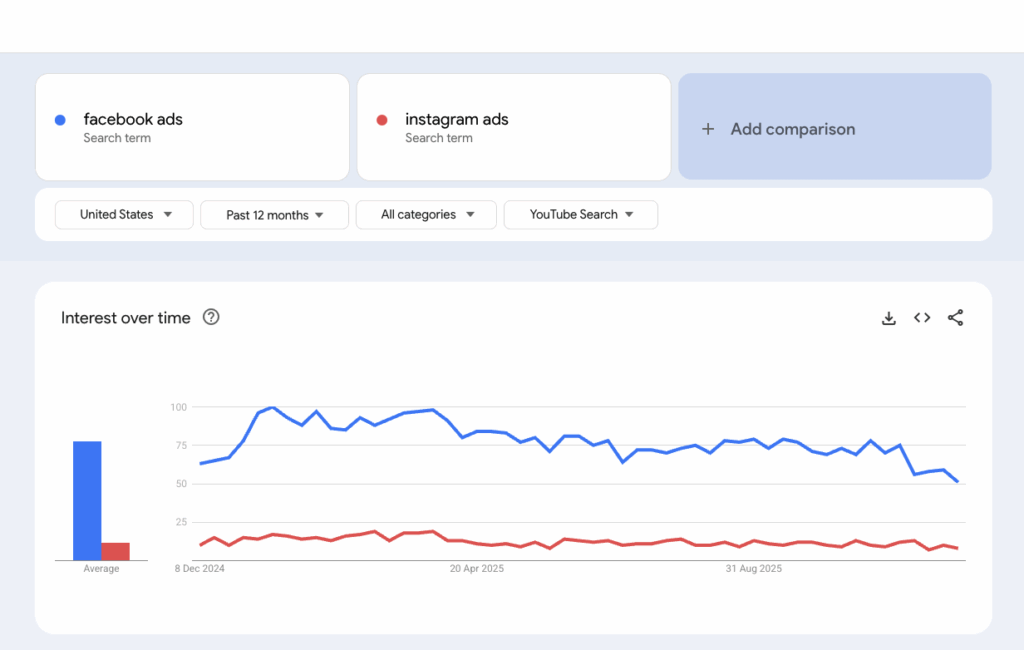
Moreover, if you’re planning to make a comparison video or are confused between two topics, you can compare them side by side to see which has more demand currently – that way, you can prioritise the keywords that have higher search volume and demand.
#2. YouTube Suggest
YouTube Suggest is another free tool that you should definitely add to your arsenal for doing your YouTube keyword Research.
You must have noticed this cool feature offered by YouTube of showing related queries after you enter your main keyword; that’s exactly what YouTube suggests.
YouTube shows you all the related search queries that other users are searching for on its platform for that individual keyword.
In this example, you can see that I typed “On-Page SEO” into the search bar, and YouTube is showing me 10+ long-tail keyword variations of the main keyword that other users are searching for on the platform.
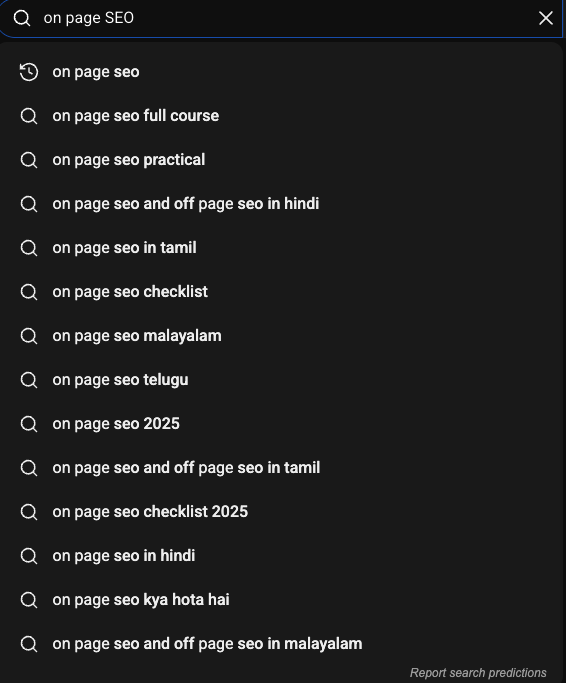
Now, as a creator, you can use these keywords in your video or create separate videos for each topic. It depends on how deep you want to go for each keyword.
One downside of this feature on YouTube is that it won’t show you search volume or keyword difficulty. Don’t worry, I have the solution to this.
#3. VidIQ
VidIQ is not just a keyword research tool; it’s a platform specifically built to improve your YouTube channel’s performance.
With VidIQ, you can write scripts, get daily video ideas, generate titles and descriptions, and run a full channel audit to understand your audience better.
In the keywords section, you have two options. Top keyword opportunities and rising keywords.
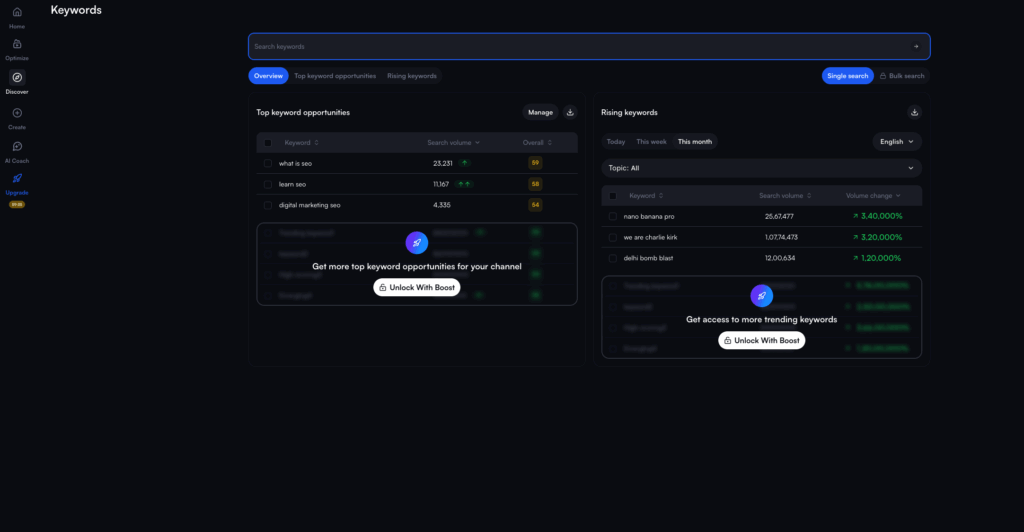
Top keyword opportunities show you the keywords you add into the VidIQ tool, whereas, on the other hand, rising keywords show you the trending keywords that are getting the most attention on YouTube currently.
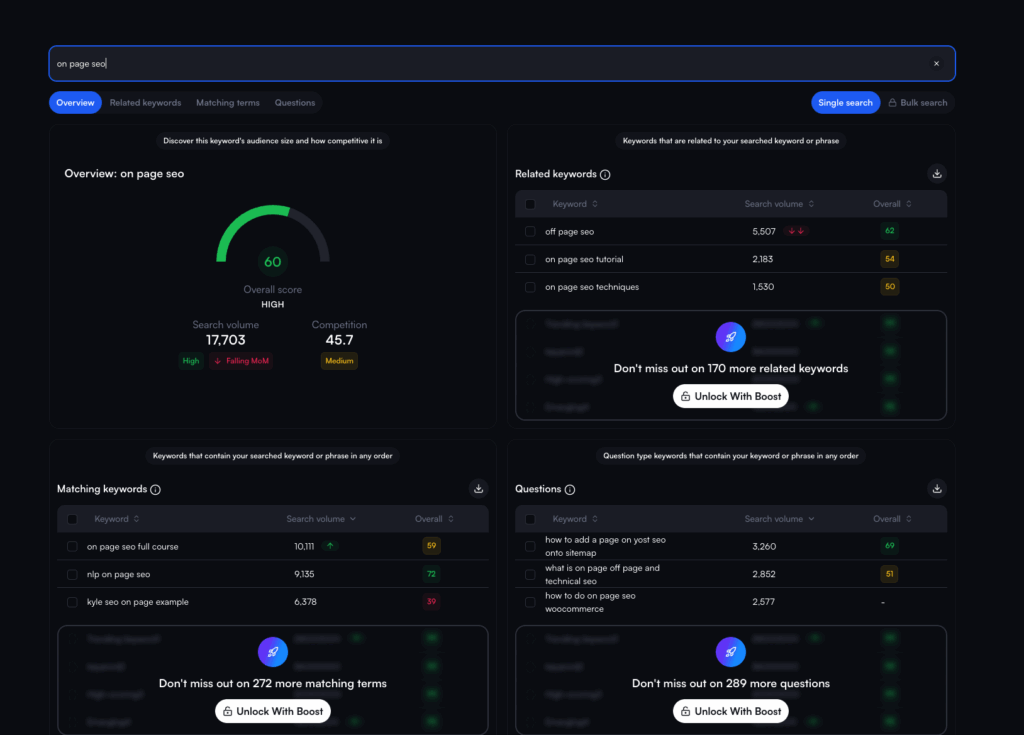
In top keyword opportunities, you get access to information like keyword volume, keyword difficulty.
If you want to get into more details about the keyword you have searched, you get access to more information, like related keywords, matching keywords, and questions. You also get the search volume and difficulty for each of these keywords, so that you can exactly know which keyword to target the most to get the maximum search presence.
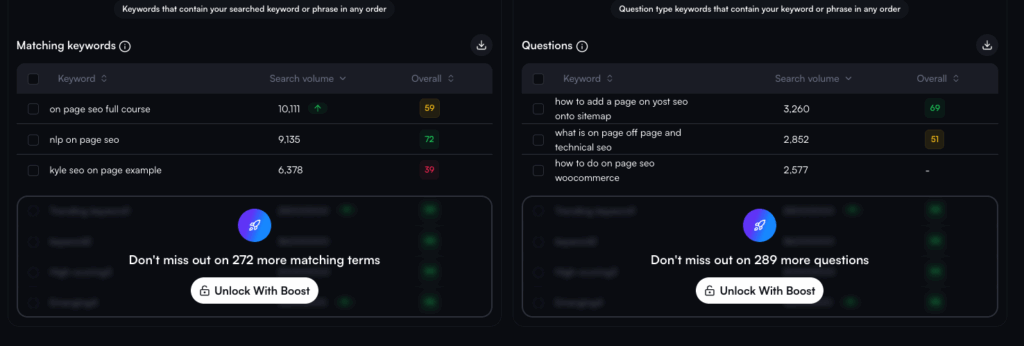
Here I have taken an example of the keyword “on-page SEO”, and as you can see, VidIQ gives us multiple other keywords related to on-page SEO, which is beneficial if I’m running a YouTube channel to target these keywords.
VidIQ offers a free 7-day trial so you can test the tool and decide if it’s the right fit for you.
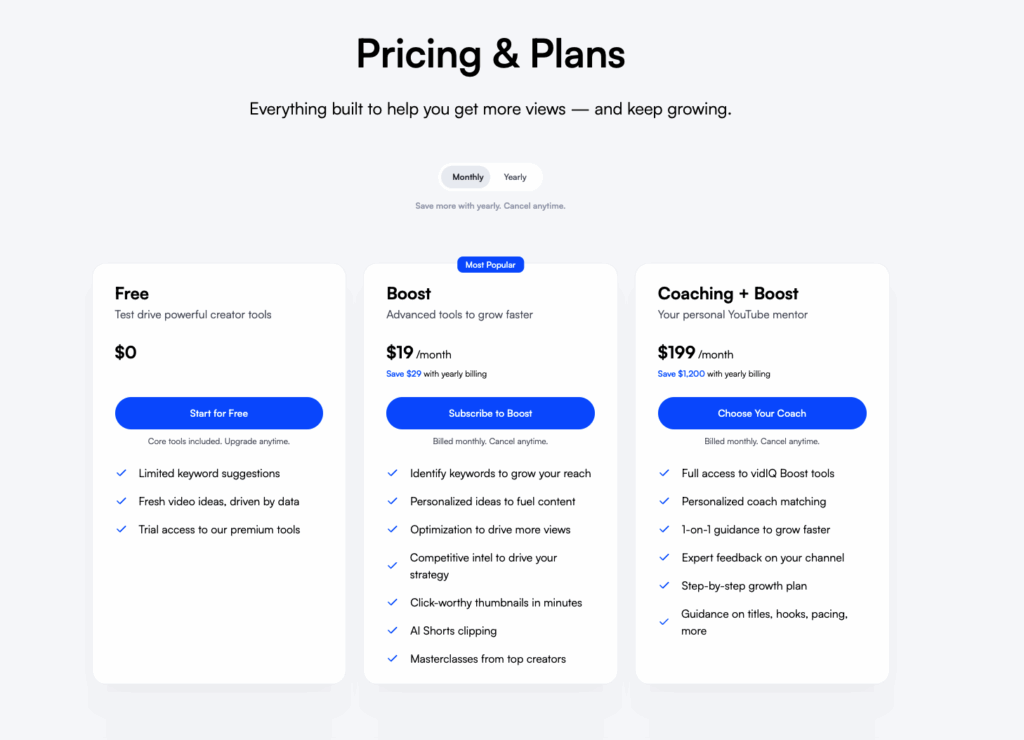
If you do decide to take their paid options, they currently offer two paid plans.
The Boost plan costs $19/mo and is ideal for creators who are serious about growing their YouTube channels, while the coaching plan, which costs $99/mo, is perfect for creators who want to be coached by the VidIQ team and receive personalised help.
#4. TubeBuddy
TubeBuddy is a competitor of VidIQ and offers almost everything that you get with VidIQ. It really depends on you which one you like using personally.
However, let me guide you through TubeBuddy and all its features.
TubeBuddy is also available as an extension, giving you direct access to keyword information on YouTube’s website.
In this example, I have again used the keyword “on-page SEO,” and on the right side of the screenshot you can see all the data popping up from TubeBuddy.
You can see the keyword search volume, monthly search volume, keyword difficulty score, and the overall score. Apart from that, you get related keywords data and also video tags from the top-ranking videos.
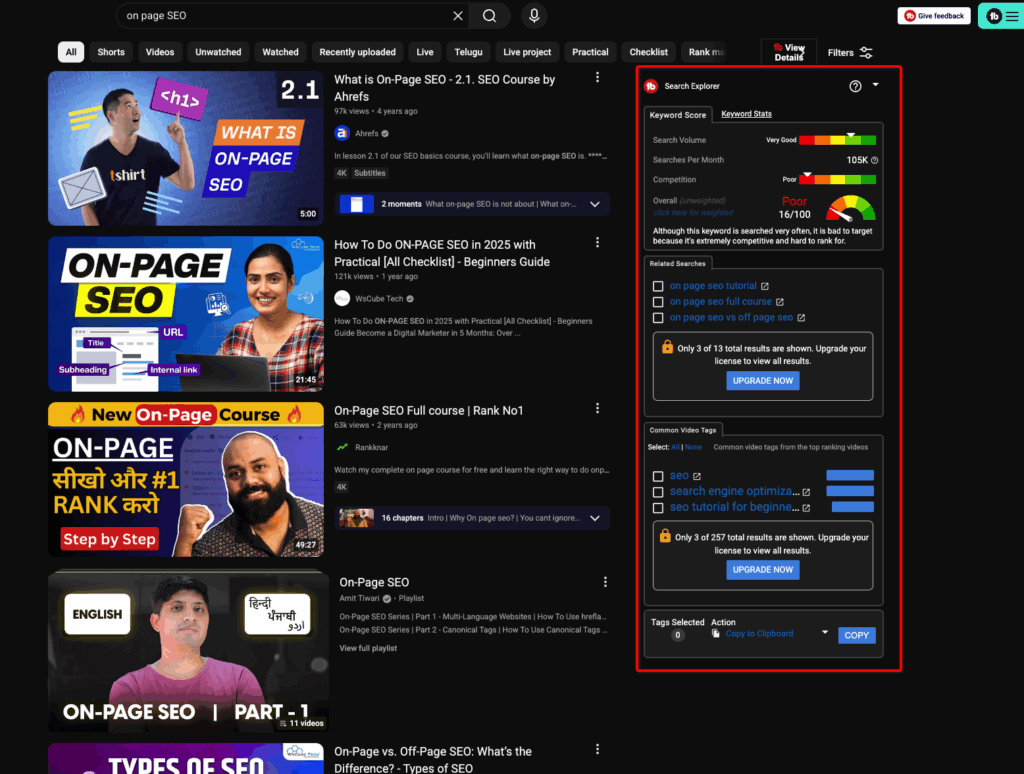
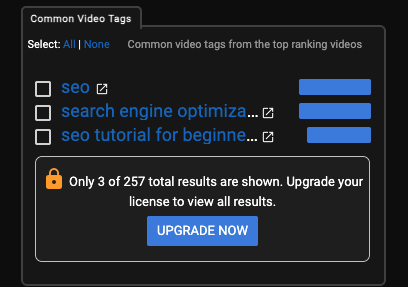
You can use these video tags directly in your videos, which increases the video’s chances in YouTube search results.
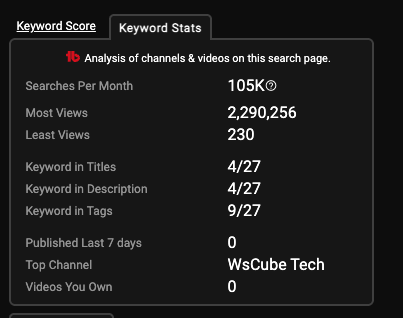
Finally, in the keywords stats section, you can see information such as the most and least number of views a particular video received on YouTube. Moreover, keywords used in the title tags and description tags give you a rough idea of whether you’re over or underusing the keyword.
TubeBuddy is my preferred option, mainly because of its pricing. As of today, TubeBuddy offers the pro and legend plans.
The pro monthly plan starts at $3/mo and the legend monthly plan starts at $15/mo. The pro yearly plan is for $32/yr, and the legend for $144/yr, and they have a special 3-year plan, which the pro plan is for $49, and the legend plan is for $199
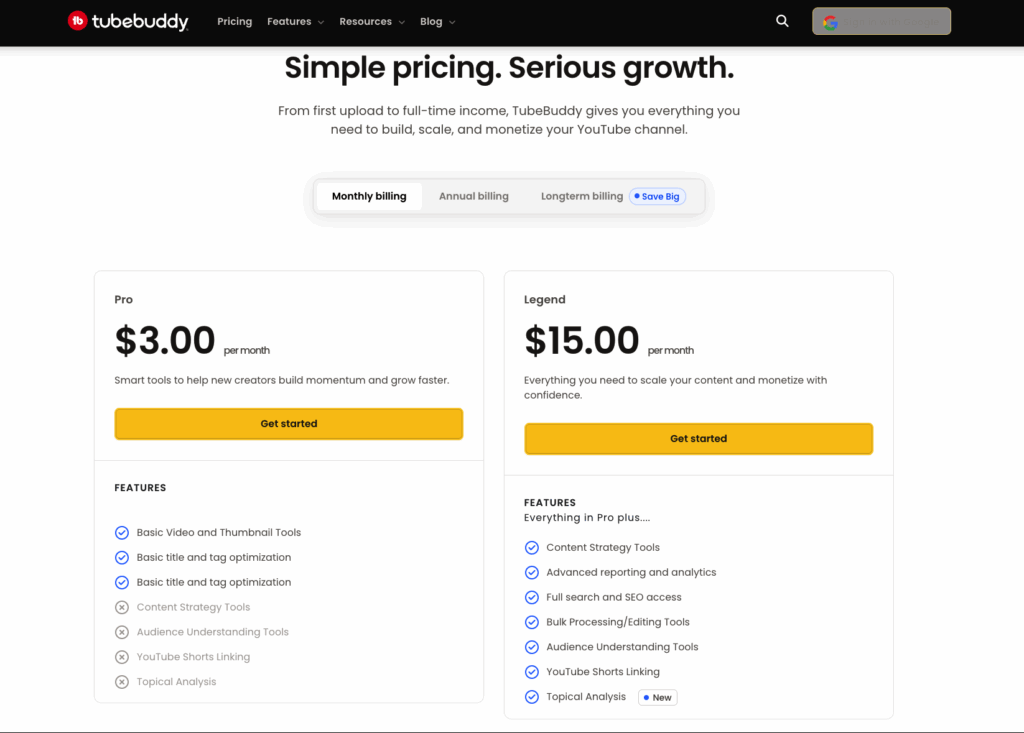
The pro plan is perfect for beginner content creators who are looking to get that initial push to up their game. However, if you’re a full-time content creator or planning to be one, the tools offered in the legend plan are very well worth the money.
#5. Keyword Tool Dominator
If you’re looking for just a tool that’s cheap and gives you data about keywords only and nothing less, I guess you’ll like testing Keyword Tool Dominator.
Not only YouTube and Google, but with Keyword Tool Dominator, you can also do keyword research on platforms like Amazon, Walmart, Bing, Etsy and Google Shopping, which is an interesting feature.
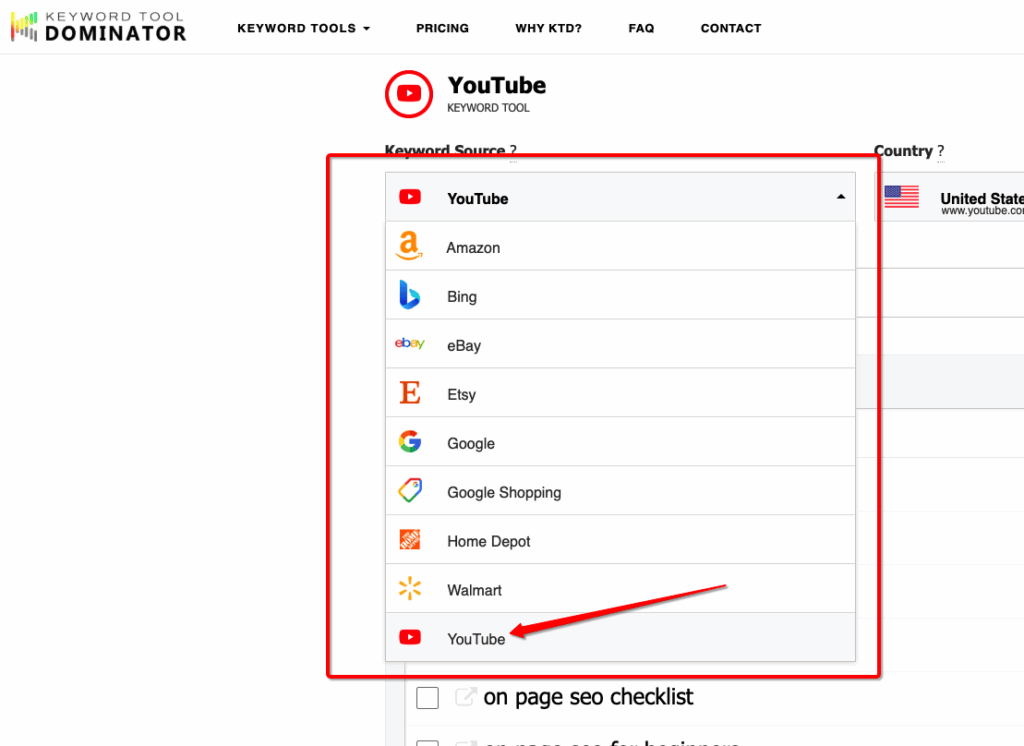
Just type your seed keyword and wait for the magic to happen. In this example, you can see that I used “on-page SEO” as my seed keyword, and the tool returned more than 200 keyword ideas.
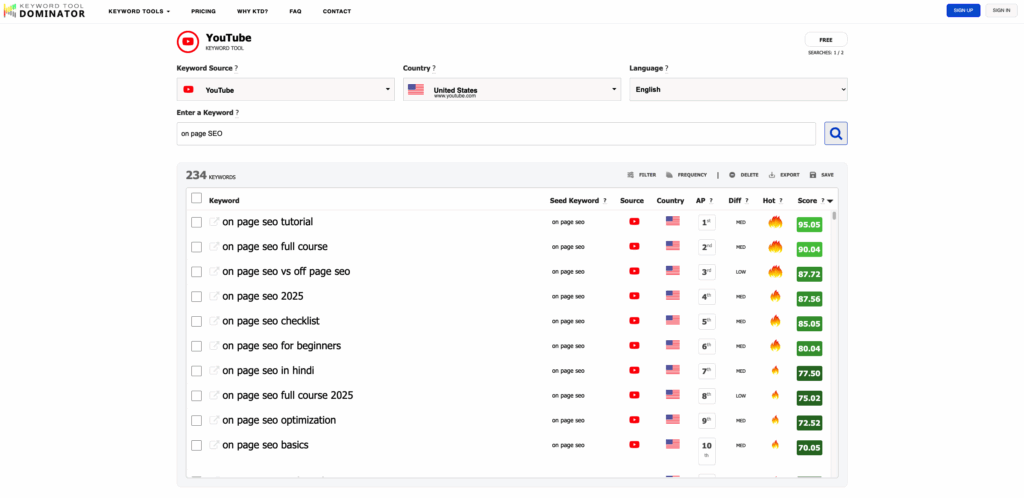
About pricing, Keyword Tool Dominator offers you 2 free searches daily, but if you want to use it frequently, you can opt for their paid plan, which starts at just $6/mo and gives you 50 keyword searches daily.
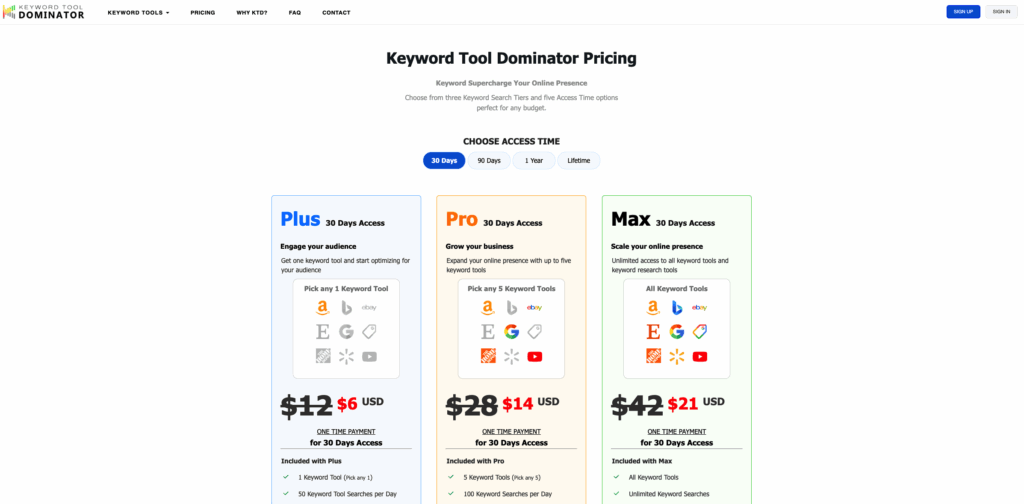
For larger requirements, you can opt for the pro or max plans.
#6. Ahrefs YouTube Keyword Research Tool
Another keyword tool in our list comes from Ahrefs. They currently offer a free keyword research tool specifically for YouTube.
Just write your seed keyword, and Ahrefs will give you insights about all the related keywords with their search volume and keyword difficulty score. You can choose between phrase match keywords or keywords that are in the form of questions.
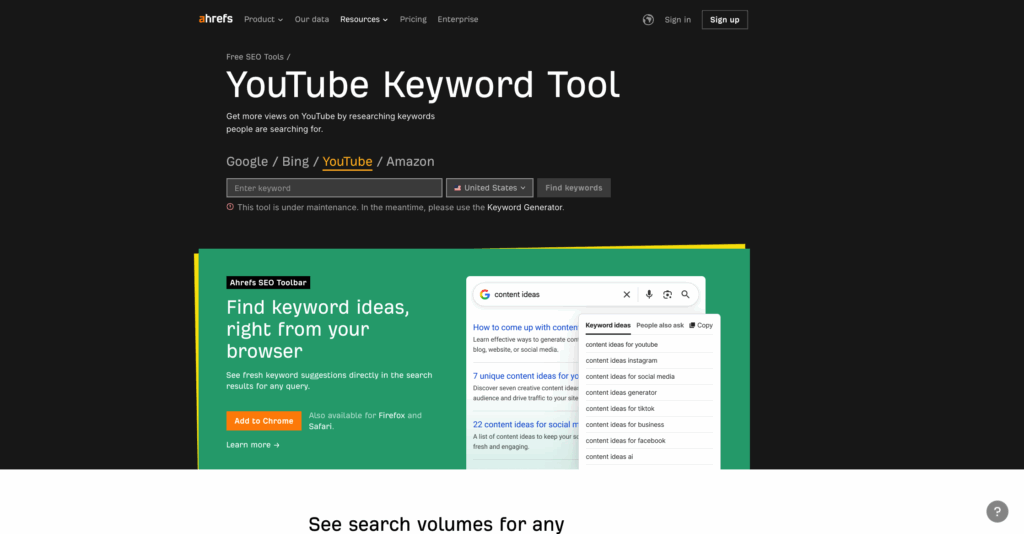
Moreover, it also shows you when the keyword was last updated. You can use this free keyword research tool by Ahrefs for YouTube, Google, Amazon and Bing.
#7. Semrush Keyword Research Tool
Similar to Ahrefs, Semrush also offers a keyword research tool; however, unlike Ahrefs, Semrush isn’t fully free, but they offer a 7-day trial.
In the tool, enter your seed phrase, and it shows data like keyword difficulty scores, volume, and related keywords.
One unique thing that only Semrush currently offers is the “fast growing keywords” and “most viewed vidoes” tab.
Regarding pricing, the Semrush keyword research tool costs $10/mo and gives you full access to the tool.
#8. YouTube Explore
Previously, we had the YouTube Trending section, which YouTube Explore has now replaced. In the explore tab, you’ll see multiple categories like gaming, news, sports, fashion, and beauty.
You can click on the category that correlates with your niche and find what’s getting the most amount of views and attention. YouTube only promotes videos that really stand out on the explore page.
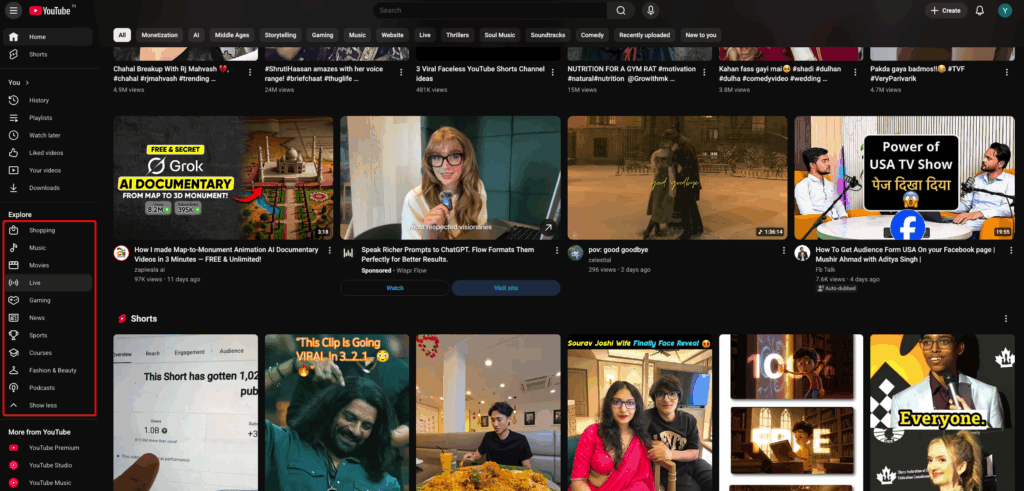
If, for example, you have run a sports channel, you can click on the sports category and look for the videos that have been recently posted but have millions of views. Now that I’ve done this simple research, I can create something similar or better. Doing this simple trick gives you the chance to go viral on YouTube in a short time span.
Final Words
That’s all you need to know to dominate on YouTube with these latest YouTube keyword research tools.
I have shared both the free and paid tools for you to decide which one you want to go with. If you are serious about YouTube and have the budget, definitely spend it on the right tools.
Let me know which tool you liked the most, and will try to find keywords for your next YouTube video.
If you have any new article suggestions for me, definitely leave them in the comments below.
Thanks for reading, and I’ll see you in the next one.
Contents
