
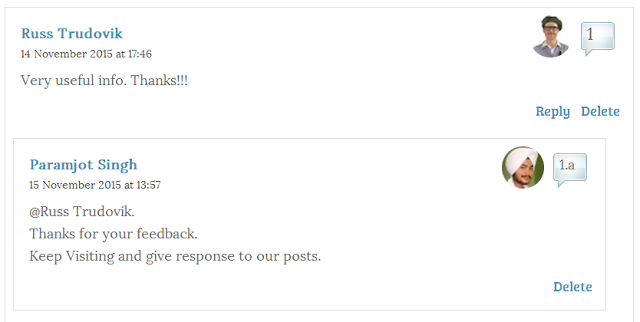
How To Add Numbering System to Threaded Comments in Blogger
Working Strategy Of This Trick.
How To Add Numbered To Comments in Blogger
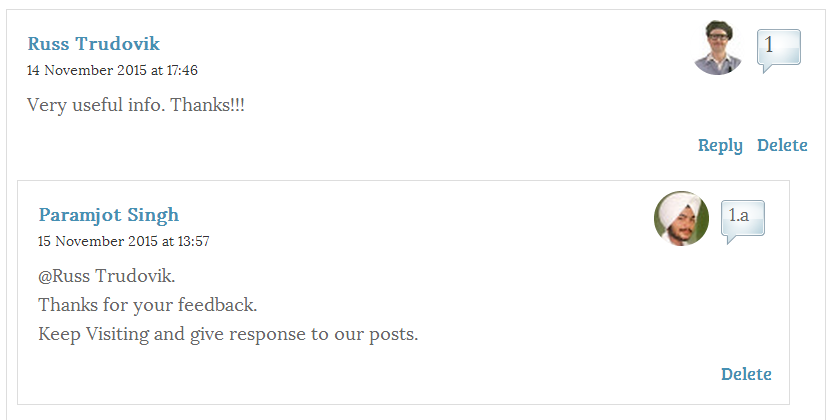
- The first thing you need to do is to login into your blogger dashboard.
- Now it’s up to you on which blog you would like to add numbers to your comments.
- After selecting the blog to customize, go to Template >> Edit HTML and search for the ]]></b:skin> Tag.
- After selecting the blog to customize, go to Template >> Edit HTML and search for the ]]></b:skin> Tag.
.comment-thread ol { counter-reset: countcomments;}
.comment-thread li:before { content: counter(countcomments,decimal); counter-increment: countcomments; float: right; font-size: 22px; color: #555555; padding-left: 10px; padding-top: 3px; background: url(http://3.bp.blogspot.com/-f6ByQfbwApQ/T4x_8p1FGpI/AAAAAAAAB2A/WJKf-ybmvQk/s1600/comment+bubble2.png) no-repeat; margin-top: 7px; margin-left: 10px; width: 50px; /*image-width size*/ height: 48px; /*image-height size*/}
.comment-thread ol ol { counter-reset: contrebasse;}
.comment-thread li li:before { content: counter(countcomments,decimal) “.” counter(contrebasse,lower-latin); counter-increment: contrebasse; float: right; font-size: 18px; color: #666666;}
- Once everything is done, press the “Save Template” button to finish the whole process.
Possible Customizations:
- You can change Bubble Image Width 50px;
- You can change Bubble Image Height 48px;


Important : You can use any image instead of the one linked in the code above but after you need to change the size values (width 50px; and height 48px;), so that the numbers inside the bubble won’t float outside of it.
Our Recommended Blogger Widgets
- WordPress Like Floating Social Sharing Widget for Blogger with Counter.
- AllInOne Admin Box Widget with Social buttons and Subscription Box.
- Add Sticky Notification Bar To Blogger with Show/Hide Button.
- Stylish Contact Form For Blogger! Add to Static Page, Responsive & Pro Version.
- Cute & Stylish Email Popup Subscription Widget.
Conclusion:
Contents
