
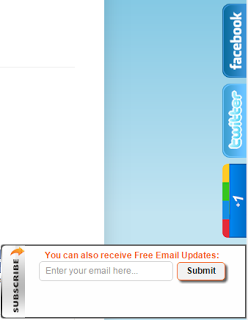
4 In 1 Sidebar Slide Out Social Widget For Blogger
How To Add Slide Out Social Subscribing Widget To Blogger
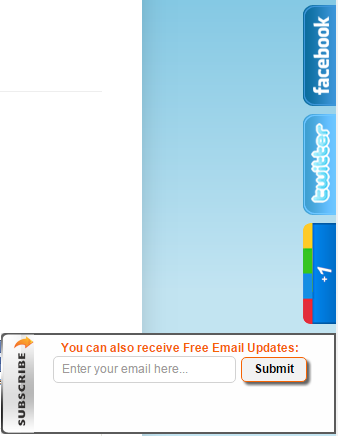
- Go To Blogger Dashboard.
- Layout >> Add A Gadget.
- Select HTML/JavaScript.
- Now paste below code in it.
<style>
img,a {
border: 0;}
#on {
visibility: visible;}
#off {
visibility: hidden;}
#facebook_div {
width: 196px;
height: 340px;
overflow: hidden;}
#twitter_div {
width: 246px;
height: 353px;
overflow: hidden;}
#google_plus_div {
width: 152px;
height: 97px;
overflow: hidden;
margin-left: 50px;
margin-top: 10px;}
#mbgfeedburner_div {
width: 300px;
height: 97px;
overflow: hidden;
margin-top: 5px;
margin-left: -4px;}
#mbg4in1_div {
width: 300px;
height: 97px;
overflow: hidden;
}
/* right side style */#facebook_right {
z-index: 10005;
border: 2px solid #3c95d9;
background-color: #fff;
width: 196px;
height: 353px;
position: fixed;
right: -200px;}
#facebook_right img {
position: absolute;
top: -2px;
left: -35px;}
#facebook_right iframe {
border: 0px solid #3c95d9;
overflow: hidden;
position: static;
height: 360px;
left: -2px;
top: -3px;}
#twitter_right {
z-index: 10004;
border: 2px solid #6CC5FF;
background-color: #6CC5FF;
width: 246px;
height: 353px;
position: fixed;
right: -250px;}
#twitter_right_img {
position: absolute;
top: -2px;
left: -35px;
border: 0;}
#google_plus_right {
z-index: 10003;
background-color: #F2F2F2;
border: 2px solid #006ec9;
border-top: 2px solid #0056a0;
border-bottom: 2px solid #0056a0;
border-right: 2px solid #0056a0;
border-left: hidden;
width: 152px;
height: 97px;
position: fixed;
right: -154px;}
#google_plus_right_img {
position: absolute;
top: -2px;
left: -33px;
border: 0;}
#feedburner_right {
z-index: 10003;
background-color: #fefefe;
border: 2px solid #5b5b5b;
border-top: 2px solid #5b5b5b;
border-bottom: 2px solid #5b5b5b;
border-right: 2px solid #5b5b5b;
border-left: hidden;
width: 300px;
height: 97px;
position: fixed;
right: -303px;}
#feedburner_right_img {
position: absolute;
top: -2px;
left: -33px;
border: 0;}
#mbg4in1_right {
z-index: 10003;
border: 2px solid #303030;
background-color: #fff;
width: 300px;
height: 97px;
position: fixed;}
#mbg4in1_right img {
position: absolute;
top: -2px;
left: -101px;
}
/* left side style */#facebook_left {
z-index: 10005;
border: 2px solid #3c95d9;
background-color: #fff;
width: 196px;
height: 353px;
position: fixed;
left: -200px;}
#facebook_left img {
position: absolute;
top: -2px;
right: -35px;}
#facebook_left iframe {
border: 0px solid #3c95d9;
overflow: hidden;
position: static;
height: 360px;
right: -2px;
top: -3px;}
#twitter_left {
z-index: 10004;
border: 2px solid #6CC5FF;
background-color: #6CC5FF;
width: 246px;
height: 353px;
position: fixed;
left: -250px;}
#twitter_left_img {
position: absolute;
top: -2px;
right: -35px;
border: 0;}
#google_plus_left {
z-index: 10003;
background-color: #006ec9;
border: 2px solid #006ec9;
border-top: 2px solid #0056a0;
border-bottom: 2px solid #0056a0;
border-left: 2px solid #0056a0;
border-right: hidden;
width: 152px;
height: 97px;
position: fixed;
left: -154px;}
#google_plus_left_img {
position: absolute;
top: -2px;
right: -33px;
border: 0;}
#feedburner_left {
z-index: 10003;
background-color: #fefefe;
border: 2px solid #5b5b5b;
border-top: 2px solid #5b5b5b;
border-bottom: 2px solid #5b5b5b;
border-left: 2px solid #5b5b5b;
border-right: hidden;
width: 300px;
height: 97px;
position: fixed;
left: -303px;}
#feedburner_left_img {
position: absolute;
top: -2px;
right: -33px;
border: 0;}
#mbg4in1_left {
z-index: 10003;
border: 2px solid #303030;
background-color: #fff;
width: 300px;
height: 97px;
position: fixed;}
#mbg4in1_left img {
position: absolute;
top: -2px;
right: -101px;}
.box-title1 {
border: 1px solid #ddd;
/*border-radius*/
-webkit-border-radius: 6px;
-moz-border-radius: 6px;
border-radius: 6px;
/*box-shadow*/
-webkit-box-shadow: 5px 5px 5px #CCCCCC;
-moz-box-shadow: 5px 5px 5px #CCCCCC;
box-shadow: 5px 5px 5px #CCCCCC;
padding: 10px;
margin: 10px 0;}
.enteryouremail {
background: #fff !important;
border: 1px solid #d2d2d2;
padding: 0px 8px 0px 8px;
color: #a19999;
font-size: 12px;
height: 25px;
width: 165px;
/*border-radius*/
-webkit-border-radius: 5px;
-moz-border-radius: 5px;
border-radius: 5px;
margin: 0px;}
.submitbutton {
background: #F2F2F2;
border: 1px solid #F66303;
/*box-shadow*/
-webkit-box-shadow: 3px 3px 3px #666;
box-shadow: 3px 3px 3px #666;
font: bold 12px Arial, sans-serif;
color: #000000;
height: 25px;
padding: 0 12px 0 12px;
margin: 0 0 0 5px;
/*border-radius*/
-webkit-border-radius: 5px;
border-radius: 5px;
cursor: pointer;}
</style>
<script src=’http://ajax.googleapis.com/ajax/libs/jquery/1.7.1/jquery.min.js’></script>
<script type=”text/javascript” src=”http://apis.google.com/js/plusone.js”></script>
<script type=”text/javascript”>jQuery(document).ready(function(){ jQuery(“#facebook_right”).hover(function(){ jQuery(this).stop(true,false).animate({right: 0}, 500); },function(){ jQuery(“#facebook_right”).stop(true,false).animate({right: -200}, 500); }); jQuery(“#twitter_right”).hover(function(){ jQuery(this).stop(true,false).animate({right: 0}, 500); },function(){ jQuery(“#twitter_right”).stop(true,false).animate({right: -250}, 500); }); jQuery(“#google_plus_right”).hover(function(){ jQuery(this).stop(true,false).animate({right: 0}, 500); },function(){ jQuery(“#google_plus_right”).stop(true,false).animate({right: -154}, 500); }); jQuery(“#feedburner_right”).hover(function(){ jQuery(this).stop(true,false).animate({right: 0}, 500); },function(){ jQuery(“#feedburner_right”).stop(true,false).animate({right: -303}, 500); }); });</script>
<div id=”on”>
<div id=”facebook_right” style=”top: 18%;”>
<div id=”facebook_div”>
<img src=”http://2.bp.blogspot.com/-AwJK988Hw9U/T_CUbBXoLmI/AAAAAAAABuM/XIwgqyH0zLw/s1600/facebook-icon.png” alt=””/>
<iframe src=”//www.facebook.com/plugins/likebox.php?
href=http%3A%2F%2Fwww.facebook.com%2Fmybloggerguides&width=200&height=346&colorscheme=light&show_faces=true&border_color&stream=false&header=false” scrolling=”no” frameborder=”0″ style=”border:none; overflow:hidden; width:200px; height:346px;” allowtransparency=”true”>
</iframe>
</div>
</div>
</div>
<div id=”on”>
<div id=”twitter_right” style=”top: 35%;”>
<div id=”twitter_div”>
<img id=”twitter_right_img” src=”http://2.bp.blogspot.com/-ggLNgeprfJo/T_CUf8BMk8I/AAAAAAAABuk/f38udn9GKo4/s1600/twitter-icon.png”/>
<script src=”http://widgets.twimg.com/j/2/widget.js”></script>
<script>new TWTR.Widget({version: 2,type: ‘profile’,rpp: 4,interval: 1000,width: 246,height: 265,theme: {shell: {background: ‘#63BEFD’,color: ‘#FFFFFF’},tweets: {background: ‘#FFFFFF’,color: ‘#000000’,links: ‘#47a61e’}},features: { loop: false,live: true,scrollbar: false,hashtags: false,timestamp: true,avatars: true,behavior: ‘all’ }})
.render().setUser(‘MyBloggerGuides‘).start();</script>
</div>
</div>
</div>
<div id=”on”>
<div id=”google_plus_right” style=”top: 52%;”>
<div id=”google_plus_div”>
<img id=”google_plus_right_img” src=”http://1.bp.blogspot.com/-zwfLV74trKg/T_CUcBJIkVI/AAAAAAAABuU/LVVwVCRESpI/s1600/google-plus-icon.png”/>
<div style=”float:left;margin:10px 10px 10px 0;”>
<g:plusone size=”tall” expr:href=”data:post.url”></g:plusone>
</div>
</div>
</div>
<div id=”on”>
<div id=”feedburner_right” style=” top: 69%;”>
<div id=”mbgfeedburner_div”>
<center>
<h4 style=”color:#F66303;”>You can also receive Free Email Updates:</h4>
<form action=”http://feedburner.google.com/fb/a/mailverify” method=”post” target=”popupwindow” onsubmit=”window.open
(‘http://feedburner.google.com/fb/a/mailverify?uri=MyBloggerGuides‘, ‘popupwindow’, ‘scrollbars=yes,width=550,height=520’);return true”>
<input gtbfieldid=”10″ class=”enteryouremail” name=”email” value=”Enter your email here…” onblur=”if (this.value == '') {this.value = 'Enter your email here…';}” onfocus=”if (this.value == 'Enter your email here…') {this.value = '';}” type=”text”/>
<input value=”MyBloggerGuides” name=”uri” type=”hidden”/><input value=”Submit” class=”submitbutton” type=”submit”/>
</form>
</center><img id=”feedburner_right_img” src=”http://3.bp.blogspot.com/-Kw-Vbf9fQ9U/T_CUdFKZUQI/AAAAAAAABuc/5FhLcDmWmuA/s1600/subscribe-icon.png”/>
</div>
</div>
</div>
</div>
- Now Change Red Highlighted colors into your’s.
- Now Save HTML/JavaScript.
- That’s it. You have added this widget to your blogger blog.
Conclusion:
So above guide is about How To Add 4 in 1 Slide Out Social Subscribing Widget To Blogger. Hope by this guide you can easily install this widget on your blogger blog. If problem persist after following all steps correctly then drop a comment below. W e will help you out of sure. Give feedback also by dropping a comment. Do Share.
Contents
