
Email Marketing 101: How To Build An Effective Email List?
Email marketing remains the oldest form of digital marketing, yet the most effective one.
It’s the most effective way to reach your target audience without worrying about sudden algorithm updates that take away your rankings or social media reach that keeps going down as the day passes.
Email marketing is a long-term and consistent asset that every business owner should build.
In this article, we’ll cover everything in email marketing — from basics to advanced. You’ll learn it all. I’ll cover some of the best and practical strategies to stay ahead of the curve.
If you’re a new marketer or an experienced business owner, this guide on email marketing will definitely help you out.
Let’s get straight into the article.
What is Email Marketing?
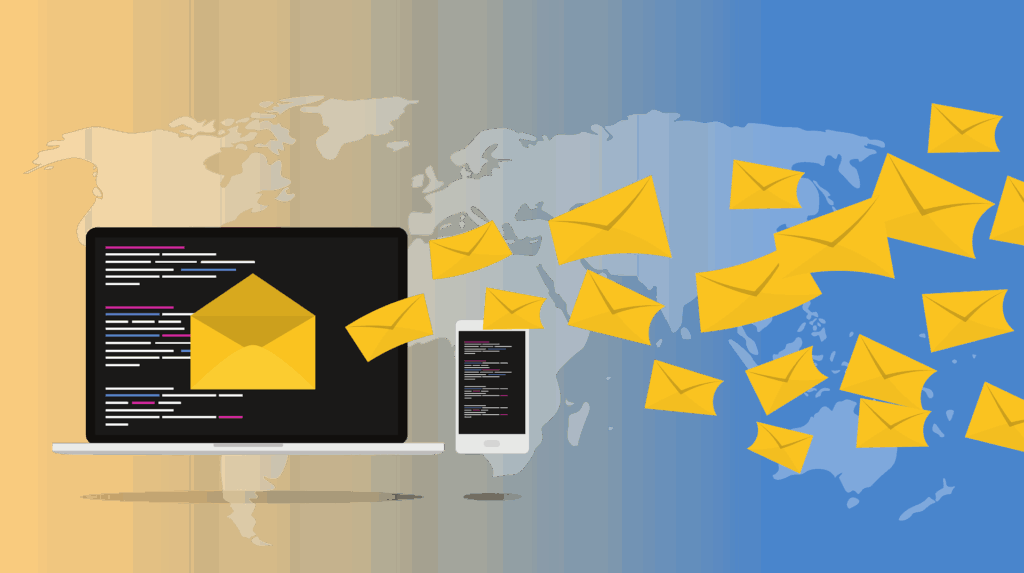
Email Marketing is a channel for reaching your target audience. We have various types of emails – Newsletters, Promotional Emails, Event announcements, and content-driven emails.
Email marketing offers the best ROI compared to social media and SEO. The key reason for that is, you have direct access to your audience. No need to worry about your reach going down or getting hit by an algorithm update.
Why Email Marketing Works?
You must be wondering why email still works so well, given how many traffic channels we have now.
Here’s why:
1. With Email, You Control The Power
Whenever any user signs up for your email list, you get direct access to them with the help of email marketing.
Unlike Facebook, Twitter, and Instagram, you aren’t restricted in any way.
This Mailchimp study states that the average email open rate is 21%; however, another study shows that average Facebook engagement is less than 1%. Email has over 20x the engagement of Facebook.
2. Perfect For Sending Marketing Emails
A recent Hubspot study shows that over 86% consumers prefer getting marketing emails through email.
Nobody likes to get bombarded with ads on social media. People hate seeing ads on Facebook.
3. Email Converts Super Well
Compared to social media, emails convert 40x more.
Email has a broader reach than social media, making it one of the best marketing channels for promoting products and services without being pushy.
Now that you know why email marketing works, it’s time we learn how to build an effective email list that will last you for years to come. Let’s dive right in!
How To Build Your Email List?
In this section, I will share practical ways to build an email list that works. These are the techniques that I use myself and recommend you do the same.
1. Create a Lead Magnet
A good lead magnet can make or break your email list.
People want free stuff, but not only that, they want free stuff that they can use immediately.
Nobody is interested in your 7-day free video course; they want something that gives instant gratification. I suggest building a lead magnet that delivers results fast.
Here’s a list of lead magnets that will attract instant signups to your email list:
– Checklists
– Swipe files
– Case studies
– Ebooks
– Templates
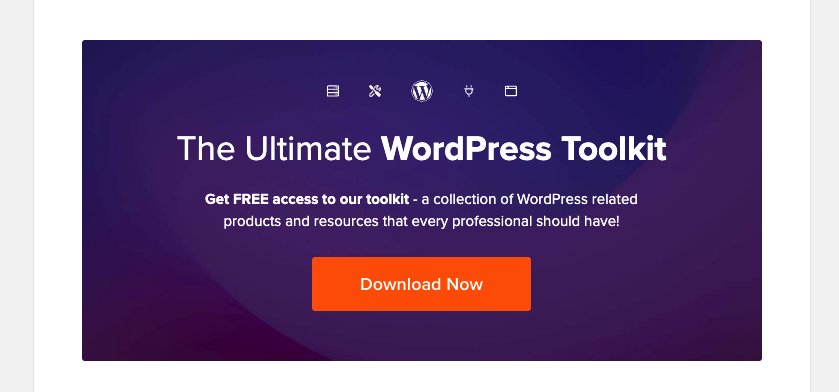
The better your lead magnet, the more sign-ups you’ll get.
For example, an ebook on how to lose weight in 14 days can get you a lot of new email sign-ups.
2. Create Squeeze Pages
A squeeze page is a page dedicated to converting visitors into email subscribers.
The more squeeze pages you create, the more audience you can attract to be your email subscribers.
HubSpot is the best example of having multiple squeeze pages. They have squeeze pages for every imaginable topic. With over 463 squeeze pages, they have built an entire hub to attract new email subscribers daily.
3. Optimise Your About Us Page
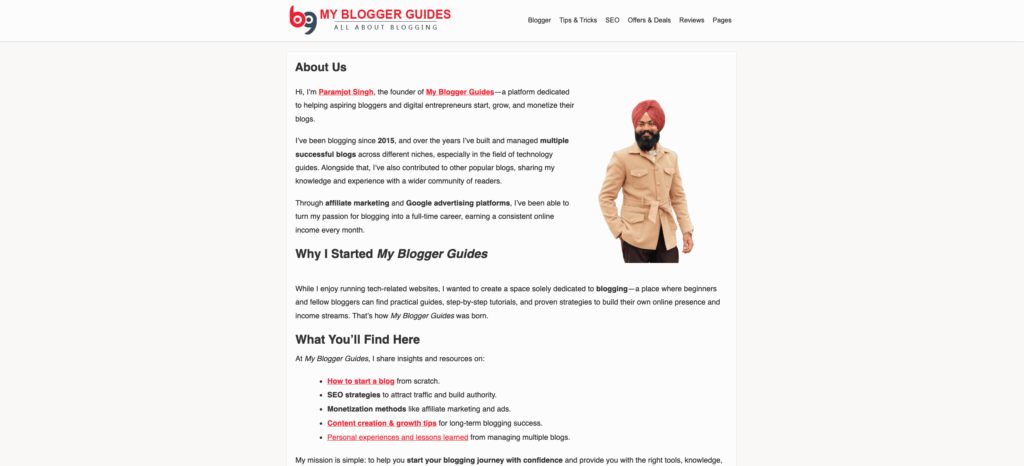
About Us is the most visited page on your website. Whenever a new user visits the website, they first see the about us page to know more about you and your blog.
In my opinion, this is the best and also the easiest time to convert these visitors into your email subscribers.
On your About Us page, offer a free lead magnet that grabs users’ attention. Since they already like you and your content, they are on the About Us page, so the chances are that they will convert into a loyal subscriber.
4. Exit Intent Popup
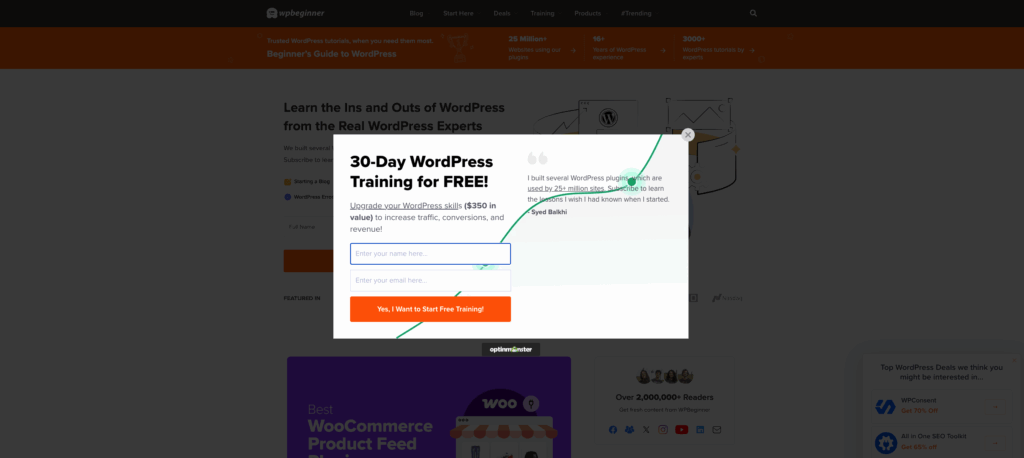
Let’s face it.
Nobody likes pop-ups. They are annoying.
Personally, I hate them too. Imagine you’re reading something important when a pop-up suddenly appears on your screen, breaking your rhythm.
Popups aren’t bad either. The way you use them is.
When a user visits your website, never show them the popup instantly. Always focus on exit popups, meaning when someone is exiting your website, they’ll see a popup. Moreover, that popup should add immense value to their lives.
Remember, a user is already exiting the website, so your pop-up should be the reason they stop and give you their email.
5. Design Your HomePage
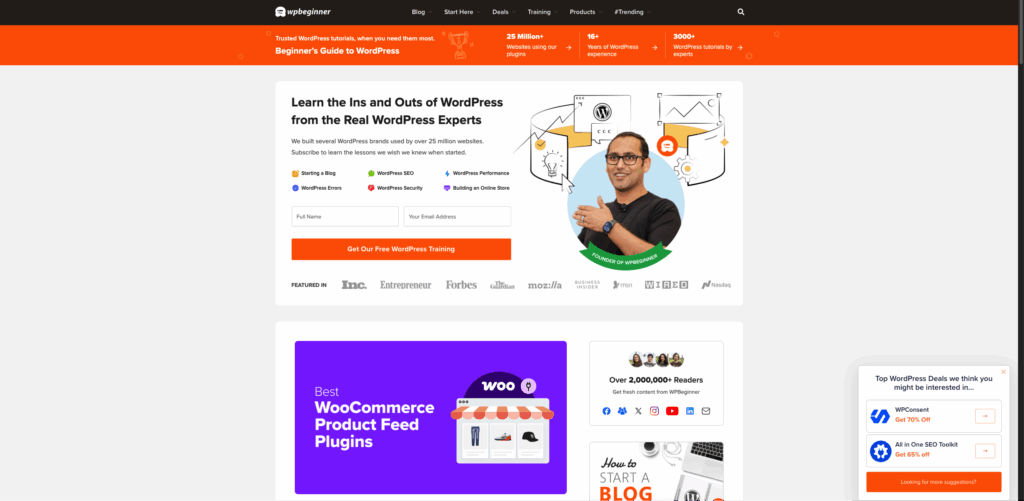
Most blogs, when you visit their homepage, have a latest posts section on the right side.
There’s nothing wrong with having that; however, if your goal is to attract more email subscribers, you should design your homepage with an email subscribe section on the right.
On our website, look at how we have added “Grammarly review”, “Hostgator review”, and finally, subscribe to our box.
The homepage is one of the most visited pages on your website, and you don’t want to miss out on that by not offering an option to collect emails.
6. Content Upgrades
Content Upgrade is, I’d say, one of the most unique and unheard ways to gain new email subscribers.
Your job is to find out the pages that get the most number of unique visitors every month. Next, create a PDF version of this article. Now, add that content upgrade as a PDF in your post in exchange for an email ID.
People who are in a rush and don’t have time to read will happily share their email and download the resource for later use.
Email Templates
Now that you know 6 effective ways to build your email list, let’s quickly understand the types of email templates that get you the highest number of clicks.
1. Content Newsletters
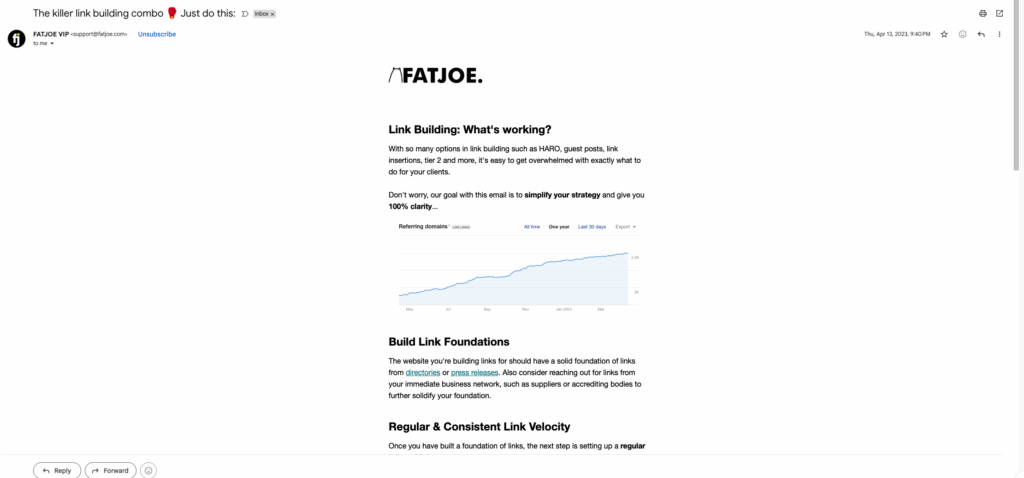
A content newsletter is a newsletter that provides value.
The value can be any type, but it shouldn’t include promotional links or products.
You can give quick tips, share your personal story, or share a list of helpful resources.
Remember, a newsletter that offers only value is rare to find. Every email that you open is promotional these days, so if you’re doing a content newsletter to provide value, you’re already ahead of the crowd.
Here’s the template to write the perfect content newsletter
Step 1: Have an interesting headline (something that makes them curious)
Step 2: Write a bold opening (Goal is to keep the readers hooked)
Step 3: Provide value in the form of quick tips or resources (this is the easy part)
Step 4: The final step is the CTA. Why CTA in a content newsletter? Cause one day you’ll pitch something (that’s the goal). Users shouldn’t feel weird when you pitch them something. For value-packed emails, the CTA can be (things you learned from this, or what do you want me to cover next?)
2. Marketing Offer
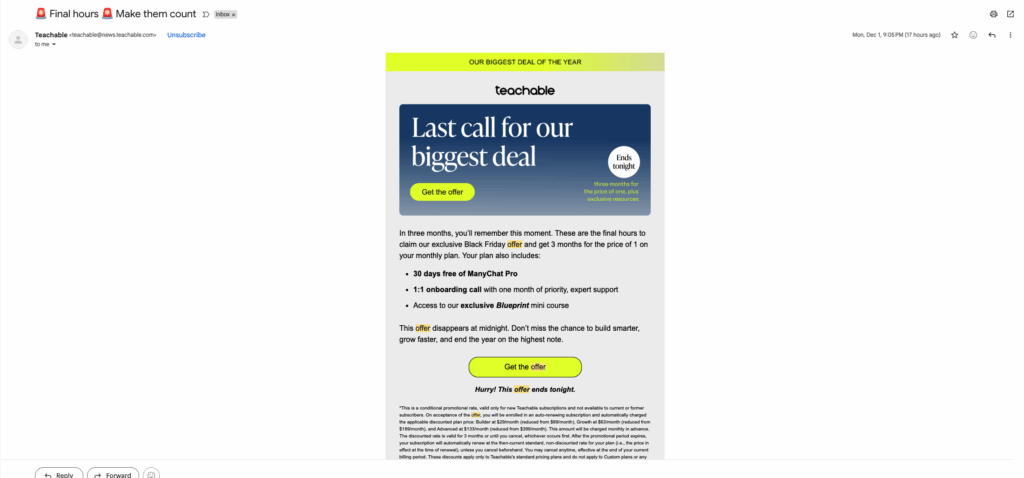
A marketing offer, as the name suggests, is a promotional email designed to sell to your email subscribers.
Here’s the template to write the perfect marketing offer email
Step 1: Straightforward subject line with the offer details. It can be anything that gets users to click. The best headline is the % off you’re offering for a limited time.
Step 2: Elaborate more about your offer. Explain that you’re running the offer for a limited time, and that it’s the first time.
Step 3: Share each and every detail about your offer. Everything that the user must know before pressing the buy button.
Step 4: This is the most important step, offering a call-to-action button for them to make the purchase.
Step 5: Use the PS word. People usually skim emails, and the PS word instantly catches their attention. Type in your offer details again in the PS Word section.
3. Announcement Offer
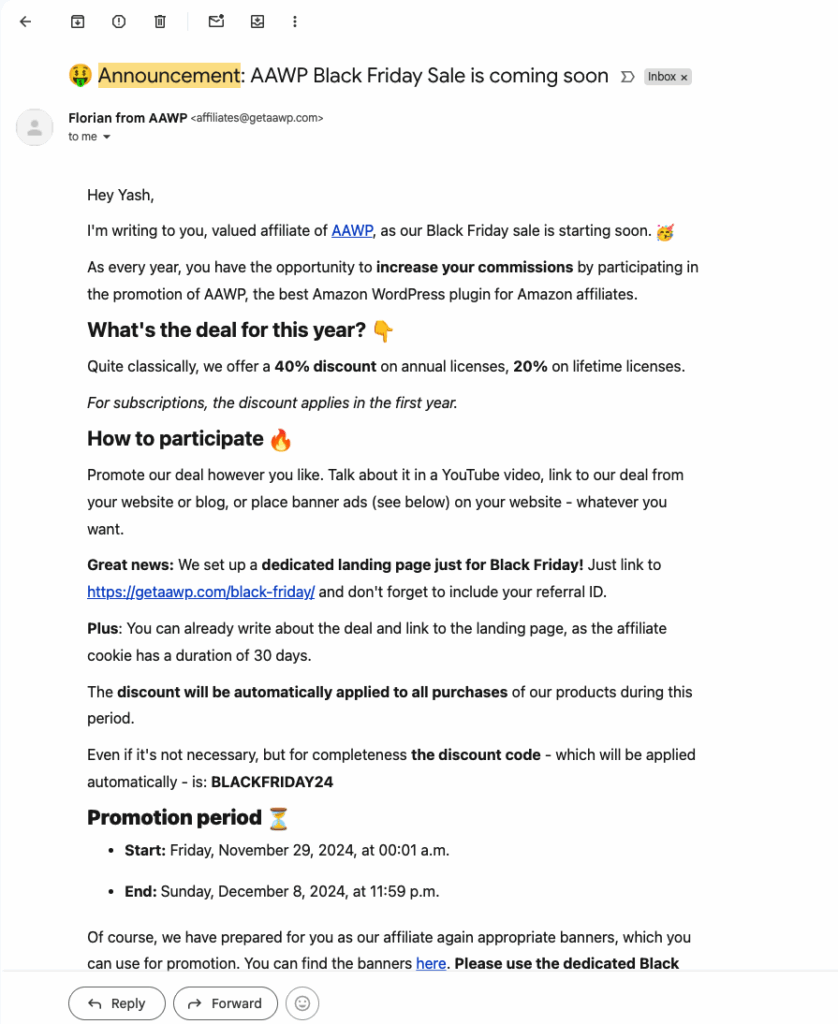
Announcement emails are sent when you’re launching something brand new. It can be a business idea or a new course.
Don’t confuse announcement emails with marketing offer emails, cause they are very different.
List of things you can use announcements emails for:
– In-person live events
– Launching a course
– Launching a new business
– Adding new features to your software
– Adding new modules to your course
Here’s the template to write the perfect announcement email:
Step 1: Start your subject line with “Announcing” or “Introducing”. Make it very clear that you have come up with something interesting.
Step 2: Build up some anticipation so users expect something good from the email.
Step 3: Finally, reveal the big news or announcement. Use bullet points to state what the audience is getting.
Step 4: Have a clear CTA for the user to take action.
4. Blog Post Newsletter
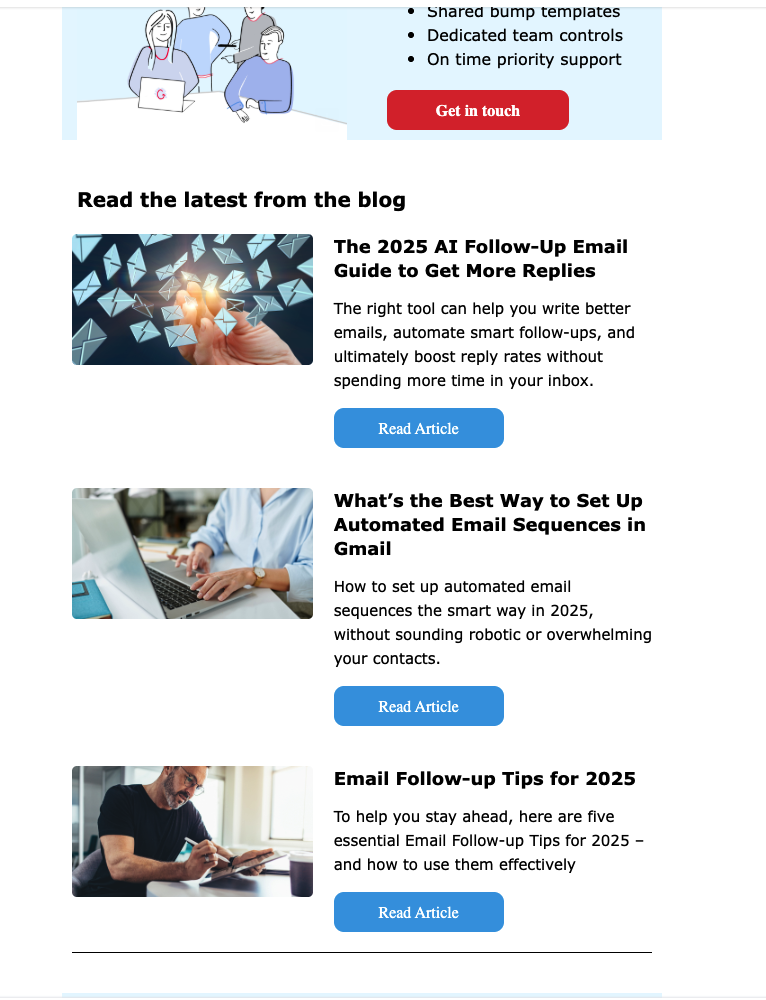
The last template in the list is writing a blog post newsletter. Every time you publish a new article, email should be your first choice for getting users to read it instantly.
Here’s a quick template to write the perfect blog post newsletter:
Step 1: Put the blog post title as your email subject line.
Step 2: In the body section, give small hints on what the article is all about.
Step 3: CTA time, embed a link for users to click and read the article.
Tip: You can use the same email template to promote YouTube videos, too.
How To Get High Open Rates?
In this section, I’ll share with you some practical strategies to get super high open rates when you send emails.
Everyone struggles to get decent email open rates, but we’ll make it easy for you. Let’s dive straight in.
1. Optimise When You Send Emails
The best advice is to avoid scheduling emails in the morning. Most of the time, your email gets buried among many others.
You need to send emails when people are awake and when their inboxes aren’t crowded. Honestly, the above is general advice, and there’s no perfect time that works for everyone.
You have to test multiple send times until you find the time that gives you the highest open rate.
Open rates also depend mainly on the type of audience you cater to. If you have a B2B business, sending emails late morning to early afternoon works best. However, for the B2C audience, the same timing may not work out.
2. Give Out Value
Always follow the 80/20 rule while sending emails. 8 out of the 10 emails you send should have pure value with no promotions whatsoever.
If you follow this single tip, I assure you that people will wait for your emails, and your open rates will skyrocket.
Good value-driven emails can be anything that makes your audience learn better about the subject matter you’re an expert of.
3. Start With A Welcome Email
When a user signs up for your email list, send them a welcome email. I see most people miss this, and right after anyone signs up, they start bombarding them with promotional emails.
Please don’t make the same mistake. This thing alone will get you a lot of unsubscribers almost immediately.
In the welcome email, tell the user what they can expect from you each week or month through a newsletter.
Which Is The Best Email Marketing Software?
Let’s briefly touch on which option is the most reliable for you to send emails.
1. Mailchimp
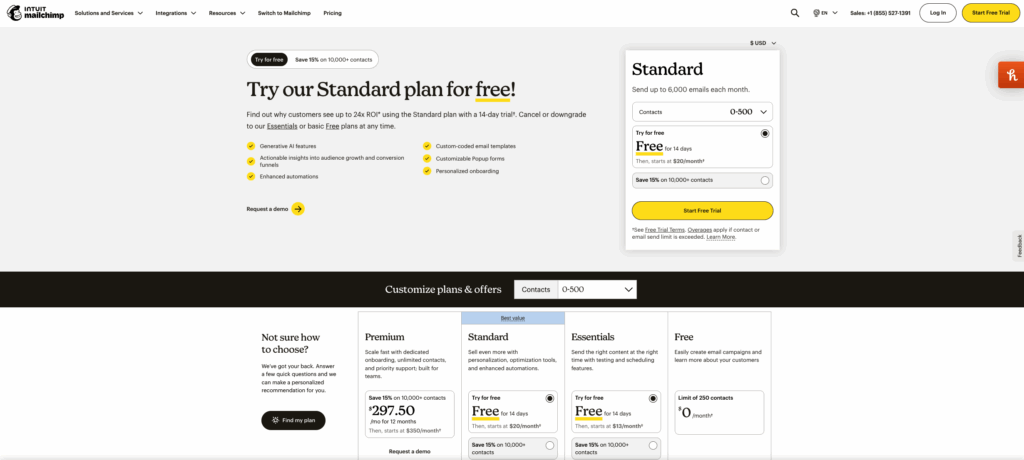
With a starting price of $13 for 500 email contacts, MailChimp is one of the oldest and most reliable email service providers.
In terms of features, you get everything from advanced automations, a landing page builder, SMS marketing, and various e-commerce tools.
Mailchimp is perfect for small businesses and those just starting into email marketing.
2. ConvertKit
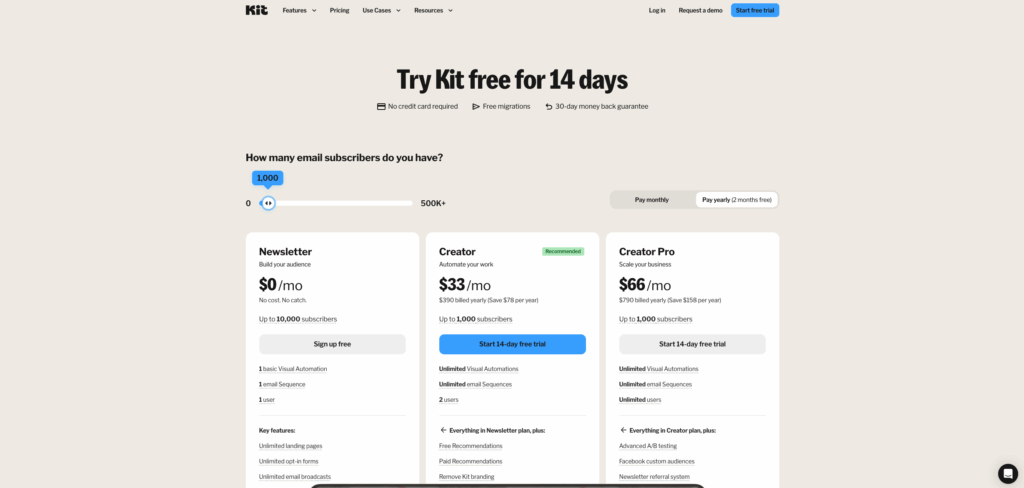
ConverKit is a new player in the industry, but it has made its mark in the top leagues pretty fast.
Starting with $20 for 500 contacts and 5000 emails, ConverKit is the go-to option for many big businesses.
They offer a wide range of features like visual automation builders, form and landing page builders, funnel building, and more.
ConverKit is perfect for Ecommerce businesses.
3. AWeber
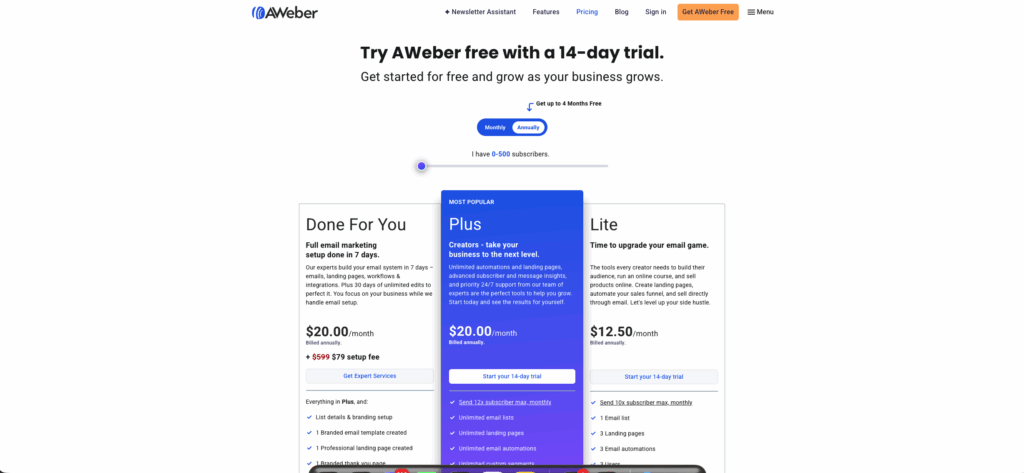
AWeber offers a 14-day free trial, and their pricing starts at $15 for 500 contacts. AWeber is a very reliable email service provider.
They have a drag-and-drop email builder, pre-designed email templates, and advanced email automations.
AWeber is used mainly by bloggers, both beginners and intermediates.
4. Active Campaign
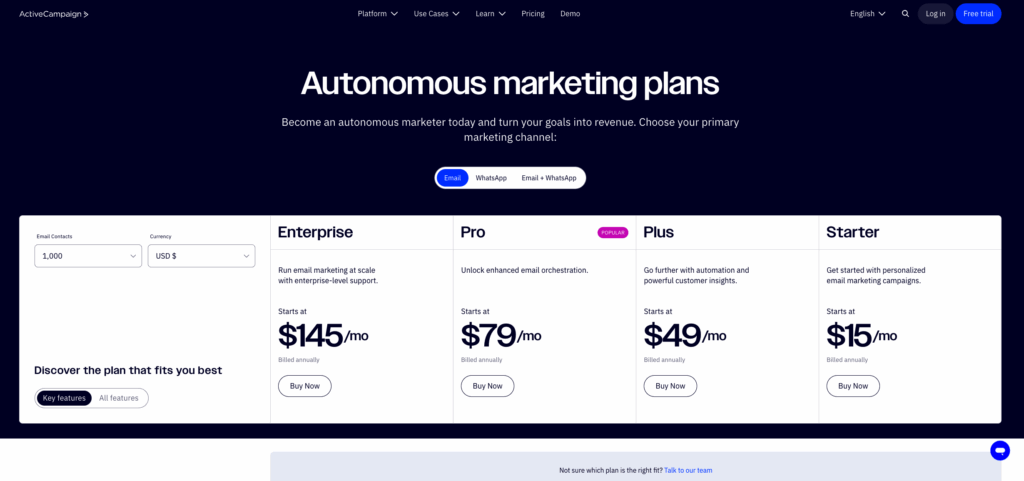
Last on the list is ActiveCampaign. Similar to AWeber, ActiveCampaign offers a 14-day trial too. The pricing is $15 per 1,000 contacts, making it one of the cheapest options on the market.
ActiveCampaign offers the most advanced automations, CRM, and sales tools, with landing page builder options.
ActiveCampaign is the most preferred email marketing software for users who want advanced automation.
Email Marketing FAQs
Let’s uncover some of the common email marketing questions you have in this section.
Question: How do I grow my email list?
Answer: Use free lead magnets like ebooks or a video course, make use of opt-in forms, and exit intent popups.
Question: Should I buy a readymade email list?
Answer: Absolutely not. Never make the mistake of buying an email list. Building an email list slowly and organically is the only way to create a sustainable, long-term brand.
Question: How do I get rid of the bad email?
Answer: Make a biweekly habit of cleaning your email list. Remove people who never open emails from your list. Don’t be emotional and remove them.
Question: How often do I send emails?
Answer: There’s no right or wrong answer to this question. All I can say is don’t spam a lot of unnecessary emails. Start with one email per week, and if you get a good response, shift to two emails per week.
Question: What email metrics do I track regularly?
Answer: Four key metrics you should track are open rate, click-through rate, conversion rate, and bounce rate
Question: How do I improve my email strategy?
Answer: A Simple answer is experiment. Play with different subject lines, A/B test images, segment your most to least active list, and most importantly, keep your list active by cleaning it regularly.
Question: How do I prevent people from unsubscribing from the list?
Answer: This isn’t really in your control, to be honest. However, to reduce the unsubscribe rate, you should send fewer emails and aim to offer maximum value to your users rather than spam them with promotional links.
Conclusion:
That’s it for the “What is Email Marketing? How to Build an Email List” article. If you have any questions for me, don’t hesitate to ask them in the comments below. Furthermore, if you have any mind-blowing topic suggestions you’d like me to cover, feel free to drop them below.
Finally, do leave a comment telling me your three biggest learnings from this article. I read every comment, so don’t think your comments are going unnoticed.
I’ll see you in the next one.
Contents
