
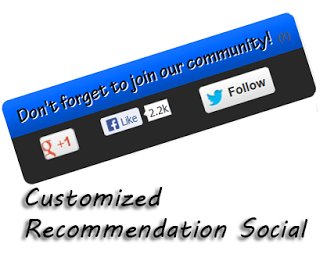
Popup Recommended Social Media Widget for Blogger
Popup Recommended Social Media Widget for Blogger

Popup Social Media Widget

How To Add Popup Recommended Social Media Widget to Blogger
Steps for Add Popup Recommended Social Media Widget to Blogger
- Login To Blogger Account >> Select Blog in which you want to add this widget.
- Go to Layout >> Click On Add A Gadget.
- Now select HTML/JavaScript.
- Now Paste code which is given Below.
<style>
#socialslide{background: rgb(41, 40, 40) url(http://3.bp.blogspot.com/-wopOsbuMiPw/Vg-nRyrn89I/AAAAAAAADio/pg5F6-caZQM/s1600/recbg-MBG.png) left top repeat-x;
border-radius: 9px;
-moz-border-radius: 9px;
-webkit-border-radius: 9px;
-moz-box-shadow: inset 0 0 3px #333;
-webkit-box-shadow: inset 0 0 3px #333;
box-shadow: inner 0 0 3px #333;
padding: 12px 14px 12px 14px;
width: 300px;
position: fixed;
bottom: 13px;
right: 2px;
display: none;
z-index: 3;
height: 65px;
}
</style>
<script type=”text/javascript” src=”http://ajax.googleapis.com/ajax/libs/jquery/1.4.4/jquery.min.js”></script>
<script type=”text/javascript”>$(window).scroll(function(){if($(document).scrollTop()>=$(document).height()/4)$(“#socialslide”).show(“slow”);else $(“#socialslide”).hide(“slow”);});function closesocialslide(){$(‘#msocialslide’).remove();$.ajax({type:”POST”,url:”/facebookpage.php”});}</script>
<div style=”display: none;” id=”socialslide”>
<a style=”position:absolute;top:14px;right:10px;color:#555;font-size:10px;font-weight:bold;” href=”javascript:void(0);” onclick=”return closesocialslide();”>(X)</a>
<span style=”font-family: Tekton Pro; font-size: 20px; margin: 10px 0; text-shadow: 1px 1px 0 #FFFFFF;”>Don’t forget to join our community!</span><br />
<div style=”float:left; margin:15px;”><g:plusone annotation=”none”></g:plusone></div>
<div style=”float:left; margin:15px;”><iframe src=”//www.facebook.com/plugins/like.php?href=https%3A%2F%2Fwww.facebook.com%2FMyBloggerGuides&send=false&layout=button_count&width=80&show_faces=false&action=like&colorscheme=light&font=arial&height=21″ scrolling=”no” frameborder=”0″ style=”border:none; overflow:hidden; width:80px; height:21px;” allowtransparency=”true”></iframe></div>
<div style=”float:left; margin:15px;”><a href=”https://twitter.com/MyBloggerGuides” class=”twitter-follow-button” data-show-count=”false” data-size=”large” data-show-screen-name=”false”>Follow @MyBloggerGuides</a>
<script>!function(d,s,id){var js,fjs=d.getElementsByTagName(s)[0];if(!d.getElementById(id)){js=d.createElement(s);js.id=id;js.src=”//platform.twitter.com/widgets.js”;fjs.parentNode.insertBefore(js,fjs);}}(document,”script”,”twitter-wjs”);</script></div><div id=”widgetbox” style=”border-top: 0.5px solid #ddd;padding: 1px 8px 1px 3px;text-align: right;border-image: initial;font-size:10px;font-family: “arial”,”helvetica”,sans-serif;”> <span class=”author-credit” style=”font-family: Arial, Helvetica, sans-serif;”><a href=”https://mybloggerguides.com/2015/10/popup-recommended-social-media-widget.html” target=”_blank”>Get Widget »</a></span> </div> <!– End Widget –>
</div>
<div class=’clear’></div>
- Now Click On Save.
- Now Open your blog in new tab and scroll down and enjoy this popup widget in your blogger blog.
- That’s it. You have successfully added this Popup social widget in your blogger blog.
Contents
