
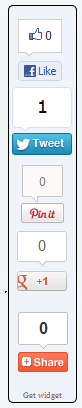
Add Vertical Social Sharing Widget to Blogger
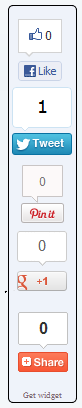
- Go to Blogger Dashboard.
- Go To Edit HTML and first download backup copy your template.
- Put checked marked in Expand Widget Templates
- Find this code by using Ctrl+F <b:includable id=’post’ var=’post’>
- Paste below code, After <b:includable id=’post’ var=’post’> code
<style type=’text/css’>
#MBG-share {position:fixed; bottom:15%; right:10px; float:right; border: 1px solid black; border-radius:5px;-moz-border-radius:5px;-webkit-border-radius:5px;background-color:#eff3fa;padding:0 0 2px 0;z-index:10;}
</style>
<div id=’MBG-share’ title=’Share with your friends’>
<script type=’text/javascript’>var switchTo5x=true;</script><script src=’http://w.sharethis.com/button/buttons.js’ type=’text/javascript’/>
<script type=’text/javascript’>stLight.options({onhover:false});</script>
<div style=’margin:10px 0 0px 6px;’>
<span class=’st_fblike_vcount’ displaytext=”/></div>
<span class=’st_twitter_vcount’ displaytext=” st_via=’MBG’/>
<div style=’margin:10px 0 0px 0;’>
<center><a class=’pin-it-button’ count-layout=’vertical’ expr:href=’"http://pinterest.com/pin/create/button/?url=" + data:post.url’>Pin It</a>
<a href=’javascript:void(run_pinmarklet())’ style=’margin-left:-46px; width:43px; height:20px; display:inline-block;’/>
<script src=’http://assets.pinterest.com/js/pinit.js’ type=’text/javascript’/>
<script type=’text/javascript’>function run_pinmarklet() {
var e=document.createElement('script');
e.setAttribute('type','text/javascript');
e.setAttribute('charset','UTF-8');
e.setAttribute('src','http://assets.pinterest.com/js/pinmarklet.js?r=' + Math.random()*99999999);
document.body.appendChild(e);}
</script> </center>
</div>
<div style=’margin:0px 0 0 5px;’>
<span class=’st_plusone_vcount’ displaytext=”/>
<div class=’addthis_toolbox addthis_default_style ‘ style=’margin:5px 0px -2px 4px;’>
<a class=’addthis_counter’/></div><script src=’http://s7.addthis.com/js/250/addthis_widget.js’ type=’text/javascript’/>
<script type=’text/javascript’>var addthis_config = {
ui_cobrand: "MBG",
ui_header_color: "#ffffff",
ui_header_background: "#0080FF"}
</script>
</div><br/><div style=’clear: both;font-size: 8px;text-align:center;’><a href=’https://mybloggerguides.com/2015/10/vertical-social-sharing-widget-for-blogger.html’ style=’text-decoration: none;’ target=’_blank’><font color=’#816D77′ decoration=’none’>Get widget</font></a></div><!– Do not remove this link –></div>
- Now Save Your Template.
- That’s it. You have added this widget in your blogger blog.
- Now open your blog by opening a new tab. Cheers!
Our Recommended Blogger Widgets
- WordPress Like Floating Social Sharing Widget for Blogger with Counter.
- AllInOne Admin Box Widget with Social buttons and Subscription Box.
- Add Sticky Notification Bar To Blogger with Show/Hide Button.
- Stylish Contact Form For Blogger! Add to Static Page, Responsive & Pro Version.
- Cute & Stylish Email Popup Subscription Widget.
Conclusion:
Thank You! Stay Blessed!
Contents
