
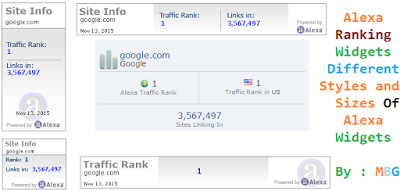
Add Different Styles Of Alexa Widgets to Blog – Website
As i already Discuss about the importance of Alexa Ranking. Alexa is a leading website statistics providing company, it provides free statistics for registered websites. Alexa Ranking is really matters and it depends on various factors also. Alexa ranking is almost based on the Data collected by Toolbar and its status bar installed by their users. So i always recommend you to install Alexa Rank Widgets and status for better alexa optimization. If you have any website or blog which have good visitor flow then may be you are listed in alexa ranking. Alexa ranking is based on calculation of Three month traffic on your site. on that based you got ranking.


Today in this post we are going to share Different Types & Styles Of Alexa Widgets For Blog and Websites which you can use to display alexa site rank for your blog/website. Once you add the widget to your blog you don’t need to touch it because it updates automatically also the installation of the widgets are damn easy. You just have to copy and paste the code.Now without waiting anymore lets go to the widgets.
See Also Another Stylish Widget
- Stylish Contact Form for Blogger! Add to Static Page.
- Stylish Popup Subscription Box for Blogger.
- WordPress Like Floating Social Sharing Counter Buttons for Blogger.
How To Install Alexa Ranking Widgets On Blogger Blog?
- Choose a widget style first
- Copy the code of that widget
- Paste it into your notepad
- Replace my blog URL with yours
- Go to Blogger Dashboard > Layout
- Click on Add a Gadget tab
- Select HTML/JavaScript
- Paste the code from your notepad and save it,
Alexa Site Rank Widget Style 1
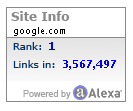
Alexa Site Rank Widget Style 2
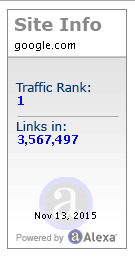
Alexa Site Rank Widget Style 3

Alexa Site Rank Widget Style 4
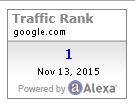
Alexa Site Rank Widget Style 5
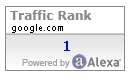
Alexa Site Rank Widget Style 6

9. Now replace http://www.google.com/ with your own blog URL.
10. Finally save your widget and you are done 🙂
Conclusion:
So above guide is about How To Install Alexa Rank Widget To Blogger Blog. Hope by this complete guide you can easily add this widget on your blog/website. If anyhow Problem persist after following all steps then drop a comment below. We will help you out of sure. Do share.
Thank You! Stay Blessed!
Thank You! Stay Blessed!
Contents
