
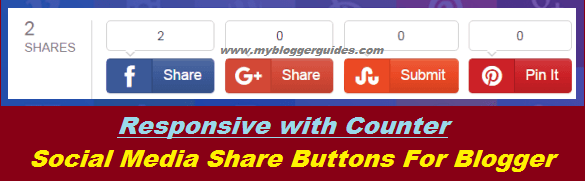
Responsive Blogger Social Sharing Buttons with Counter

It is very necessary to add a social sharing buttons to the every blog post. So, today I’m going to share this social sharing widget for blogger blogs which includes Counter facility and also this is fully responsive. You can found hundreds of social media buttons on the web but you may be looking for some unique social media sharing buttons for your blogger blog. So, stop googling because your search ends here, We are here with good and attractive social media share buttons for your blogger blog. You can view Live demo of this widget from the Below Demo Button.
Live Demo
Other Social Sharing Widgets
- Social Sharing Widget with Counter for Blogger
- How To Add CSS Social Sharing Widget to Blogger?
- Below Post Title or Post Footer Social Sharing Widget
- Below Post Responsive Social Sharing Buttons For Blogger
Qualities Of This Sharing Widget
- Fully Responsive.
- Fast Loading.
- Sharing Counter.
How To Add Social Sharing Buttons to Blogger?
- Go to Blogger Dashboard.
- Template >> Edit HTML.
- After opening your Blog Template Search for below code by pressing CTRL+F.
<div class=’post-footer’>
- Now Paste Below Code just Below of it.
<div class=”don-share” data-bubbles=”top” data-limit=”4″>
<div class=”don-share-total”></div>
<div class=”don-share-facebook”></div>
<div class=”don-share-google”></div>
<div class=”don-share-pinterest”></div>
<div class=”don-share-linkedin”></div>
<div class=”don-share-twitter”></div>
<div class=”don-share-tumblr”></div>
<div class=”don-share-stumbleupon”></div>
<div class=”don-share-reddit”></div>
<div class=”don-share-hackernews”></div>
<div class=”don-share-buffer”></div>
<div class=”don-share-xing”></div>
<div class=”don-share-pocket”></div>
<div class=”don-share-fancy”></div>
<div class=”don-share-yummly”></div>
<div class=”don-share-scoopit”></div>
<div class=”don-share-weibo”></div>
<div class=”don-share-vk”></div>
<div class=”don-share-mailru”></div>
<div class=”don-share-odnoklassniki”></div>
<div class=”don-share-hatena”></div>
</div>
<script type=”text/javascript”>
(function() {
var dr = document.createElement(‘script’);
dr.type = ‘text/javascript’; dr.async = true;
dr.src = ‘//share.donreach.com/buttons.js’;
(document.getElementsByTagName(‘head’)[0] || document.getElementsByTagName(‘body’)[0]).appendChild(dr);
})();
</script>
- Note : You may find this code more than one time but you have to paste above code to the below of second.
- Now Save your Template.
- To check the result open any single post of your blogger blog.
Conclusion:
Contents
