
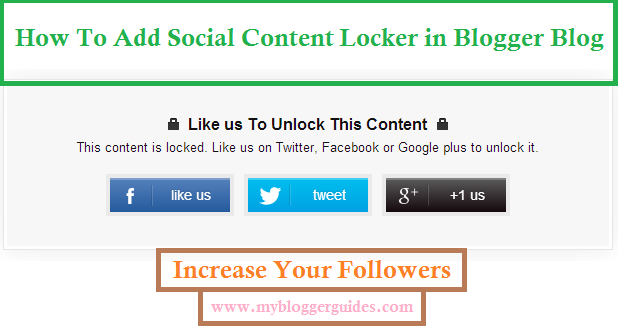
How to Add a Social Content Locker for Blogger [Fixed Facebook Buttons]
Update on How to Add a Social Content Locker for Blogger: One of our readers remind us about Facebook button issue. Actually, Facebook has changed the programming of Link and Share button, so our buttons are not working. But, We have updated {Fixed} the code and now it is working very well without any issue.
Social Content Locker for Blogger
Blogger is the biggest and free platform for hosting website. It is free, so this is the first choice of newbies. Many people are using social networking sites to boost their site’s traffic.
Professional bloggers also depend on upon this strategy; they also rely on the social network traffic. But, for a newbie, it is too difficult to gain followers.

There are many widgets by using which a newbie can increase their followers on social networking profiles. Social Content Locker Widget is also one of them.
So, today we have come up with social content locker widget by using which you can boost your blog traffic from social sites because this widget can increase followers.
What is Social Locker & Why to Use it?
A Social Content Locker allows you to lock any part of your content on a web page until a user clicks one the social buttons (Tweet, G+, Facebook Like). This way you get more tweets, likes, shares, etc. thus giving you massive exposure.
Way to Add Social Content Locker for Blogger Blog?
- Go to Blogger >> Template >> Edit HTML.
- Search for </head> tag and paste following jquery library just above if it. Most of the templates already come with it. If your template has already this library code, then skip this step and move on next.
<script src=’https://code.jquery.com/jquery-1.10.2.min.js’ type=’text/javascript’/>
- Now, again Search for </head> tag and paste the following code just above if it.
<link href=’https://doc-0s-7k-docs.googleusercontent.com/docs/securesc/46mevca208h20kh59uvtk55q7dku0d9l/v6vg0hu920bn8rogntsjv4agqgusqopu/1495785600000/08960062118141305201/08960062118141305201/0B-tTrbz0ZUcpY0pZbFV3VVVkYlk?e=download&nonce=f563ii5mtg2pa&user=08960062118141305201&hash=avg6o490n12qh189t9rta5aogtdan51o’ rel=’stylesheet’ type=’text/css’/>
<script src=’https://doc-0c-7k-docs.googleusercontent.com/docs/securesc/46mevca208h20kh59uvtk55q7dku0d9l/v7nm805i6a1hb50d5vnukjfjg7jqsq0p/1495785600000/08960062118141305201/08960062118141305201/0B-tTrbz0ZUcpVzdUZk14MFEyUVk?e=download’ type=’text/javascript’/>
<script type=’text/javascript’>
//<![CDATA[
$(function(){
$(‘.socialLocker .to-lock’).sociallocker({
buttons: {order:[“facebook-like”,”twitter-tweet”,”google-plus”]},
twitter: {url:”http://twitter.com/mybloggerguides“},
facebook: {url:”https://www.facebook.com/mybloggerguides“},
google: {url:”https://plus.google.com/+MyBloggerGuides“},
text: {
header: “Like us To Unlock This Content”,
message: “This content is locked. Like us on Twitter, Facebook or Google plus to unlock it.”
},
locker: {close: false, timer: 0,},
theme: “secrets”
});
});
//]]>
</script>
- Replace the links with your links where you want likes or shares.
- Now, whenever you want to show this social content locker on any of your blogger post or pages, just add this code in your Blogger HTML Post Editor.
<article class=”socialLocker”> <div class=”to-lock” style=”display:none;”> — ADD YOUR CONTENT HERE — </div> </article>
- Replace — ADD YOUR CONTENT HERE — with your content which you want to lock.
- Hit on publishing button.
- That’s it. Now Open your blog post where you have added this social locker and see it live.
Recommended Blogger Guides & Widgets
- How To Add AdSense Page-level Ads in Blogger for Mobile View
- How To Add Materialized Ripple Effect on Blogger Elements
- How To Add Sitelinks to Google Search Result for your Blog/Website
In Conclusion of Social Content Locker for Blogger Blog
Thank You! Stay Blessed!
Contents


facebook box doesn't works it looks empty, no FB like button at all