
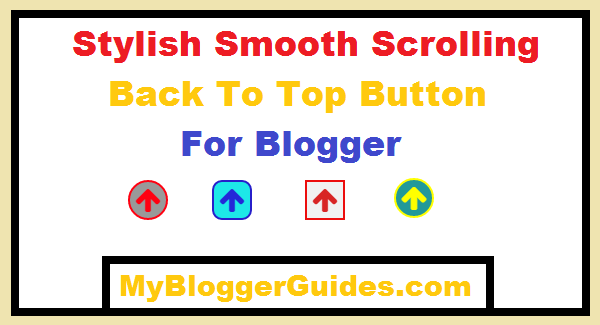
Cute Smooth Scrolling Back To Top Button for Blogger

Also Read – 15+ Back To Top Button For Blogger
How to Add Scroll To Top Button on Blogger?
<link href=’http://netdna.bootstrapcdn.com/font-awesome/4.6.3/css/font-awesome.css’ rel=’stylesheet’/>
<script src=’https://ajax.googleapis.com/ajax/libs/jquery/1.11.3/jquery.min.js’></script>
/******back to top button for blogger by mybloggerguides.com**********/
.back-to-top { z-index:99999; position: fixed; bottom: 0.2em; right: 10px; background-color: transparent; font-size: 20px; padding: 0px 0px 0px 2px; display: none; border-radius: 30%; }
.back-to-top:hover { background-color: transparent; margin-bottom: 8px; font-size: 20px; }
.back-to-top i.fa.fa-arrow-up { color: #ff7211; padding: 4px 5px; border-radius: 50px; background-color: #222; font-size: 28px; border: 2px solid #fff; }
.back-to-top i.fa.fa-arrow-up:hover { color: #fff; padding: 4px 5px; border-radius: 50px; background-color: #222; font-size: 30px; border: 2px solid #ff7211; }
Customization
1 – Change Hexacode of color: #ff7211; to change icon color and change Hexacode of color: #fff; to change icon color on hover.
2 – Change Hexacode of background-color: #222; to modify the background color.
3 – Change Hexacode of border: 2px solid #fff; to change border color and change Hexa color code of border: 2px solid #ff7211; to change border color on hover.
STEP 5] Now again search for </body> tag and just above of it paste below code.
<a class=’back-to-top’ href=’#’><i class=’fa fa-arrow-up’></i></a>
<script type=’text/javascript’>
jQuery(document).ready(function() {
var offset = 220;
var duration = 500;
jQuery(window).scroll(function() {
if (jQuery(this).scrollTop() > offset) {
jQuery(‘.back-to-top’).fadeIn(duration);
} else {
jQuery(‘.back-to-top’).fadeOut(duration);
}
});jQuery(‘.back-to-top’).click(function(event) {
event.preventDefault();
jQuery(‘html, body’).animate({scrollTop: 0}, duration);
return false;
})
});
</script>
That’s it. Now open your blog and see it live on your blogger blog.
Must Read – Stylish Contact Form For Blogger! Add To Static Page
Conclusion:
So above guide is about “How to Add Cute Smooth Scrolling Back To Top Button to Blogger?” I’ve tried my best to make this tutorial as easy as possible but if in any case you are facing any trouble then let me know via dropping a comment below. I’ll help you out of sure.
Don’t forget to subscribe us and if you like this article, then do share with your friends on any social networking ID.
Thank You!
Stay Blessed and Stay Happy!
Contents
