
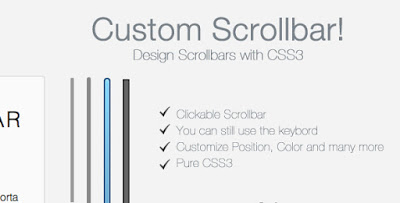
How To Customize & Change Color Of Scrollbar in Blogger
If you want to make your blog eye catching, colorful, look like professional, and user friendly too, then you must have to install this colorful scrollbar style on your blogger blog. So if you want to change color and width of scrollbar on your blogger blog then follow below step by step tutorial and do same on your blog.
 |
| Customize and Change Color Of Scrollbar |
How To Customize ScrollBar In Blogger?
- Login to your blogger account >> go to Template >> Edit HTML.
- Click anywhere inside the template code box then press Ctrl+F on windows and Cmd+F on mac.
- Find out this little piece of code line ]]></b:skin> and just before that, paste the whole CSS code given below. You can customize its color codes as you wish.
/*****************************************
Scrollbar Customization by MyBloggerGuides
******************************************/
::-webkit-scrollbar {
width:8px;
height:8px;
}
::-webkit-scrollbar-track {
background:#FFF; /*——This is background color of scrollbar track ——*/
-webkit-box-shadow:inset 2px 2px 4px #E0E0E0;
border:1px solid #D8D8D8;
}
::-webkit-scrollbar-thumb {
background:#c0392b; /*——Thumb color ——*/
-webkit-box-shadow:inset 1px 1px 2px rgba(155,155,155,0.4);
}
::-webkit-scrollbar-thumb:hover {
-webkit-box-shadow:inset 2px 2px 10px rgba(0,0,0,0.4); /*——Shadow on hover——*/
}
::-webkit-scrollbar-thumb:active {
background:#333; /*——Thumb color when it is active——*/
-webkit-box-shadow:inset 1px 1px 2px rgba(0,0,0,0.4);
}
- Hit save button 🙂 In the above CSS code, I have added proper comments to change the color codes to make it easy for every one.
- That’s it. you have successfully customized and change color of your blogger blog scrollbar.
- Do not forget to visit your blog after adding these styles. How can you forget? Right? lol
Conclusion:
Contents
